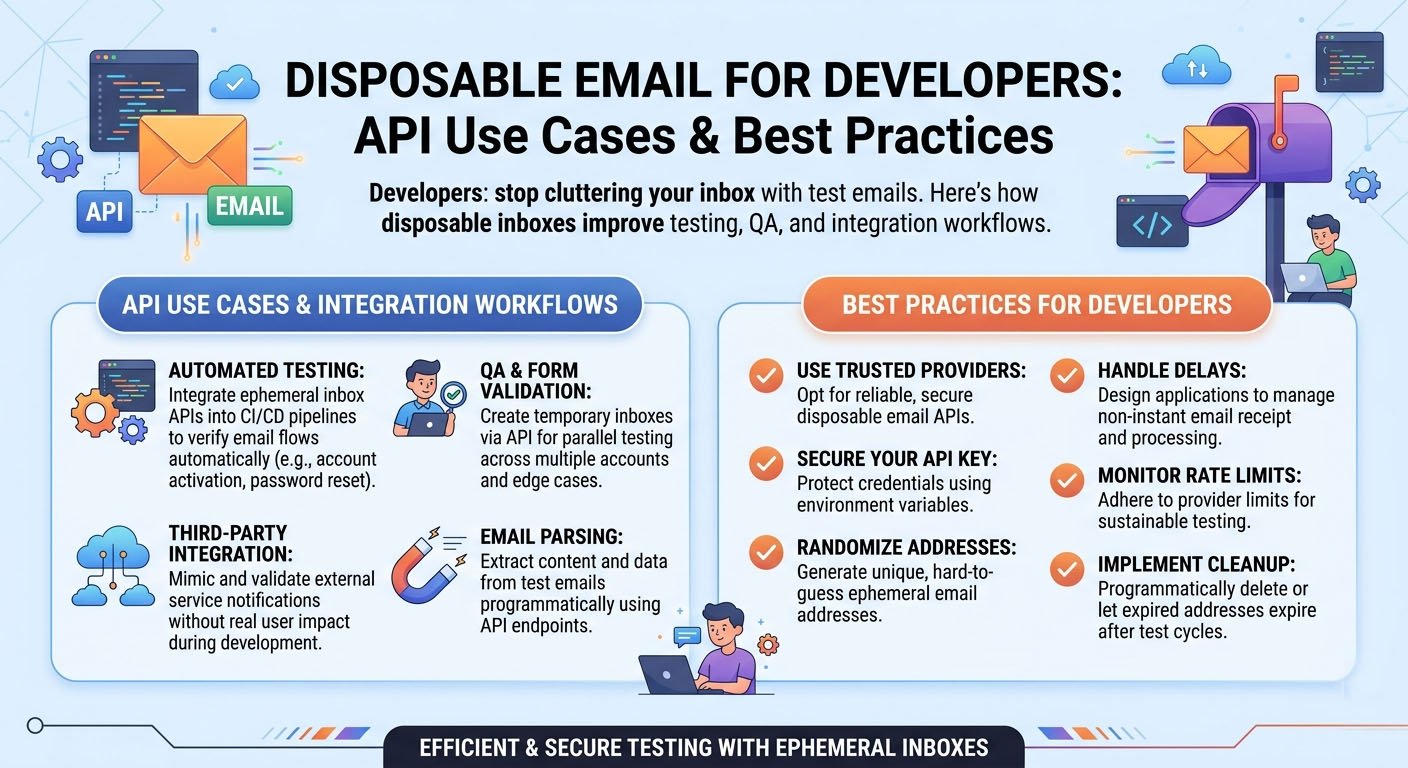
Disposable Email for Developers: API Use Cases & Best Practices
The first time I had to test a sign-up flow properly, I made a rookie mistake.
I used my real email address. Then I did it again. And again. Because every test run needed a "fresh" user to trigger the full onboarding sequence. By the end of the day, I had 40 confirmation emails sitting in my inbox, my test accounts were a mess, and I had no clean way to reproduce any specific scenario.
A colleague watched me scroll through the chaos and said, simply: "Just use disposable emails."
It seems obvious in retrospect. But a lot of developers — especially early in their careers — never think about it until they're wrist-deep in inbox chaos. Disposable email services like TempMailMaster.io were practically built for this kind of workflow.
Here's a proper breakdown of how developers actually use them, and how to do it right.
Why Email Testing Is Uniquely Painful
Most parts of a web application can be tested in isolation. Database queries. API endpoints. Frontend components. You can mock data, simulate inputs, and run automated tests without touching anything real.
Email is different.
Email flows touch real external systems — SMTP servers, delivery providers, inbox rendering engines. To know if your confirmation email actually arrives, renders correctly, and contains a working link, you need a real inbox that receives real messages.
That's the fundamental problem: you need real email addresses for testing, but using real email addresses creates a mess.
Disposable inboxes solve this neatly.
Use Case 1: Testing Registration and Email Verification
This is the most common one. Almost every application with user accounts sends a verification email after sign-up. Testing it requires:
- A fresh email address that hasn't been used before (to trigger the "new user" flow)
- An inbox that actually receives the verification email
- The ability to click the verification link and confirm it works
With a disposable inbox, each test run is genuinely isolated. You're not re-testing with an account that already exists in your system. You're not hunting through a cluttered inbox for the right confirmation email among dozens of others.
Practical approach: Generate a new temp email at TempMailMaster.io for each test run. Complete the full registration flow. Verify the email arrives, check its content and formatting, confirm the link works. Discard the inbox when done.
Use Case 2: Testing Password Reset Flows
Password reset is the flow most likely to break silently and go unnoticed until a real user can't log in.
The test coverage it needs:
- Reset email triggered correctly after request
- Email arrives with working, time-limited reset link
- Link expires after use (can't be reused)
- Appropriate error state when link expires
- Edge cases: multiple reset requests in sequence, concurrent sessions, etc.
Each scenario benefits from a clean inbox and a fresh email address. Disposable addresses let you run through every scenario without the contamination of previous test data.
Use Case 3: Multi-User Flow Testing
Some flows involve multiple distinct users interacting with each other. Team invitation systems. Referral programs. Shared workspace features. Collaborative document editing with permission-based access.
Testing these properly means having multiple, distinct, functional email addresses — all of which can receive messages, all of which are isolated from each other.
Generating multiple temp inboxes simultaneously is trivial. Open multiple tabs on TempMailMaster.io, get a different address in each, and use them for each user role in your test scenario.
Use Case 4: QA and Regression Testing
QA teams testing email-dependent features face a specific problem: shared inboxes.
If five testers are all sending test emails to the same shared address, they end up with a chaotic inbox where it's impossible to tell which email belongs to which test case. Messages arrive out of order. Tests interfere with each other. Reproducing a specific failure becomes a forensic exercise.
Giving each tester — or each test case — a unique disposable inbox eliminates this entirely. Every test is isolated. Every inbox is clean at the start of every run.
Best practice for QA teams: Adopt a convention where each test case generates and documents its own temp email address. Include the address in the test report. This makes it easy to reproduce failures and trace email content back to specific test scenarios.
Use Case 5: Third-Party Integration Testing
Modern applications rarely handle email entirely in-house. Transactional emails go through services like SendGrid, Postmark, Mailgun, or AWS SES. Marketing emails go through Mailchimp, HubSpot, or Klaviyo. CRM systems capture email activity automatically.
Testing these integrations requires:
- Verifying webhooks fire at the right moments
- Confirming emails actually reach inboxes (not just that your API call returned a 200)
- Checking that unsubscribe links function properly
- Testing deliverability — does the email land in inbox or spam?
Disposable inboxes give you a clean, unbiased environment for deliverability checks. A temp inbox has no prior relationship with your sending domain, no learned spam filters, no promotional tab sorting. It shows you roughly what a brand-new recipient sees.
Use Case 6: Staging and Pre-Production Testing
Staging environments should mirror production as closely as possible — including sending real emails. But staging emails going to real team members creates noise: staging test confirmations mixed in with real notifications, onboarding sequences triggered by QA runs, unnecessary email load on team inboxes.
Disposable addresses keep staging emails contained. Each staging test run uses a fresh inbox that doesn't exist in anyone's real mailbox.
One useful pattern: Use a naming convention for staging test emails that's recognizable at a glance — something like staging-[timestamp]@[tempmaildomain]. This makes it easy to identify staging-origin addresses in your database and clean them up during database maintenance.
Use Case 7: Client Demos and Live Walkthroughs
Demoing a registration flow live — to a client, a stakeholder, a potential investor — is one of those moments where small awkwardnesses get noticed.
If you use your real email during a demo, several things happen: your real address gets captured in the demo environment, confirmation emails arrive in your real inbox, and you end up explaining why you're checking your phone mid-presentation.
Generating a disposable inbox takes five seconds. The demo proceeds cleanly. The registration flow works exactly as intended. No personal data is exposed. The stakeholder sees a smooth, professional product flow.
Use Case 8: Evaluating Developer Tools and Services
This one is underappreciated: when you're evaluating a new library, SaaS tool, API service, or development platform, you almost always need to create an account.
Developer tools have aggressive email marketing. Sign up for a free tier, and you'll receive onboarding sequences, feature announcements, pricing changes, changelog emails, and "we miss you" re-engagement campaigns — potentially for years.
Use a disposable inbox for initial evaluations. If the tool earns a permanent place in your stack, create a proper account with a real address at that point. This keeps your professional inbox clean and makes it easy to triage which tools you've actually committed to versus which ones you kicked the tires on once.
For context on how these email lists get built and used: 10 Websites That Ask for Your Email But Don't Deserve Your Real One
What TempMailMaster.io Offers for Development Use
TempMailMaster.io works for all the scenarios above with zero configuration:
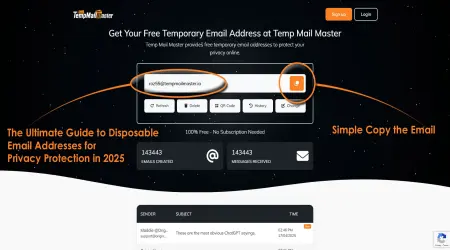
- Instant inbox generation — visit the site, your address is ready
- Real email delivery — receives actual messages, including HTML-formatted transactional emails
- No account required — no sign-up, no API key for manual use
- Automatic expiration — inboxes clean themselves up; no maintenance overhead
- Accessible anywhere — any browser, any device, any network
For teams running automated test suites, the basic flow is: visit the site manually to get an address per test, or integrate a temp email API into your test harness if your test volume justifies it.
Best Practices
Never use disposable inboxes for production accounts. Temporary inboxes expire. If a critical production system — a deployment server, a payment processor, a DNS management console — is registered with a disposable address, and that address expires, you lose account recovery. Always use permanent, team-accessible email addresses for production.
Document your test email addresses. When a test fails and you need to reproduce it, having the temp email address used in that test run is valuable. Include it in test reports and QA documentation.
Test with multiple addresses simultaneously when needed. Multi-user flows require multiple isolated inboxes. Don't try to share a single address across different user roles in a test scenario.
Check spam folders in your temp inbox. A deliverability test that only checks whether the email arrived — not where it arrived — misses half the picture. If your transactional email lands in the spam folder of a brand-new inbox, that's a deliverability signal worth investigating.
Be aware of temp email domain blocklists. Some platforms maintain blocklists of known disposable email domains and will reject sign-ups from those addresses. If you're testing a third-party platform integration and encounter this, you may need to use a real email address for that specific test, or test on a different environment.
Developer Privacy Beyond Testing
There's a broader point worth making here.
Developers, more than most people, understand how email data flows through systems. You know that when someone submits an email address, it gets stored in a database, possibly synced to a CRM, potentially handed to a marketing automation platform, and sometimes sold to data brokers.
You build these systems. You understand exactly what happens to that data.
Using a disposable email for personal sign-ups — not just testing — is the natural extension of that knowledge. When you evaluate a new tool, sign up for a developer newsletter, or access gated content, using a temp inbox is just applying what you already know about data pipelines to your own digital footprint.
For the privacy case beyond testing: 5 Smart Ways to Use a Temporary Email and Keep Your Data Safe
FAQ
Can I automate temp email generation in my test suite? For manual testing, TempMailMaster.io works through any browser. For fully automated pipelines that require programmatic inbox creation and email retrieval, you'd need a service with a formal API. TempMailMaster.io is optimized for manual and semi-manual testing flows.
How do I handle time-sensitive verification links in automated tests? The key constraint is latency: your test needs to request the email, wait for delivery, and click the link before it expires. For most transactional emails, delivery happens within seconds. Build appropriate wait logic into your test steps.
What if a platform blocks temp email domains during testing? Some platforms maintain blocklists. Options: use a real email address for that specific integration test, set up a dedicated test email address that isn't obviously disposable, or test in a sandboxed environment where the blocklist isn't enforced.
Is it safe to use a temp email when testing payment flows? For payment-related flows in a test/staging environment (using sandbox API keys), disposable inboxes are fine — these aren't real transactions. Never use disposable inboxes for live production payment accounts.
Can multiple team members use the same temp email simultaneously? Technically yes, but it defeats the purpose. Multiple people reading the same inbox creates the same confusion as shared test accounts. Generate individual addresses for individual test runs.
What about email-based 2FA during testing? If your test flow requires TOTP-based 2FA, you'll need a real authenticator app. If it requires email-based OTPs, a temp inbox works fine — the code arrives in real-time just like any other email.
References
- SendGrid — Email testing best practices https://docs.sendgrid.com/for-developers/sending-email/testing
- Mailgun — Testing and validation guide https://documentation.mailgun.com/en/latest/
- OWASP — Input validation and testing https://owasp.org/www-project-web-security-testing-guide/
- MDN — Email-related web standards https://developer.mozilla.org/
- Litmus — Email rendering and testing https://www.litmus.com/email-testing
- AWS SES — Sending and testing email https://docs.aws.amazon.com/ses/
- Postmark — Transactional email best practices https://postmarkapp.com/blog
- RFC 5321 — SMTP Protocol https://tools.ietf.org/html/rfc5321
- NIST — Secure software development framework https://csrc.nist.gov/Projects/ssdf
- ENISA — Secure development guidelines https://www.enisa.europa.eu/topics/cybersecurity-education/csa
Published: June 2026 | Author: Arslan | Category: Developer Tools & Best Practices