The Complete Digital Privacy Checklist for 2026 (Temp Email, VPN, Passwords & More)
A colleague of mine spent three hours last month dealing with the fallout of a compromised email account. Password reset requests flooding in. Unauthorized login alerts from three different countries. Panic calls to his bank.
The painful part? Every single thing that went wrong could have been prevented by a handful of habits he simply hadn't gotten around to setting up.
This checklist exists because "I'll get around to it" is how most people approach digital privacy — until something goes wrong. By then, cleanup costs ten times more effort than prevention would have.
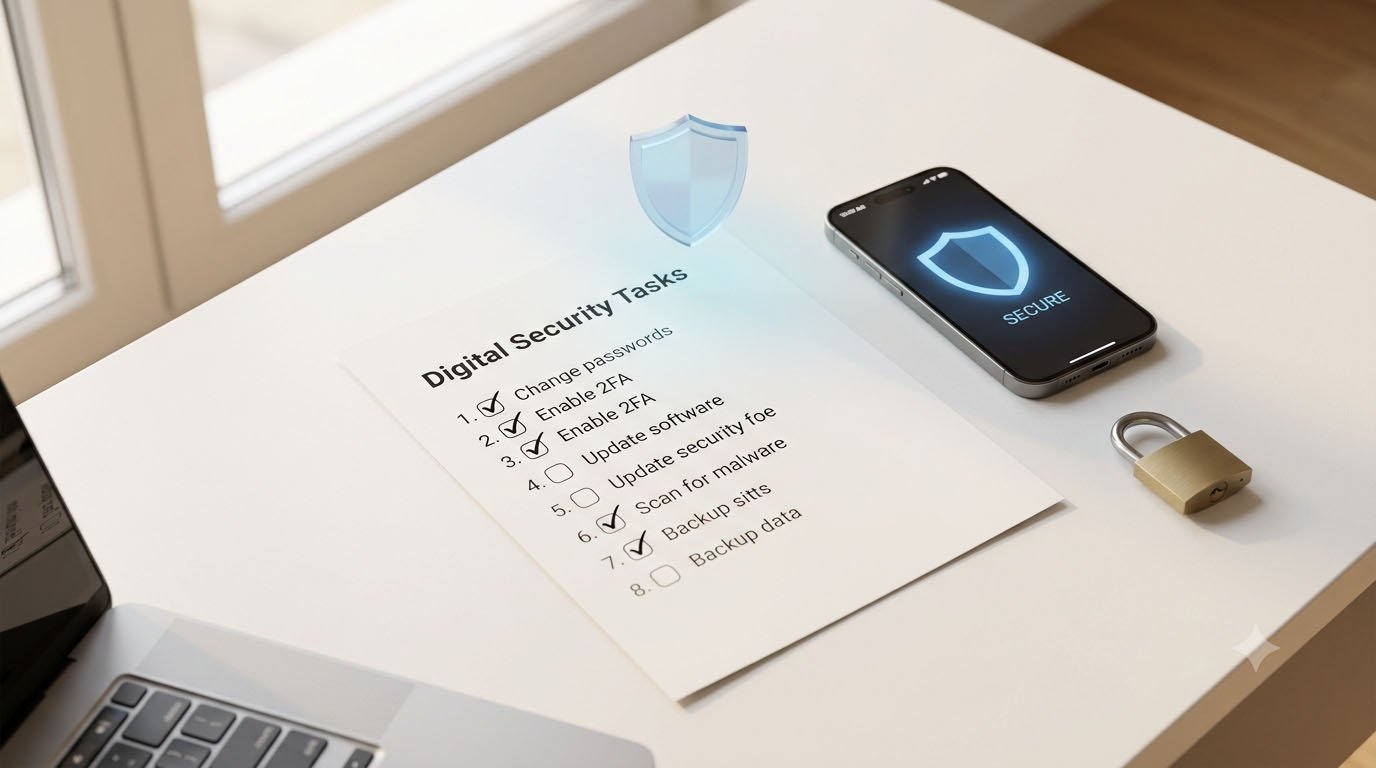
This is the practical, no-fluff checklist for 2026. Not academic. Not overwhelming. Just the things that actually matter, in the order that makes sense to do them.
Why 2026 Specifically?
The privacy landscape shifted significantly in the past 18 months.
Click-through rates on phishing emails jumped from 12% on traditional phishing to 54% on AI-crafted lures. IBM's Cost of a Data Breach Report 2025 shows the global average breach cost at $4.4 million. 3.4 billion phishing emails are sent worldwide every day.
The tools attackers use have improved dramatically. So have the tools available to ordinary people for protection. The gap between "protected" and "exposed" has never been wider — or easier to close.
LAYER 1: Your Email (The Most Important Starting Point)
Your email address is the master key to your digital life. Password resets, account recovery, identity verification — it all flows through your inbox. Protecting it is the highest-leverage thing you can do.
✅ Step 1: Stop Giving Your Real Email to Everyone
Every website you give your real email to is a potential breach point. When that site gets hacked — and sites get hacked constantly — your address goes to a dark web database and starts receiving targeted spam and phishing.
The fix: use TempMailMaster.io for any sign-up where you don't have a genuine long-term relationship with the service. Free trials. One-time content downloads. Webinar registrations. Coupon codes. Websites you've never visited before.
Your real email should be reserved for banking, healthcare, government services, and accounts you actively use long-term. Everything else gets a disposable address. For a detailed breakdown of exactly which sites deserve your real email: Why Your Real Email Is a Target — and How TempMailMaster.io Shields You
✅ Step 2: Check Your Email's Breach Exposure
Visit haveibeenpwned.com and enter every email address you use regularly. The results will likely surprise you. The average email address appears in at least one breach database. Many appear in dozens.
If your email is in a known breach, change the password on every account using that address and enable MFA immediately.
✅ Step 3: Enable Multi-Factor Authentication on Your Email Account
Your email is the crown jewel attackers want. Even a perfect password isn't enough protection anymore — SMS-based MFA is vulnerable to SIM-swapping attacks. Use an authenticator app (Google Authenticator, Authy, or Microsoft Authenticator) instead of SMS codes wherever possible.
For accounts that matter most — email, banking, work systems — a hardware security key (YubiKey) provides the strongest protection available. It physically cannot be phished.
LAYER 2: Passwords (The Foundation Everything Else Rests On)
✅ Step 4: Use a Password Manager
Password reuse is one of the biggest security vulnerabilities. When one site gets breached, hackers try those credentials everywhere else.
A password manager generates and stores unique, complex passwords for every account — so you only need to remember one master password. The most trusted options in 2026:
- Bitwarden — Open-source, free for personal use, independently audited
- 1Password — Most polished experience, $3/month
- Proton Pass — Includes email aliasing, good for privacy-focused users
Use passphrases instead of passwords. "Coffee!Mountain@Bicycle2026" is easier to remember than random characters but still highly secure. For your master password especially, length matters more than complexity.
✅ Step 5: Audit and Replace Reused Passwords
Once your password manager is set up, do a one-time audit. Most password managers include a built-in reuse checker. Any account where you've used the same password as another account is a vulnerability — change them all to unique, generated passwords.
Priority order: email accounts, banking and financial services, social media, everything else.
LAYER 3: Your Connection (What Happens Between Your Device and the Internet)
✅ Step 6: Use a VPN on Public Wi-Fi
Public Wi-Fi networks are inherently less trustworthy than your home network. Use a VPN when connecting to public Wi-Fi, avoid accessing sensitive accounts, and verify the network name before connecting.
Recommended VPNs in 2026 that have been independently audited:
- Mullvad — No account required, pays with cash, strongest privacy stance
- Proton VPN — Swiss-based, open-source, solid free tier
- NordVPN — Fast, widely used, multiple audits
A VPN does not make you anonymous, and a bad VPN is worse than no VPN at all, since you are simply shifting trust from your ISP to the VPN provider. Research before you commit.
For a detailed comparison of what a VPN protects versus what temp email protects: Temp Email vs VPN: Which One Do You Actually Need?
✅ Step 7: Secure Your Home Network
Your home Wi-Fi is the gateway for every device you own. Basic hardening steps:
- Use WPA3 encryption (or WPA2 minimum)
- Change your router's default admin password
- Keep router firmware updated
- Create a separate guest network for visitors and smart home devices — this isolates them from your main computers and phones
LAYER 4: Your Devices (The Hardware That Holds Everything)
✅ Step 8: Enable Full Disk Encryption
If your device is stolen, encryption prevents the thief from accessing your data — even if they remove the storage drive and connect it to another computer.
- Mac: System Settings → Privacy & Security → FileVault → Turn On
- Windows: Settings → Privacy & Security → Device Encryption → Turn On (BitLocker on Pro versions)
- iPhone: Encryption is on by default with a passcode set
- Android: Settings → Security → Encryption (on by default on most modern devices)
This takes two minutes to enable and runs silently in the background. There is no reason to skip this step.
✅ Step 9: Keep Everything Updated
Software updates patch security vulnerabilities that attackers actively exploit. The era of "I'll update it later" is over. Enable automatic updates for your operating system, browser, and any applications you use regularly.
The most dangerous window for any device is the period between when a vulnerability is discovered and when the patch is applied. Updates close that window.
✅ Step 10: Audit App Permissions
Apps quietly accumulate permissions over time. Go through your phone's privacy settings and audit access to: Location — switch apps to "While Using" or "Never" unless they genuinely need background location. Camera and Microphone — revoke access for any app that does not need to record audio or video. Contacts — many apps request contact access for "friend finding" features and then upload your entire address book.
On iPhone: Settings → Privacy & Security. On Android: Settings → Privacy → Permission Manager. Spend ten minutes here — you'll likely revoke a dozen permissions you never realized you granted.
LAYER 5: Your Accounts (What You've Already Built Online)
✅ Step 11: Delete Accounts You No Longer Use
Old, forgotten accounts are security liabilities — they often use outdated passwords, lack modern security features, and may be vulnerable to breaches you'll never hear about.
Go through your password manager and identify accounts you haven't used in over a year. For each one: log in, find the account deletion option (usually in Settings → Account → Delete), and remove the account entirely. JustDeleteMe.com maintains a directory showing how easy or difficult account deletion is for hundreds of services.
✅ Step 12: Review Social Media Privacy Settings
Every platform regularly changes its settings, often resetting preferences you had configured. Review them quarterly. Remove your phone number, home address, birthday, and workplace from your profile if they are not necessary. Enable approval for tags before they appear on your profile. Review connected apps — third-party apps you granted access to years ago may still be collecting your data.
LAYER 6: Advanced Protection (For When the Basics Are Done)
✅ Step 13: Set Up Email Aliases for Recurring Accounts
For accounts where you need ongoing email delivery but don't want to expose your real address, email aliases are the right tool. Services like SimpleLogin (free tier: 15 aliases) and addy.io let you create unique forwarding addresses for every service.
When one of those addresses starts receiving spam, you know exactly which company leaked your data — and you can disable that alias in seconds.
This works alongside temp email, not instead of it: temp email for one-time interactions, aliases for recurring accounts, real email for trusted relationships only.
✅ Step 14: Use an Encrypted Messaging App
Standard SMS messages store metadata — who you talked to, when, how often — that anyone with legal access can analyze. Signal encrypts your messages end-to-end so no one — not Signal, not your carrier, not anyone intercepting the data — can read them. Turn on disappearing messages. A 90-day default is reasonable for most conversations.
✅ Step 15: Remove Yourself from Data Broker Sites
Data brokers scrape public records, social media, and commercial databases to build profiles on you. Search your name on major people-search sites including Spokeo, BeenVerified, WhitePages, TruePeopleSearch, and Radaris. If your information appears — and it almost certainly will — submit individual opt-out requests to each site.
This is tedious but effective. Brokers frequently re-list removed data — plan to re-check quarterly. Services like DeleteMe automate the removal process if you'd rather not do it manually.
The 30-Minute Setup: Where to Start Right Now
If this checklist feels overwhelming, here's the minimum viable privacy setup you can complete in under 30 minutes today:
Minute 1–5: Check haveibeenpwned.com for all your email addresses.
Minute 5–15: Install Bitwarden (free). Start moving your most important accounts to unique, generated passwords — start with email and banking.
Minute 15–20: Enable MFA on your email account using an authenticator app.
Minute 20–25: Enable disk encryption on your primary device (Mac: FileVault, Windows: BitLocker, or confirm it's already on for iPhone/Android).
Minute 25–30: Bookmark TempMailMaster.io. The next time a website you're not committed to asks for your email, use a disposable address instead of your real one.
That's it. Five steps, 30 minutes, and you're significantly better protected than the vast majority of internet users.
The Maintenance Schedule
Privacy isn't a one-time setup. Privacy is not a destination — it is an ongoing practice.
Monthly: Review new account permissions, clear browsing data, use temp email by default for any new sign-ups.
Quarterly: Re-check haveibeenpwned.com for new breaches. Audit app permissions. Review social media privacy settings. Check data broker sites for your information.
Annually: Full password audit. Delete unused accounts. Review VPN provider (audits, ownership changes, policy updates). Update your threat model based on new developments.
A Case Study: What "Before and After" Actually Looks Like
Six months ago I helped a friend implement this checklist. Her starting point: one email address used for everything, several reused passwords, no MFA anywhere, and a phone full of apps with permissions she'd never reviewed.
After the setup:
- Her real email appeared in zero new breach databases (because she started using temp email for non-essential sign-ups)
- She discovered three breached passwords through her password manager's audit tool — all changed within 20 minutes
- Her app permission audit revealed a navigation app with always-on microphone access she'd granted two years ago and completely forgotten about
- She found her home address, phone number, and employer on three data broker sites — and submitted removal requests for all three
The setup took about 90 minutes spread across two evenings. The ongoing maintenance is maybe 20 minutes per quarter.
The alternative — dealing with a compromised account after the fact — costs hours and sometimes money. The math isn't complicated.
FAQ
Where should I start if I can only do one thing? Enable MFA on your email account. Your email is the master key to everything else online. If an attacker gets into your email, they can reset every other password. MFA stops that even if your password is compromised.
Is a free VPN good enough? Generally no. Free VPN services often fund themselves by logging and selling user data — which defeats the entire purpose. Proton VPN's free tier is the exception: it's genuinely free, audited, and doesn't log traffic. For anything beyond basic use, a paid plan from Mullvad or Proton is worth the $5/month.
Do I really need all 15 steps? No — the first 10 cover the vast majority of real-world risk. The advanced steps (13–15) are for people who want comprehensive coverage. Start with what you'll actually do.
Does using temp email mean I'm hiding something? No. Protecting your inbox from spam and data brokers is the same logic as using a PO box instead of your home address on public documents. It's personal data management, not deception.
How often do I need to change passwords? Modern security guidance has shifted away from forced rotation and toward using unique, strong passwords that you change only when a breach is detected. If your password manager shows a unique, strong password for every account and none of them have appeared in a known breach, there's no need to change them on a schedule.
What's the single biggest risk most people overlook? Password reuse. It's boring, unglamorous, and responsible for more account compromises than any other single factor. A unique password for every account — managed by a password manager — closes this vulnerability completely.
References
- IBM Security — Cost of a Data Breach Report 2025 https://www.ibm.com/security/data-breach
- Have I Been Pwned — Data breach checker https://haveibeenpwned.com
- EFF — Surveillance Self-Defense Guide https://ssd.eff.org
- NIST — Digital Identity Guidelines SP 800-63 https://pages.nist.gov/800-63-3/
- Bitwarden — Open source password manager https://bitwarden.com
- SimpleLogin — Email aliasing service https://simplelogin.io
- Proton VPN — Privacy audit documentation https://protonvpn.com/blog/open-source/
- CISA — MFA guidance for individuals https://www.cisa.gov/mfa
- FTC — Protecting your personal information https://consumer.ftc.gov/articles/protecting-your-personal-information
- PrivacyGuides.org — Community-maintained privacy tool recommendations https://www.privacyguides.org
Published: June 2026 | Author: Arslan | Category: Digital Privacy & Security