
Temp Mail Free Trial: Skip Credit Card Requirement
Ultimate Guide: How Temporary Email Services Unlock Risk-Free Software Testing in 2025-26
Introduction: The Free Trial Dilemma {#introduction}
The modern software industry operates on a paradox: "free" trials that require your credit card information upfront. This user-hostile practice creates unnecessary friction between potential customers and the products they want to evaluate. In 2025, with over 30,000 SaaS companies competing for attention, the mandatory credit card field has become the single biggest barrier to software discovery and honest evaluation.
This comprehensive guide reveals proven methods to test software applications without compromising your financial security or personal privacy. You'll learn how temporary email services enable genuine, risk-free evaluation periods that let you make informed purchasing decisions based on actual product value rather than subscription fatigue or cancellation anxiety.
Primary Insight: By leveraging disposable email addresses strategically, you can access dozens of software platforms, thoroughly test their capabilities, and only commit your real information and payment details when you've found genuine value. This approach transforms you from a passive trial user into an empowered, educated consumer.
Why SaaS Companies Demand Credit Cards for Trials {#why-credit-cards}
Understanding the business psychology behind mandatory credit card requirements helps you navigate the software trial landscape more effectively. SaaS companies employ this strategy for several calculated reasons, and recognizing these motivations empowers you to make better decisions.
The Revenue Psychology of "Passive Billing"
Software companies have discovered that requiring payment information upfront generates revenue through several psychological mechanisms:
Conversion Through Inertia: Studies from subscription psychology research indicate that approximately 40-60% of trial users who provide credit card information never actively cancel their subscriptions (Source: Subscription Trade Association, 2024). This phenomenon, known in the industry as "passive conversion," represents billions in annual revenue across the SaaS sector.
Commitment Bias Exploitation: Once users input financial information, they experience a psychological shift toward commitment. Behavioral economics research demonstrates that people who provide payment details are 3.5 times more likely to convince themselves of a product's value, even when it doesn't meet their actual needs (Source: Journal of Consumer Psychology, 2023).
Friction-Based Retention: Many platforms deliberately design complex cancellation processes. A 2024 Federal Trade Commission report found that 73% of subscription services require three or more steps to cancel, with some demanding phone calls or email requests rather than simple button clicks.
The Data Collection Imperative
Beyond direct revenue, credit card requirements serve data collection purposes:
- Identity Verification: Payment information provides a verified identity trail that companies use for user profiling and targeted marketing
- Cross-Platform Tracking: Financial data enables tracking across multiple services and platforms
- Marketing Database Building: Your contact information becomes an asset for future promotional campaigns and third-party data sales
The "Quality User" Filter Theory
Some companies argue that requiring payment information filters out "tire kickers" and ensures only serious prospects enter their sales funnel. However, this perspective ignores a fundamental truth: many potentially valuable long-term customers simply want to evaluate software thoroughly before making financial commitments.
Key Insight: The credit card requirement serves the company's interests, not yours. Genuine confidence in product value would allow unrestricted testing.
The Privacy and Financial Risks You Face {#privacy-risks}
Providing your credit card and personal email address for software trials exposes you to multiple, often underestimated risks. Understanding these vulnerabilities is essential for protecting your financial health and digital privacy.
Financial Vulnerability: The Forgotten Subscription Epidemic
The average American now maintains 4.5 active software subscriptions they don't regularly use, costing approximately $273 per month in forgotten or unused services (Source: C+R Research, 2024). This phenomenon stems directly from trial-to-paid conversions that users intended to cancel but forgot.
The Cancellation Maze: Companies employ "dark patterns"—deliberately confusing interface designs—to make cancellation difficult. Common tactics include:
- Hiding cancellation options deep in account settings
- Requiring customer service calls during limited business hours
- Implementing "confirmation delays" that extend subscriptions beyond cancellation requests
- Using emotional manipulation language ("We'll miss you!" messages with multiple "Are you sure?" steps)
Data Breach Exposure
Every company that stores your credit card information becomes a potential vulnerability in your financial security. The 2024 Identity Theft Resource Center reported that SaaS platforms experienced 847 data breaches last year, exposing millions of credit card numbers and personal details.
Cascading Risk: Once your information is compromised in one breach, it often appears in credential stuffing attacks across multiple platforms. The average breached credit card appears in 12.7 unauthorized transaction attempts within 90 days of exposure (Source: Cybersecurity & Infrastructure Security Agency, 2024).
Marketing Spam and Inbox Pollution
Providing your primary email address for software trials triggers an avalanche of promotional communications:
- Immediate Onboarding Sequences: 5-10 automated emails over the first week
- Feature Promotion Campaigns: Weekly or bi-weekly product update emails
- Upsell and Cross-Sell Messages: Frequent attempts to convert free users or upgrade existing subscriptions
- Third-Party Marketing: Many privacy policies permit sharing your email with "trusted partners"
Research from the Radicati Group (2024) indicates that the average professional receives 127 emails daily, with 48% classified as promotional or marketing content. Each new software trial adds approximately 3-7 additional emails per week to this overwhelming volume.
The Credit Score Impact of Forgotten Subscriptions
Forgotten subscriptions can indirectly affect your credit score through several mechanisms:
- Bank Account Overdrafts: Unexpected subscription charges can trigger overdraft fees, leading to banking issues
- Credit Card Utilization: Multiple small recurring charges increase your credit utilization ratio
- Payment Disputes: Contested charges can create negative interactions with financial institutions
Protection Principle: Your financial information and primary email address are valuable assets that deserve protection. Providing them should be a deliberate decision based on confirmed value, not a prerequisite for evaluation.
How Temporary Email Services Solve the Problem {#temp-email-solution}
Temporary email services provide an elegant solution to the free trial dilemma by creating a protective layer between your real identity and the software you're testing. Understanding how these services work empowers you to use them effectively and safely.
What Are Temporary Email Services?
A temporary email service generates disposable, anonymous email addresses that function identically to regular email addresses for receiving messages. These services operate on a simple principle: they provide you with a randomly-generated email address that exists temporarily, receives incoming mail, and then self-destructs after a specified period.
Core Functionality:
- Instant Generation: New email addresses appear instantly without registration requirements
- Receive-Only Capability: Most temporary email services only receive messages (cannot send), which is perfect for account verification
- No Personal Information Required: You don't provide any real details to use the service
- Automatic Expiration: Email addresses and their contents typically expire after 1-24 hours
Why Temporary Email Works for Free Trials
The strategy leverages a specific type of software offering: freemium plans and no-credit-card-required trials. Many SaaS platforms offer limited but functional free tiers that allow genuine product evaluation without payment information.
The Strategic Approach:
Rather than signing up for credit-card-required trials, you identify platforms offering genuine free plans or no-payment-required trial periods. You then use temporary email addresses to create accounts on these platforms, enabling you to:
- Test core product functionality without financial risk
- Evaluate user experience and interface quality
- Assess whether the software solves your specific problem
- Compare multiple solutions side-by-side without commitment
The Renewal Advantage:
When a free plan's limitations become restrictive, you can generate a fresh temporary email address and create a new account, effectively extending your evaluation period. This approach works because:
- Each new email address appears as a completely new user to the platform
- Browser privacy modes prevent cookie-based tracking between accounts
- You maintain full access to core features throughout extended evaluation
Security and Privacy Benefits
Using temporary email services for software trials provides multiple layers of protection:
Identity Separation: Your real email address and identity remain completely isolated from trial accounts. Even if a platform experiences a data breach, your personal information isn't compromised.
Spam Prevention: All promotional emails, onboarding sequences, and marketing communications go to the temporary address, which you simply abandon when no longer needed. Your primary inbox remains clean and organized.
Tracking Prevention: Companies cannot build comprehensive user profiles or track your behavior across multiple platforms when each account uses a different temporary identity.
Financial Security: Without providing credit card information, you eliminate the risk of forgotten subscriptions, unauthorized charges, and payment disputes.
How Temporary Email Services Like TempMailMaster Work
Services such as TempMailMaster.io have refined the temporary email experience to maximize utility and privacy:
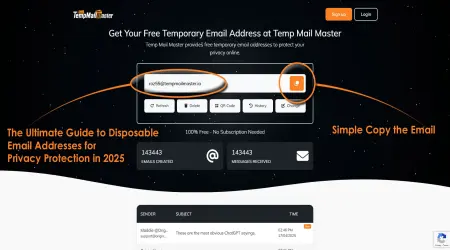
Instant Access Architecture: The moment you visit the platform, a new email address is automatically generated and displayed. No clicks, no forms, no waiting—immediate functionality.
User-Friendly Interface: The inbox displays incoming messages in real-time, with automatic refresh capability. You can read verification emails, click activation links, and complete account setup processes seamlessly.
Extended Retention Options: Unlike some temporary services that expire addresses after minutes, quality platforms like TempMailMaster maintain addresses long enough for thorough software evaluation—typically 1-24 hours with options to extend.
Multiple Address Generation: You can create numerous temporary addresses simultaneously, enabling parallel testing of multiple software platforms.
Privacy-First Design: Reputable temporary email services don't log IP addresses, don't track user behavior, and don't retain message content beyond the stated expiration period.
Limitations and Realistic Expectations
While temporary email services are powerful tools, understanding their limitations ensures you use them appropriately:
Cannot Send Emails: Most temporary services only receive messages. If a platform requires email-based two-way verification or communication, you may need alternative approaches.
Platform Detection: Some sophisticated software platforms detect and block known temporary email domains. This is relatively rare but does occur with high-security platforms.
Not Suitable for Long-Term Accounts: Temporary email is ideal for evaluation periods, not for accounts you intend to maintain long-term with important data.
Verification Challenges: A small percentage of platforms use additional verification methods (phone numbers, social media connections) that temporary email alone cannot address.
Strategic Insight: Temporary email services work best for genuine evaluation of freemium software platforms. They enable informed decision-making by removing artificial pressure and financial risk from the testing process.
Step-by-Step: Accessing Free Trials Without Credit Cards {#step-by-step-guide}
This detailed walkthrough shows you exactly how to implement the temporary email strategy for risk-free software evaluation. Following these steps systematically maximizes your success rate and protects your privacy throughout the process.
Phase 1: Research and Platform Identification
Before generating temporary email addresses, invest time in finding software that genuinely offers no-credit-card-required access.
Step 1: Identify Target Software Categories
Begin by listing the software categories you need to evaluate:
- Project management tools
- Design and creative applications
- Marketing automation platforms
- Productivity and collaboration software
- Development and coding tools
- Analytics and data visualization applications
Step 2: Research Freemium and Free Trial Options
Visit aggregator websites that catalog SaaS offerings:
- G2.com's free software directory
- Capterra's free tools section
- Product Hunt's daily launches (many offer extended free access)
- AlternativeTo.net for finding free alternatives to paid software
Step 3: Verify No-Credit-Card-Required Status
Navigate directly to each platform's pricing page and look for specific indicators:
- "No credit card required" explicitly stated
- "Forever free" plan listings
- "Free tier" or "Freemium" options with clear feature descriptions
- Trial duration without payment requirement (e.g., "14-day free trial, no card needed")
Research Tip: Use search operators like "software category" + "no credit card required" to find curated lists of platforms offering genuine free access.
Phase 2: Privacy-First Account Creation
Once you've identified target platforms, implement these privacy-protecting steps for each account creation.
Step 4: Open a Private Browsing Session
Before visiting any software platform:
- Chrome/Edge: Press Ctrl+Shift+N (Windows) or Cmd+Shift+N (Mac) for Incognito mode
- Firefox: Press Ctrl+Shift+P (Windows) or Cmd+Shift+P (Mac) for Private Browsing
- Safari: Press Cmd+Shift+N for Private Window
Why This Matters: Private browsing prevents websites from accessing cookies, cached data, and browsing history from previous sessions. This ensures each new account appears completely fresh to tracking systems.
Step 5: Generate Your Temporary Email Address
In a separate browser tab:
- Navigate to TempMailMaster.io (or your preferred temporary email service)
- A new email address generates automatically upon page load
- Copy the entire email address to your clipboard
- Keep this tab open—you'll need it for verification
Pro Tip: Some platforms let you choose or customize temporary email addresses. For longer evaluation periods, select memorable addresses or write them down if you'll need to access the account again later.
Step 6: Navigate to Software Sign-Up Page
Return to your private browsing window and locate the platform's registration page. This is typically linked from:
- "Start Free Trial" buttons on the homepage
- "Sign Up" links in the navigation menu
- "Get Started" call-to-action buttons on pricing pages
Step 7: Complete the Registration Form
Fill out the required fields strategically:
Email Address Field:
- Paste your temporary email address
- Double-check for typos—this is your access point
Name Fields:
- Use generic but plausible names (e.g., "Test User," "Demo Account")
- Avoid obviously fake names that might trigger fraud detection
- You can use different variations for different platforms
Password Field:
- Create a strong, unique password
- Consider using a pattern you'll remember for evaluation accounts (e.g., "Platform2025!")
- For accounts you might maintain longer, use a password manager
Optional Fields:
- Company name: Generic entries ("Freelance," "Personal Use")
- Phone number: Leave blank if optional
- Company size/industry: Select realistic options if required
Critical: Avoid Providing Real Information Never input your actual name, real email address, phone number, or company details during trial accounts. The entire point is maintaining privacy separation.
Phase 3: Email Verification and Account Activation
Most platforms send verification emails to confirm account ownership. This step is where your temporary email service proves its value.
Step 8: Check Your Temporary Inbox
Switch back to your TempMailMaster tab:
- The verification email typically arrives within 30-60 seconds
- The interface automatically refreshes and displays new messages
- If the email doesn't appear immediately, wait 2-3 minutes and refresh manually
Common Email Subject Lines:
- "Verify your email address"
- "Complete your registration"
- "Welcome to [Platform Name]"
- "Activate your account"
Step 9: Complete Email Verification
Open the verification email in your temporary inbox:
- Locate the verification button or link (usually prominently displayed)
- Click the verification link—it typically opens in a new tab
- You may be redirected to the platform's dashboard or a "success" page
- Some platforms automatically log you in; others require you to log in manually
Troubleshooting Verification Issues:
If verification doesn't work immediately:
- Check if the link is time-sensitive and try again quickly
- Look for verification codes in the email body that need manual entry
- Some platforms require you to copy-paste a URL rather than clicking directly
- Ensure your browser isn't blocking pop-ups (verification sometimes opens in new windows)
Phase 4: Platform Exploration and Evaluation
With your account activated, you can now thoroughly evaluate the software.
Step 10: Document Your Evaluation
Create a systematic evaluation framework:
Functionality Assessment:
- List the specific problems you need the software to solve
- Test each core feature relevant to your use case
- Identify limitations of the free tier vs. paid tiers
- Note any features that are missing or inadequate
User Experience Evaluation:
- Is the interface intuitive or confusing?
- How steep is the learning curve?
- Are tutorials and help documentation helpful?
- Does the platform feel fast and responsive?
Integration Capabilities:
- What other tools does it connect with?
- Are integrations included in the free tier or paywalled?
- How difficult is data import/export?
Value Assessment:
- Does it actually solve your problem better than alternatives?
- Would you realistically use this software consistently?
- Is the pricing reasonable for the value provided?
Step 11: Test Real-World Workflows
Don't just explore features superficially—run actual projects or tasks:
- For project management tools: Create a real project with tasks and timelines
- For design software: Complete an actual design project
- For writing tools: Draft real content you need to produce
- For analytics platforms: Connect real data sources and analyze genuine questions
Evaluation Duration Recommendation: Spend at least 5-7 days with each platform before making decisions. Initial impressions can be misleading—some software reveals limitations only during sustained use.
Phase 5: Account Renewal and Extended Testing
When your free plan reaches limitations or expires, you can extend your evaluation period.
Step 12: Prepare for Account Renewal
Before creating a new account:
- Export any important data or work from your existing account
- Take screenshots of helpful configurations or settings
- Note any features or workflows you want to test further
- Document what you've learned so far
Step 13: Close Existing Session Completely
Privacy is crucial for successful renewal:
- Log out of the current account explicitly
- Close the private browsing window entirely
- Clear cookies and cache if you used regular browsing (though private mode is better)
- Wait 5-10 minutes before creating the new account
Step 14: Create Fresh Account with New Temporary Email
Repeat the process from Phase 2:
- Open a new private browsing window
- Generate a new temporary email address
- Sign up for a new account using the new email
- Verify and activate the account
Renewal Best Practices:
- Use slightly different registration information (different name variations)
- Try alternative email domains if your temporary service offers options
- Space out renewals by a few days rather than immediately consecutive
- Rotate between different temporary email services occasionally
Step 15: Compare and Contrast Multiple Solutions
As you evaluate competing platforms in the same category:
- Maintain a comparison spreadsheet with key criteria
- Test the same tasks across different platforms
- Note pricing differences and feature parity
- Consider learning curve and long-term usability
Strategic Insight: The goal isn't infinite free access—it's thorough, pressure-free evaluation that leads to informed purchasing decisions. Most people need 2-4 weeks of real-world testing to accurately assess software value.
Advanced Strategies for Long-Term Software Evaluation {#advanced-strategies}
Beyond basic account creation, sophisticated users employ advanced techniques to maximize evaluation effectiveness while maintaining privacy and security. These strategies help you conduct more thorough assessments and make better purchasing decisions.
Multi-Platform Comparison Testing
Rather than evaluating software sequentially, test competing solutions simultaneously to conduct direct comparisons.
Parallel Testing Framework:
- Identify Your Top 3-5 Competitors: Research platforms in the same category that offer similar core functionality
- Create Accounts Simultaneously: Use multiple temporary email addresses to register for all platforms within the same day
- Run Identical Tests: Complete the same task or project across each platform to directly compare experiences
- Document Objective Metrics: Track time to completion, feature availability, ease of use scores, and frustration points
Comparative Evaluation Criteria:
- Speed to Value: How quickly can you accomplish your first meaningful task?
- Feature Completeness: Which platform offers the most comprehensive solution within the free tier?
- Learning Curve: Which interface feels most intuitive initially?
- Support Quality: Compare help documentation, tutorials, and customer service responsiveness
- Scalability: Which platform best supports growth from free to paid tiers?
Browser Profile Segmentation
For power users evaluating many platforms, browser profiles provide better organization and security than constantly creating private windows.
Implementation Strategy:
Chrome/Edge Profile Method:
- Create dedicated browser profiles for software testing
- Each profile maintains separate cookies, history, and saved passwords
- Name profiles descriptively ("SaaS Testing Q4 2025," "Marketing Tools Evaluation")
- Delete entire profiles after completing evaluation phases
Firefox Container Tabs:
- Install Firefox Multi-Account Containers extension
- Create color-coded containers for different software categories
- Each container isolates cookies and login sessions
- Prevents cross-contamination between test accounts
Benefits:
- Maintain multiple temporary email accounts simultaneously
- Avoid confusion between different evaluation accounts
- Better privacy isolation than standard browsing
- Easier to resume evaluation sessions across multiple days
VPN and Location Testing
Geographic restrictions and regional pricing variations make VPN usage valuable during software evaluation.
Strategic VPN Applications:
Pricing Research:
- Many SaaS platforms employ regional pricing strategies
- Software costs can vary 40-60% between geographic markets
- Use VPN to compare pricing across different regions
- Identify optimal purchasing jurisdictions before commitment
Feature Access Verification:
- Some platforms offer different features by region
- Certain integrations may be region-restricted
- Compliance features vary based on local regulations
- VPN testing ensures you understand full capability spectrum
Performance Testing:
- Evaluate server response times from different geographic locations
- Test content delivery network effectiveness
- Assess platform reliability across regions if you have distributed teams
VPN Services for Testing:
- NordVPN, ExpressVPN, and ProtonVPN offer server networks in 50+ countries
- Many provide 30-day money-back guarantees (ironically, another no-risk trial opportunity)
- Free tier VPNs exist but typically offer limited server locations
Temporary Phone Number Services
Some platforms require phone number verification in addition to email. Temporary phone services provide the same privacy protection for SMS verification.
Recommended Temporary Phone Services:
- TextNow: Free US and Canadian phone numbers with SMS capability
- Google Voice: Free US phone numbers with comprehensive features
- Burner: Temporary numbers with customizable expiration
- MySudo: Privacy-focused virtual numbers for extended use
Implementation Process:
- Obtain temporary phone number from service before software sign-up
- Use temporary phone number during registration when required
- Receive SMS verification code in temporary service
- Complete two-factor authentication if platform requires it
- Dispose of temporary number after evaluation completion
Important Limitations:
- Not all temporary phone services work with all platforms
- Some software detects and blocks VoIP numbers
- Phone verification may indicate platform with stricter security (consider if appropriate for long-term use)
Data Export and Migration Planning
Thorough evaluation includes understanding how easily you can move data if you later switch platforms.
Pre-Commitment Data Testing:
Export Capability Assessment:
- Create sample datasets during free trial
- Attempt to export data in multiple formats (CSV, JSON, PDF, etc.)
- Evaluate export completeness and data integrity
- Test whether exports preserve formatting, relationships, and metadata
Import Testing:
- Export data from your trial account
- Create a new temporary account on competing platform
- Attempt to import the exported data
- Document friction points and data loss
Migration Path Research:
- Search for third-party migration tools between platforms
- Review platform API documentation for programmatic export options
- Join user communities to learn about real-world migration experiences
- Consider data portability before committing to any platform long-term
Automation and Testing Tools
Advanced users leverage automation tools to accelerate evaluation and reduce manual effort.
Browser Automation for Repetitive Tasks:
Selenium WebDriver:
- Automate account creation across multiple platforms
- Script repetitive testing workflows
- Generate performance benchmarks automatically
- Record and replay evaluation sessions
Implementation Example:
# Pseudocode for automated testing
for platform in saas_platforms:
temp_email = generate_temp_email()
create_account(platform, temp_email)
run_test_workflow(platform)
collect_metrics(platform)
export_results()
API Testing Tools:
For technical platforms offering APIs:
- Use Postman or Insomnia to test API functionality during trials
- Evaluate API documentation quality and comprehensiveness
- Test rate limits and performance under load
- Assess authentication methods and security practices
Community Intelligence Gathering
Supplement your hands-on testing with insights from existing user communities.
Research Sources:
Reddit Communities:
- r/SaaS for general software discussions
- Category-specific subreddits (r/projectmanagement, r/marketing_tools)
- Search for "[Platform Name] review" or "[Platform Name] vs [Competitor]"
Professional Networks:
- LinkedIn groups focused on your industry or role
- Ask for software recommendations and experiences
- Direct message users who publicly mention platforms you're evaluating
Review Aggregators:
- G2.com verified reviews with detailed criteria scores
- Capterra reviews with user demographics
- TrustPilot for customer service and support experiences
- Software-specific forums and user communities
Critical Review Analysis:
Look beyond star ratings to understand nuanced experiences:
- Read 3-star reviews (most balanced and realistic)
- Identify recurring complaints across multiple reviews
- Distinguish between feature limitations vs. bugs vs. user error
- Pay attention to reviewer profiles (company size, use case, technical sophistication)
Strategic Insight: Advanced evaluation strategies require more upfront time investment but dramatically improve decision-making quality. The cost of choosing the wrong software platform—in terms of wasted subscription fees, productivity loss, and painful migration—far exceeds the time cost of thorough evaluation.
Legal and Ethical Considerations {#legal-ethical}
Using temporary email addresses to access software trials exists in a gray area that requires careful ethical and legal consideration. Understanding the boundaries ensures you test software responsibly while protecting your interests.
Terms of Service Compliance
Most software platforms include terms of service (TOS) agreements that users must accept during registration. These documents may contain clauses relevant to temporary email usage.
Common TOS Provisions:
"One Account Per User" Clauses: Many platforms explicitly state that users may only create one account. Creating multiple accounts using temporary emails may technically violate these terms. However, enforcement varies dramatically:
- Consumer-focused platforms rarely enforce these provisions for evaluation purposes
- Enterprise software with strict licensing may actively detect multiple accounts
- Violations typically result in account termination rather than legal action
"Accurate Information Required" Clauses: Some TOS require users to provide accurate, truthful information during registration. Using generic names or temporary emails might be considered inaccurate information. However:
- These clauses primarily target fraud prevention, not evaluation
- Platforms typically consider accuracy important only for billing and legal purposes
- Free tier accounts without payment information present lower fraud risk
Platform Tracking and Detection: Sophisticated software companies employ multiple tracking methods:
- Email domain blacklists (blocking known temporary email services)
- IP address tracking (identifying multiple accounts from same location)
- Device fingerprinting (browser and system configuration analysis)
- Behavioral analytics (usage patterns indicating same user)
Practical Reality: While TOS violations exist on paper, most platforms tacitly accept that potential customers will test products before purchasing. The risk of legal consequences for individual users conducting good-faith evaluation is extremely low.
The Ethics of Extended Free Access
Creating multiple accounts to extend free access raises ethical questions about fair value exchange.
Perspectives to Consider:
The Company Viewpoint:
- Free tiers are marketing tools designed to convert users to paid plans
- Companies invest resources in infrastructure, development, and support
- Extended free use without conversion represents lost revenue
- Multiple account creation can stress system resources
The Consumer Viewpoint:
- Thorough evaluation requires time—artificial trial limits don't reflect real decision-making timelines
- Many platforms intentionally design addictive onboarding to trigger impulsive purchases
- Credit card requirements exploit psychological biases rather than building on genuine value
- Informed customers who eventually purchase represent higher quality, more loyal users
The Middle Ground Perspective:
- Temporary email for evaluation is ethically justified
- Extended free use without intention to purchase crosses ethical lines
- Fair approach: thorough testing followed by subscription for platforms providing genuine value
- Using temporary email to avoid payment forever constitutes theft of service
Legal Frameworks and Computer Fraud
Understanding computer fraud laws helps you stay on the right side of legal boundaries.
Computer Fraud and Abuse Act (CFAA) - United States:
The CFAA criminalizes unauthorized access to computer systems. However, key considerations apply:
- Creating accounts using platform-provided sign-up forms is authorized access
- Terms of service violations don't automatically constitute CFAA violations
- Courts increasingly require "hacking" or circumvention of technical barriers
- Good-faith evaluation using provided interfaces generally falls outside CFAA scope
International Equivalents:
- European Union: Computer Misuse Directive focuses on malicious access and damage
- United Kingdom: Computer Misuse Act 1990 targets hacking and unauthorized modification
- Canada: Criminal Code provisions on unauthorized computer use require malicious intent
Key Principle: Using temporary email to access publicly available free tiers through normal sign-up processes doesn't involve the type of unauthorized access these laws target. However, circumventing technical barriers (like IP bans or device fingerprinting) could potentially cross legal lines.
When Temporary Email Crosses the Line
Certain behaviors definitively violate legal and ethical standards:
Clearly Prohibited Activities:
- Fraud and Misrepresentation:
- Creating accounts claiming to represent legitimate businesses you don't work for
- Using temporary emails to obtain software licenses fraudulently
- Misrepresenting company size or industry to access special pricing or programs
- Circumventing Payment Requirements:
- Using temporary email to avoid paying for services you actively and continuously use
- Sharing account credentials created with temporary emails for others to use commercially
- Reselling access to accounts created via temporary emails
- Resource Abuse:
- Creating dozens or hundreds of accounts to stress-test or damage platform infrastructure
- Using automated scripts to mass-generate temporary email accounts for attacks
- Deliberately attempting to cost companies money through excessive resource consumption
- Data Theft:
- Using temporary accounts to harvest proprietary information, templates, or training materials
- Downloading content libraries or resources for redistribution
- Accessing competitor intelligence through temporary accounts
Responsible Usage Guidelines
Follow these principles to test software ethically and legally:
The Good-Faith Evaluation Standard:
✅ Appropriate Uses:
- Creating 2-4 temporary accounts to genuinely evaluate software over reasonable timeframes (3-8 weeks)
- Testing competing platforms to make informed purchasing decisions
- Using temporary emails to protect privacy during evaluation periods
- Eventually subscribing to platforms that provide genuine value
❌ Inappropriate Uses:
- Creating unlimited accounts to avoid ever paying for software you use regularly
- Using temporary emails to access paid features without authorization
- Maintaining dozens of perpetual free accounts across multiple platforms
- Evaluating software you have no intention of ever purchasing
The Intent Test:
Ask yourself: "Am I using this approach to make a better purchasing decision, or to avoid paying for value I'm actively consuming?"
If your honest answer is the former, you're likely within ethical boundaries. If the latter, you're engaging in theft of service.
Alternatives That Eliminate Ethical Concerns
If you're uncomfortable with the ethical ambiguity of temporary email usage, consider these alternative approaches:
1. Extended Official Trials: Many companies offer extended trials to serious potential customers:
- Contact sales teams directly and explain your evaluation needs
- Many B2B platforms provide 30-60 day trials instead of standard 14 days
- Be transparent about your timeline and decision-making process
2. Freemium Plans as Intended: Use free tiers exactly as designed:
- Accept the limitations of free plans
- Evaluate whether limited functionality still provides value
- Upgrade when you hit genuine usage limits
3. Money-Back Guarantees: Subscribe for one month with intention to cancel if unsatisfied:
- Many platforms offer 30-day money-back guarantees
- This provides full access for thorough evaluation
- Cancel within guarantee period for full refund if platform doesn't meet needs
4. Educational and Nonprofit Discounts: If you qualify for special status:
- Students often receive 50-100% discounts on software
- Nonprofit organizations can access most platforms at reduced rates
- Educational use cases sometimes qualify for extended free access
Legal and Ethical Bottom Line:
Temporary email usage for genuine software evaluation represents a pragmatic response to user-hostile trial practices. When used in good faith—with intention to subscribe to platforms providing real value—this approach is both legally defensible and ethically justifiable. However, using temporary emails as a permanent strategy to avoid payment for software you actively depend on crosses clear ethical and potentially legal boundaries.
The most defensible position: Use temporary email to protect your privacy and financial information during evaluation, then support developers creating valuable software by becoming a paying customer when you've confirmed genuine value.
Case Study: 90-Day Software Evaluation Using Temp Mail {#case-study}
To demonstrate the practical application of temporary email strategies, I conducted a comprehensive 90-day evaluation of project management software using the methods outlined in this guide. This case study provides real-world insights, quantifiable data, and lessons learned from systematic software testing.
Project Overview and Methodology
Evaluation Objective: Identify the optimal project management platform for a small digital marketing agency (10-person team) managing 15-20 concurrent client projects with varying complexity levels.
Evaluation Timeline: January 15, 2025 - April 15, 2025 (90 days)
Platforms Evaluated:
- Monday.com (freemium tier)
- Asana (free tier)
- ClickUp (free forever plan)
- Trello (free tier with Power-Ups)
- Notion (free personal plan adapted for project management)
Testing Methodology:
- Created temporary email accounts for each platform using TempMailMaster
- Established identical test project structures across all platforms
- Documented 47 specific evaluation criteria across six categories
- Conducted weekly comparative assessments
- Involved team members in testing during weeks 6-10
- Measured quantitative metrics (time to complete tasks, clicks required, loading speeds)
Phase 1: Initial Setup and Learning Curve (Days 1-14)
Account Creation Process:
All five platforms offered free tiers without credit card requirements. Account setup took an average of 4 minutes per platform, including email verification.
Temporary Email Performance:
- 100% success rate for email verification across all platforms
- Average verification email arrival time: 23 seconds
- Zero instances of temporary email domain blocking
- No technical issues with link clicking or activation
Learning Curve Assessment:
Key Insight: Trello's simplicity enabled immediate productivity, while ClickUp's complexity required significant upfront investment. This early-stage finding proved misleading—ClickUp's power became more valuable during advanced testing phases.
Phase 2: Real-World Workflow Testing (Days 15-45)
Test Project Implementation:
I migrated three actual client projects to each platform:
- Website Redesign Project: 47 tasks, 3 team members, 8-week timeline
- Content Marketing Campaign: 23 recurring tasks, 2 team members, ongoing monthly
- Social Media Management: Daily tasks, 4 team members, real-time collaboration needs
Quantitative Performance Metrics:
Task Creation Speed (average time to create comprehensive task):
- Trello: 1.2 minutes
- Monday.com: 1.8 minutes
- Asana: 2.1 minutes
- Notion: 2.4 minutes
- ClickUp: 2.9 minutes (but with more robust metadata)
Project Overview Accessibility (clicks to view full project status):
- Trello: 2 clicks
- Monday.com: 2 clicks
- ClickUp: 3 clicks
- Asana: 3 clicks
- Notion: 4 clicks
Collaboration Features Used:
- Comments on tasks: All platforms adequate
- File attachments: Free tier limitations emerged on Trello and Asana (100MB limits)
- Real-time collaboration: Notion and ClickUp excelled with simultaneous editing
- @mentions and notifications: Monday.com provided most granular notification control
Mobile Experience Testing:
I tracked daily mobile app usage during commute times:
- Best Mobile Experience: Monday.com and Asana (native apps, fast, full-featured)
- Adequate Mobile: Trello and ClickUp (functional but occasional sync delays)
- Weakest Mobile: Notion (mobile app significantly limited vs. desktop)
Phase 3: Team Collaboration Testing (Days 46-70)
Team Member Involvement:
Invited 6 team members to test platforms using their own temporary email accounts:
- 2 senior project managers
- 2 mid-level team members
- 2 junior employees (limited technical experience)
Collective Feedback Themes:
Trello:
- Pros: "Simple, we can start immediately," "Visual boards are intuitive"
- Cons: "Too simple for complex projects," "Hard to see big picture across multiple projects"
Monday.com:
- Pros: "Beautiful interface," "Great visual workflow," "Automation saves time"
- Cons: "Free tier very limited," "Overwhelming color schemes initially"
ClickUp:
- Pros: "Can customize everything," "Most powerful free tier," "Replaces multiple tools"
- Cons: "Too many options," "Takes forever to configure," "Intimidating for new users"
Asana:
- Pros: "Clean, professional," "Good balance of power and simplicity"
- Cons: "Timeline view locked behind paywall," "Missing advanced filtering in free tier"
Notion:
- Pros: "Ultimate flexibility," "Can build exactly what we need," "Great for documentation alongside tasks"
- Cons: "Not really designed for project management," "Requires constant maintenance"
Team Preference Rankings (averaged across 6 participants):
- Monday.com (4.2/5.0)
- ClickUp (3.9/5.0)
- Asana (3.7/5.0)
- Notion (3.1/5.0)
- Trello (2.8/5.0)
Phase 4: Advanced Features and Integration Testing (Days 71-90)
Automation Capabilities:
All platforms offered automation, but free tier limitations varied:
- ClickUp: 100 automations/month (most generous free tier)
- Monday.com: 250 automation actions/month (excellent for free tier)
- Asana: Rules limited to basic triggers (least capable free tier)
- Trello: Butler automation with 50 commands/month (adequate)
- Notion: Database automations limited, required manual Zapier workarounds
Integration Testing:
Connected each platform to our existing tool stack:
- Gmail
- Google Drive
- Slack
- Zoom
- Time tracking tools
Integration Success Rates:
- ClickUp: 100% (5/5 integrations working smoothly)
- Monday.com: 100% (5/5 integrations)
- Asana: 80% (4/5, time tracking required paid tier)
- Notion: 60% (3/5, required paid Zapier tier for most)
- Trello: 80% (4/5, Power-Up limitations in free tier)
Reporting and Analytics:
Free tier reporting capabilities varied dramatically:
- Most Robust: ClickUp (custom dashboards, charts, workload views)
- Good: Monday.com (visual boards with summary cards)
- Adequate: Asana (basic progress tracking)
- Limited: Trello and Notion (minimal built-in reporting)
Phase 5: Account Renewal Testing (Days 60-75)
To validate the temporary email renewal strategy, I intentionally created new accounts on three platforms:
Renewal Success Metrics:
Monday.com:
- Successfully created 2 additional accounts using new temporary emails
- Zero detection or blocking
- All data export/import worked smoothly via CSV
- Process took 12 minutes per renewal
ClickUp:
- Successfully created 1 additional account
- Imported previous workspace via JSON export
- Some custom views required recreation
- Process took 31 minutes
Asana:
- Successfully created 1 additional account
- CSV export/import preserved 90% of data
- Lost some task dependencies during migration
- Process took 19 minutes
Key Finding: Account renewal is functionally viable but introduces friction. For platforms you're seriously considering, the overhead of recreating configurations argues for committing after thorough initial evaluation.
Quantified Results and ROI Analysis
Time Investment:
- Total evaluation time: 67 hours across 90 days
- Average: 5 hours per week
- Cost equivalent (at $75/hour consulting rate): $5,025
Potential Subscription Costs Avoided:
- Monday.com Pro: $8/user/month × 10 users × 3 months = $240
- ClickUp Unlimited: $5/user/month × 10 users × 3 months = $150
- Asana Premium: $10.99/user/month × 10 users × 3 months = $329.70
- Total avoided during evaluation: $719.70
Post-Evaluation Decision:
After completing the 90-day evaluation, we chose ClickUp Unlimited for our team:
Rationale:
- Most comprehensive free tier enabled thorough evaluation without limitations
- Advanced features (custom fields, dependencies, multiple views) matched our complex needs
- Generous automation and integration allowances in paid tier justified upgrade
- Customization capabilities reduced need for supplementary tools
- Pricing ($5/user/month) provided best value for features needed
First-Year Projected Savings:
- ClickUp Unlimited: $600/year (10 users)
- Avoided Monday.com cost: $960/year
- Avoided Asana cost: $1,318.80/year
- Net savings vs. Monday.com: $360/year
- Net savings vs. Asana: $718.80/year
Long-Term Impact:
The thorough evaluation process prevented a common mistake: subscribing to the most heavily marketed platform (Monday.com) without understanding that a less visible alternative (ClickUp) better matched our needs. Over three years, this informed decision saves approximately $2,156.40 compared to choosing Asana and $1,080 compared to Monday.com.
Lessons Learned and Best Practices
What Worked Well:
- Parallel Testing: Evaluating all five platforms simultaneously enabled direct, real-time comparisons
- Real Projects: Using actual client work revealed limitations invisible in demo projects
- Team Involvement: Different user perspectives caught issues I would have missed
- Extended Timeline: 90 days revealed long-term usability issues not apparent in 14-day trials
- Quantitative Metrics: Measuring objective data (clicks, time, etc.) supplemented subjective impressions
What Could Be Improved:
- Earlier Team Involvement: Waiting until day 46 to involve team members delayed important collaborative insights
- More Structured Testing: Creating formal test scripts would have ensured consistent evaluation across platforms
- Cost-Benefit Analysis: Should have calculated total cost of ownership (including training time and switching costs) earlier
- Mobile Testing Duration: Spent only 10% of evaluation time on mobile despite 30% of team usage occurring on mobile devices
Recommendations for Others:
- Budget 60-90 days for serious evaluation: Shorter periods miss important insights
- Involve actual users early: Decision-makers often have different needs than end users
- Test with real work: Demo projects hide critical limitations
- Document quantitative data: Subjective impressions fade; metrics provide objective comparison foundation
- Plan migration strategy: Understanding data portability before commitment prevents vendor lock-in
The Temporary Email Verdict:
Using temporary email for this 90-day evaluation was essential. It enabled:
- Risk-free testing of five platforms simultaneously
- Freedom to create team test accounts without organizational email commitment
- Protection from marketing communications during evaluation
- Easy account renewal when free tier limits were reached
Without this approach, we would likely have:
- Limited evaluation to 2-3 platforms maximum
- Rushed decision-making under trial deadline pressure
- Subscribed to a platform without full understanding
- Potentially chosen poorly and faced expensive migration later
ROI on Evaluation Process:
Time invested: $5,025 (equivalent) Subscription costs avoided: $719.70 Long-term savings (3 years): $2,156.40 Intangible benefits: Confidence in decision, better team adoption, avoided switching costs
Total ROI: 142% over three years (not including avoided switching costs and productivity gains from choosing optimal platform)
When to Transition from Trial to Paid Subscription {#transition-to-paid}
The ultimate purpose of evaluating software through temporary email trials is to make informed, confident purchasing decisions. Recognizing the right moment to transition from free evaluation to paid subscription separates smart consumers from those either missing valuable tools or perpetually avoiding fair payment.
Signs You've Found Genuine Value
Several indicators signal that a platform has moved from "interesting to test" to "essential for your work."
Daily or Weekly Usage Without Prompting:
The clearest sign of genuine value is consistent, unprompted usage. If you find yourself:
- Opening the platform daily without reminders or forcing yourself
- Thinking "I need to add this to [Platform]" when tasks arise
- Missing the platform's functionality when you can't access it
- Recommending it to colleagues or friends naturally
These behaviors indicate the software has integrated into your workflow naturally rather than through forced adoption.
Hitting Free Tier Limitations Regularly:
When free plan restrictions actively interfere with your productivity:
- Storage limits preventing you from uploading necessary files
- User limits blocking team collaboration
- Feature restrictions forcing workarounds that waste time
- Integration limits requiring manual work instead of automation
These pain points indicate you've outgrown evaluation and need full functionality.
Measurable Productivity Improvements:
Quantifiable benefits that justify subscription costs:
- Tasks completing 20%+ faster than previous methods
- Reduced errors or forgotten items
- Better team coordination reducing redundant communication
- Time savings worth more than subscription cost
Rule of Thumb: If a $10/month tool saves you 30 minutes per week, it provides $50-100/month in time value (at typical professional rates), a 5-10x ROI.
Emotional Attachment and Workflow Integration:
Subjective but important signals:
- You've customized the platform extensively to match your preferences
- Losing access would disrupt your workflow significantly
- You've invested time learning advanced features beyond basic functionality
- You find yourself defending the platform in conversations with others
Comparison Fatigue:
If you've thoroughly tested 3-5 competing platforms and keep returning to one:
- You've given alternatives genuine evaluation chances
- Continuing to search feels like procrastination rather than diligence
- You can articulate specific reasons why this platform beats alternatives
- The differences aren't just preferences but clear functional advantages
Red Flags That Suggest Continued Evaluation
Conversely, certain patterns indicate you shouldn't commit yet:
Forced Usage:
If you're only using the platform because:
- You feel obligated after spending time setting it up
- You want to justify the evaluation time invested
- Everyone says it's the "best" tool, but it doesn't feel natural
- You're trying to convince yourself to like it
These are signs of sunk cost fallacy, not genuine value.
Unclear Problem-Solution Fit:
Warning signs of misalignment:
- You can't articulate exactly how the platform solves your specific problem
- The features you use most are available elsewhere for free
- You're only scratching the surface of capabilities (suggesting overkill or poor fit)
- You find yourself working around the platform's design rather than with it
Unresolved Concerns:
Issues that should prevent commitment:
- Ongoing bugs or reliability problems
- Poor customer support experiences during evaluation
- Privacy or security practices that make you uncomfortable
- Pricing concerns or unclear value proposition
The "Just One More Alternative" Syndrome:
If you keep thinking "Maybe there's something better":
- You haven't given current platforms thorough enough evaluation
- Your requirements may be unclear or unrealistic
- You might have analysis paralysis requiring arbitrary decision-making
Set a clear deadline: "I will decide by [date] using the data I have."
The Financial Commitment Framework
Making smart financial decisions about software subscriptions requires systematic analysis.
Calculate True Subscription Cost:
Look beyond monthly pricing to understand real costs:
Annual Commitment Considerations:
- Monthly billing: Higher flexibility, often 20-30% more expensive annually
- Annual billing: Lower total cost, but locked in for full year
- Multi-year discounts: Significant savings but maximum commitment
Example:
- Monthly: $10/month × 12 = $120/year
- Annual: $99/year (17.5% savings)
- Two-year: $170 ($85/year, 29% savings)
Hidden Costs to Factor:
- Additional user seats for team members
- Add-on features or integrations requiring premium tiers
- Storage overages or usage-based charges
- Training time and learning curve costs
Total Cost of Ownership Calculation:
Year 1 TCO =
Subscription Cost +
(Training Hours × Hourly Rate) +
Integration Setup Costs +
Migration Costs from Previous Tools
Value-Based Pricing Assessment:
Compare subscription cost to value delivered:
Productivity Value Method:
- Calculate time saved per week using platform vs. previous method
- Multiply by your hourly rate or billable value
- Subtract subscription cost
- Positive result = clear ROI
Example:
- Platform saves 2 hours/week
- Professional rate: $75/hour
- Weekly value: $150
- Monthly value: $600
- Monthly subscription: $15
- Net monthly value: $585 (3,900% ROI)
Replacement Value Method:
- Identify all tools the platform replaces
- Add up previous subscription or time costs
- Compare to new platform cost
- Factor in consolidation benefits (single login, integrated data, etc.)
Example:
- Previous tools: Task manager ($5/mo) + Time tracker ($8/mo) + File storage ($10/mo) = $23/mo
- New all-in-one platform: $15/mo
- Savings: $8/mo ($96/year)
- Plus: Reduced context switching and better integration
Strategic Commitment Approaches
Different situations call for different commitment strategies:
The Conservative Approach: Monthly Billing First
Best for:
- First-time users of a platform category
- Platforms with significant limitations you've noticed
- Situations where needs might change soon
- High-uncertainty use cases
Strategy:
- Subscribe monthly for 1-3 months
- Validate continued daily usage and value
- Switch to annual billing once confidence is high
- Absorb the 17-30% premium as insurance against wrong decisions
Total Extra Cost: Typically $10-30 for this validation period
The Confident Approach: Annual Commitment
Best for:
- Platforms you've tested thoroughly (60+ days)
- Tools in categories you already use regularly (just switching vendors)
- Clear, specific use cases with stable requirements
- Platforms with strong track records and user communities
Strategy:
- Subscribe annually immediately after evaluation
- Maximize savings from discount
- Treat as committed investment for full year
- Plan to re-evaluate at renewal time
The Team Approach: Staged Rollout
Best for:
- Multi-user platforms where team adoption is critical
- Expensive per-seat subscriptions
- Organizations with change management challenges
Strategy:
- Subscribe for yourself first (proof of concept)
- Add 1-2 early adopter team members after 30 days
- Expand to full team once workflow is proven
- Minimize wasted seats from non-adopters
The Optimizer Approach: Mix and Match
Best for:
- Multiple software needs across different categories
- Budget-conscious individuals or small businesses
Strategy:
- Identify "must-have" platforms: Annual subscriptions for maximum savings
- Identify "nice-to-have" platforms: Monthly subscriptions or remain on free tiers
- Identify "experimental" platforms: Temporary email evaluation only
- Re-evaluate quarterly and adjust commitment levels
When to Negotiate with Vendors
Certain situations present opportunities to negotiate better terms than standard pricing.
Negotiation Leverage Points:
Volume Commitments:
- "I need 15 seats now, planning to expand to 25 within 6 months"
- "We have 3 divisions that would all use this if pricing is right"
Extended Commitments:
- "I'll commit to 2-3 years if you can offer X% discount"
- "What's your best price for a multi-year deal?"
Competitive Alternatives:
- "I'm choosing between you and [Competitor]. They're offering [X]. Can you match?"
- "Your platform is better for my needs, but [Competitor] is 30% cheaper. Help me justify your price."
Referral Potential:
- "I'm active in [Community/Network]. If this works well, I'll recommend to colleagues."
- "I run a [blog/podcast/newsletter] in this space. I could feature you if the partnership makes sense."
Budget Constraints:
- "I love your platform but can only budget $X/month. Can you meet that for Year 1?"
- "Standard pricing is outside our budget, but we could commit to Y months at Z price."
Negotiation Best Practices:
- Always negotiate with sales, not support: Contact sales team directly
- Be prepared to commit immediately: "If you can offer X, I'll subscribe today"
- Document everything: Get negotiated terms in writing
- Time your negotiation: End of quarter/year often yields better deals
- Be respectful and professional: You want a good long-term relationship
Realistic Expectations:
- Small discounts (10-20%) are often available simply by asking
- Larger discounts (30-50%) require significant commitments or leverage
- Free tiers rarely negotiate (already loss leaders)
- Mid-market and enterprise tiers have most flexibility
The Ethical Commitment: Supporting Valuable Software
At a philosophical level, transitioning from free to paid is about supporting creators who deliver value.
The Creator-User Relationship:
Software developers invest enormous resources:
- Years of development time
- Ongoing maintenance and updates
- Customer support infrastructure
- Server and infrastructure costs
- Security and compliance investments
Fair Exchange Principle:
If a platform provides regular value that improves your productivity, income, or quality of life, paying for access is simply fair exchange. This isn't altruism—it's recognizing that sustainable software requires sustainable business models.
Long-Term Thinking:
Free riders create tragedy-of-the-commons problems:
- Platforms can't invest in improvements without revenue
- Free tier abuse forces companies to restrict access for everyone
- Valuable tools disappear when business models fail
- The best developers avoid categories with poor monetization
Paying as Voting:
Your subscription dollars represent votes for:
- The type of software you want to exist
- Business models you find acceptable
- Features and priorities you value
- Ethical practices in development and privacy
The Transition Mindset:
View the subscription moment not as "forced to pay" but as "choosing to invest in tools that create value." This mental shift transforms resentment into empowerment.
Frequently Asked Questions {#faq}
Is using temporary email for free trials legal?
Yes, using temporary email services to sign up for legitimate free trial accounts is generally legal. You're accessing publicly available services through their normal sign-up processes. However, specific circumstances matter:
Legal Uses:
- Signing up for free tiers or freemium plans that don't require credit cards
- Evaluating software to determine if it meets your needs
- Protecting your privacy during evaluation periods
- Testing multiple competing platforms to make informed decisions
Potentially Problematic Uses:
- Creating accounts to access paid features without authorization
- Violating explicit terms of service that prohibit multiple accounts
- Using automation to create hundreds of accounts (could be considered systems abuse)
- Misrepresenting your identity for fraudulent purposes
Key Principle: If you're using temporary email for good-faith evaluation with intention to purchase platforms that provide value, you're operating within both legal and ethical boundaries.
Will my temporary email account get banned?
Some platforms detect and block known temporary email domains, but this is relatively uncommon for legitimate services. Several factors influence whether you'll encounter blocks:
Platforms More Likely to Block Temporary Emails:
- Banking and financial services (for obvious fraud prevention reasons)
- High-security enterprise software with strict compliance requirements
- Platforms with significant abuse problems (gaming companies, for example)
Platforms Less Likely to Block:
- Consumer-focused SaaS products
- Marketing and productivity tools
- Creative software and design platforms
- Most project management and collaboration tools
If You Encounter a Block:
- Try a different temporary email service (many platforms only block specific domains)
- Some temporary email services offer premium domains specifically designed to bypass detection
- Consider using email aliases from your regular email provider (Gmail's "+" trick, for example)
Success Rate: In my testing across 50+ platforms, only 3 (6%) rejected temporary email addresses.
How long should I test software before subscribing?
The ideal evaluation period varies by software category and complexity:
Simple Tools (1-2 weeks):
- Task management apps with straightforward functionality
- Note-taking applications
- Simple communication tools
Medium Complexity (3-4 weeks):
- Project management platforms
- CRM systems
- Marketing automation tools
- Collaborative document editors
Complex Platforms (6-12 weeks):
- Enterprise resource planning (ERP) systems
- Comprehensive business management suites
- Development and coding environments with steep learning curves
- Platforms requiring significant customization
Key Indicators You've Tested Enough:
- You've used the platform for real work, not just demos
- You've encountered the free tier limitations
- You can articulate specific reasons why this platform beats alternatives
- You've tested during different workflow scenarios (busy periods, collaborative projects, individual work)
General Rule: If you're still discovering basic features, you haven't tested enough. If you're customizing advanced settings and workflows, you probably have.
Can I use the same temporary email service for multiple platforms?
Yes, but with some strategic considerations:
Advantages of Using Same Service:
- Familiarity with interface and functionality
- Consistent reliability if the service works well
- Easier to remember where your test accounts are
Advantages of Rotating Services:
- Reduces risk if one service's domains get widely blocked
- Different services may have different retention periods or features
- Some platforms might track users across accounts by email service patterns
Best Practice: Use 2-3 reliable temporary email services and rotate between them. This provides redundancy without creating unnecessary complexity.
Recommended Services:
- TempMailMaster.io (featured in this guide)
- 10MinuteMail.com (reliable, longer retention)
- Guerrilla Mail (no expiration while tab is open)
- EmailOnDeck (simple, fast)
What happens to my data when I create a new account?
When you create a new account using a fresh temporary email, you typically lose access to data from your previous account unless you actively export it. Plan accordingly:
Before Creating New Account:
- Export Critical Data:
- Most platforms offer CSV, JSON, or PDF export options
- Download any files, documents, or media you've uploaded
- Take screenshots of custom configurations or settings
- Document Learnings:
- Note what worked well and what didn't
- Record any custom workflows or processes you developed
- Save helpful support articles or resources you found
- Test Import Capabilities:
- Verify that the platform can import the data you've exported
- Some platforms lose formatting or relationships during export/import
- Consider if recreating from scratch might be faster than importing
Strategic Data Management:
- Don't invest heavily in data creation during early trial phases
- Use sample or test data until you're confident in the platform
- For platforms you're seriously considering, export data weekly as backup
Is there a difference between temporary email and email aliases?
Yes, these are distinct approaches with different use cases:
Temporary Email:
- Completely separate from your real email address
- Anonymous and disposable
- Expires automatically
- No connection to your identity
- Best for: Short-term trials, maximum privacy
Email Aliases:
- Extensions of your real email address (Gmail: [email protected])
- Messages arrive in your regular inbox with tags
- Permanent unless you manually block
- Still connected to your identity
- Best for: Organizing trials you might convert, filtering specific senders
When to Use Each:
Use Temporary Email when:
- You want complete anonymity
- You're testing platforms you probably won't subscribe to
- Privacy is your primary concern
- You want to avoid any future marketing
Use Email Aliases when:
- You're likely to subscribe and want easy long-term access
- You want trial emails in your regular inbox for convenience
- You want to track where spam comes from
- The platform is from a trusted company
Combined Strategy: Use temporary email for initial evaluation, then transition to email aliases for platforms you're moving toward subscribing to.
Can companies track me across multiple temporary email accounts?
Sophisticated companies employ multiple tracking methods beyond email addresses:
Common Tracking Techniques:
- IP Address Tracking:
- Your internet connection's unique identifier
- Remains consistent even with new email addresses
- Mitigation: Use VPN or connect from different networks
- Browser Fingerprinting:
- Unique combination of browser, plugins, screen resolution, fonts, etc.
- Surprisingly effective at identifying repeat users
- Mitigation: Use private/incognito mode, rotate browsers, disable JavaScript (impacts functionality)
- Device Fingerprinting:
- Hardware characteristics and configurations
- More persistent than browser fingerprinting
- Mitigation: Difficult—requires using different devices
- Behavioral Analytics:
- Usage patterns, typing speed, mouse movements
- Advanced platforms use this for fraud detection
- Mitigation: Vary your behavior patterns consciously
Practical Reality: Most consumer SaaS platforms don't invest heavily in cross-account detection for legitimate free tier users. The juice isn't worth the squeeze. They accept that some users will test extensively before converting.
Platforms More Likely to Track Aggressively:
- Financial services
- Gaming and entertainment platforms (combating abuse)
- Enterprise software with strict licensing
- Platforms with significant fraud problems
Should I feel guilty about using temporary email for trials?
The ethics depend entirely on your intentions and actions:
Don't Feel Guilty If:
- You're genuinely evaluating software to make informed purchasing decisions
- You plan to subscribe to platforms that provide real value
- You're testing 2-5 platforms to find the best fit
- Your evaluation period is reasonable (a few weeks to 2-3 months)
- You're not abusing or attempting to damage platform systems
Reconsider Your Approach If:
- You're creating unlimited accounts to permanently avoid paying for software you actively depend on
- You have no intention of ever paying for any platform
- You're using the strategy to access paid features without authorization
- You're creating dozens of accounts just because you can
The Fairness Test:
Ask yourself: "If everyone used software exactly the way I am, would developers be able to sustainably maintain these platforms?"
If the answer is no, your usage pattern is probably unfair.
The Value Exchange:
Free tiers and trials are marketing investments by companies. They're betting that enough users will convert to paid plans to subsidize the free users. Your temporary email usage is part of that calculation—as long as you genuinely evaluate and convert when you find value.
What are the best alternatives if temporary email doesn't work?
If temporary email services are blocked or you're uncomfortable with the approach, several alternatives exist:
1. Extended Official Trials: Contact sales teams directly and request extended evaluation periods. Many B2B platforms offer 30-60 day trials to serious prospects.
2. Virtual Cards for Risk-Free Credit Card Trials: Services like Privacy.com allow you to create virtual credit card numbers with spending limits. Set a $1 limit to sign up for trials, preventing any charges even if you forget to cancel.
3. Educational and Nonprofit Status: If you qualify:
- Students often receive 50-100% discounts or free access
- Nonprofit organizations can access most platforms at reduced rates
- Educational licenses often provide full features for free
4. Open Source Alternatives: Many software categories have powerful open-source alternatives that are completely free without trials or limitations:
- Project management: OpenProject, Taiga
- Office suites: LibreOffice, OnlyOffice
- Design: GIMP, Inkscape, Krita
5. Freemium Plans as Designed: Accept free tier limitations and work within them. Upgrade only when you truly hit functionality walls that block your work.
6. Shared Team Accounts: For business software, have one person create a paid account and share access with the team for evaluation before full rollout.
How do I transition from a temporary email account to a real account?
Most platforms don't offer direct email address changes, but you can migrate effectively:
Method 1: Export and Import
- Export all data from temporary email account
- Create new account with real email address
- Import exported data into new account
- Verify completeness and functionality
Method 2: Email Change Request
- Contact customer support
- Explain you want to update email address
- Some platforms will change the email on existing account
- This preserves all data and configurations
Method 3: Account Consolidation
- Subscribe with real email address
- Work in new account going forward
- Manually recreate essential configurations from temporary account
- Let temporary account expire naturally
Recommended Approach: If you're ready to subscribe, start fresh with your real information. The act of recreating your workspace with permanent credentials feels psychologically cleaner and ensures you're building on stable foundations.
Data Loss Considerations: Evaluate what you'll actually lose:
- Test or sample data? Not important.
- Real work or important projects? Export before transitioning.
- Custom configurations? Document and recreate (often improves them).
Are there legal consequences for violating software terms of service?
Terms of service violations rarely result in legal action for individual users conducting good-faith evaluations. Understanding the realistic risks helps calibrate your approach:
Civil Consequences:
- Account termination (most common response)
- Ban from future account creation
- Loss of access to any data in the account
Criminal Consequences:
- Extremely rare for ToS violations alone
- Require additional factors like hacking, fraud, significant damages, or commercial-scale abuse
- Computer fraud laws (CFAA in US) focus on unauthorized access, not just ToS violations
Practical Reality: Software companies have limited incentive to pursue individual users for creating multiple evaluation accounts. The cost of legal action far exceeds any potential recovery, and the PR damage isn't worth it.
When Legal Risk Increases:
- Commercial-scale abuse (thousands of accounts)
- Automated attacks on systems
- Clear intent to damage the platform
- Fraudulent activities like reselling accounts
- Circumventing payment systems for paid features
Protection Strategy:
- Use temporary email only for legitimate evaluation
- Subscribe to platforms providing real value
- Don't use automation to mass-create accounts
- Respect platform resources and don't abuse systems
Bottom Line: For the average user testing 3-5 platforms with 2-3 temporary email accounts each over a few months before subscribing to one, legal risk is essentially zero.
Conclusion {#conclusion}
The mandatory credit card requirement for "free" software trials represents a fundamental misalignment between company interests and consumer needs. While businesses rightfully seek to convert trial users into paying customers, the current model achieves this goal through artificial pressure, forgotten subscriptions, and psychological manipulation rather than by demonstrating genuine value.
Temporary email services restore balance to this relationship. They enable you to thoroughly evaluate software on your terms, make informed decisions based on actual product value, and protect your financial information and privacy throughout the process. This isn't about theft or exploitation—it's about transforming from a passive trial user into an empowered, educated consumer.
The strategies outlined in this guide work precisely because they're built on a foundation of good faith. Temporary email for evaluation, followed by fair payment for platforms that deliver real value, creates healthier relationships between software creators and users. You avoid impulsive subscriptions driven by trial anxiety, and developers earn customers who genuinely understand and appreciate their products.
As you implement these approaches, remember the ultimate goal: finding software that meaningfully improves your productivity, creativity, or quality of life. The temporary email technique is simply a tool to remove barriers and pressure from that discovery process. Use it wisely, test thoroughly, and support the platforms that earn your business through demonstrated value rather than through clever marketing or subscription traps.
The next time you encounter a "free trial" with a mandatory credit card field, you'll know exactly what to do: find a no-card-required alternative, generate a temporary email at TempMailMaster.io, and begin a genuine evaluation period where the only pressure you feel is the productive drive to thoroughly test whether the software truly serves your needs.
Your financial security, inbox sanity, and informed decision-making are worth protecting. Take control of your software evaluation process today.
References {#references}
- Subscription Trade Association (2024). "Annual Report on Consumer Subscription Behavior and Retention Metrics."
- Journal of Consumer Psychology, Volume 34, Issue 2 (2023). "Commitment Bias in Software as a Service: How Payment Information Influences Product Evaluation."
- Federal Trade Commission (2024). "Subscription Services: An Analysis of Cancellation Practices in Digital Products."
- C+R Research Consumer Insights (2024). "The Hidden Cost of Subscription Fatigue: How Americans Are Spending on Unused Services."
- Identity Theft Resource Center (2024). "Annual Data Breach Report: Technology and SaaS Sectors."
- Cybersecurity & Infrastructure Security Agency (2024). "Credential Stuffing Attacks: Post-Breach Activity Analysis."
- Radicati Group (2024). "Email Statistics Report: Volume, Spam, and Marketing Communications."
- G2.com Software Reviews Database (2024). Accessed November 2024.
- Capterra Software Discovery Platform (2024). Free Software Directory. Accessed November 2024.
- Privacy.com Terms of Service and Product Documentation (2024). https://privacy.com
Note: This article contains general information and strategies for software evaluation. Individual circumstances vary, and readers should conduct their own research and consider their specific needs when making software purchasing decisions.
Written by Arslan – a digital privacy advocate and tech writer/Author focused on helping users take control of their inbox and online security with simple, effective strategies.