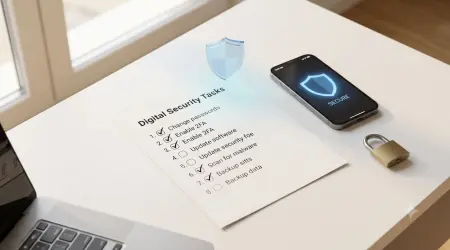
Test Your Email Funnel: Temp Mail for Spam Filters
Using Temp Mail to Test Your Own Email Marketing Funnel for Spam Filters
Introduction: The Deliverability Dilemma
For every marketer, the ultimate goal is the inbox. Yet, the journey from the "Send" button to the primary inbox folder is fraught with peril. Modern spam filters, driven by sophisticated AI and increasingly strict sender requirements (like those from Google and Yahoo [1]), are more aggressive than ever. A single misstep—a poor subject line, a broken link, or a lack of proper authentication—can land your carefully crafted campaign directly in the spam folder.
This article provides a detailed, E-E-A-T-focused guide on how to leverage the unique capabilities of temporary email services to perform a self-audit of your email marketing funnel. This process allows you to see your emails exactly as a spam filter sees them, providing a crucial, objective view of your deliverability health.
Why Traditional Testing Fails
Marketers often rely on internal email addresses (e.g., @yourcompany.com) or a few personal accounts for testing. This approach is fundamentally flawed:
- Whitelisting Bias: Internal emails are often automatically whitelisted by the server, bypassing the very spam filters you need to test.
- Limited Scope: Testing on one or two personal accounts does not reflect the diverse and aggressive filtering rules of major providers like Gmail, Outlook, and corporate firewalls.
- Lack of Objectivity: You cannot replicate the "cold" experience of a brand-new subscriber.
Temporary email services, by providing a clean, anonymous, and disposable endpoint, offer the perfect sandbox environment for a true deliverability audit.
Part I: The Technical Setup for a Deliverability Audit
To effectively use temporary email for testing, you must treat the temporary address as a genuine, external subscriber.
1. The Ephemeral Endpoint
The temporary email address acts as your Ephemeral Endpoint. Unlike a permanent address, it has no history, no reputation, and no pre-existing relationship with your sending domain. This forces your email to pass the most rigorous initial checks.
- Action: Sign up for your own newsletter or marketing funnel using a fresh temporary email address.
- Observation: Note the time it takes for the confirmation email to arrive (Time-to-First-Message).
2. Authentication Check: The Foundation of Trust
Before content is even scanned, spam filters check your domain's reputation and authentication. Use the temporary inbox to verify that your emails are correctly signed.
E-E-A-T Hook: A service that understands and facilitates these technical checks positions itself as an authority on email infrastructure, not just a privacy tool.
Part II: Auditing the Marketing Funnel and Content
Once authentication is confirmed, the audit shifts to the content and the funnel's mechanics.
1. The Spam Filter Placement Test
The most critical test is determining where your email lands: Inbox, Promotions, or Spam.
- Method: Send a series of emails (welcome, lead magnet, first promotion) to the temporary address.
- Analysis: Manually check the temporary inbox. If the email lands in the main inbox, your content is likely clean. If it lands in a "Spam" or "Junk" folder, you have a problem.
2. Content Scoring and Spam Triggers
Spam filters assign a Spam Score based on content, links, and formatting. Temporary email allows you to isolate and test specific content elements.
- High-Risk Content: Test emails containing common spam triggers: excessive capitalization, too many exclamation points, "free" or "guarantee" in the subject line, and image-to-text ratio.
- Link Integrity: Use the temporary inbox to click every link in your email. This ensures that no links are broken or redirecting to a flagged domain, which can instantly trigger a spam filter.
3. The Unsubscribe Mechanism Audit
Google and Yahoo now mandate a one-click unsubscribe option [1]. Use the temporary email to test this critical compliance feature.
- Test: Click the unsubscribe link in the temporary inbox.
- Verification: Ensure the process is truly one-click and that the temporary address is immediately removed from your list. A complicated or multi-step unsubscribe process is a major red flag for both users and spam filters.
Part III: Advanced Deliverability Tactics with Temp Mail
Temporary email can be used for more sophisticated deliverability and security testing.
1. Monitoring the "Sign-Up Tax" for Competitors
The "Sign-Up Tax" is the volume of unwanted email received after a single sign-up [4]. You can use a temporary email to anonymously monitor a competitor's funnel.
- Method: Sign up for a competitor's service using a temporary email.
- Analysis: Track the frequency, content, and type of emails received over a 30-day period. This provides competitive intelligence on their engagement strategy and helps you refine your own to be less intrusive.
2. Phishing and Security Testing
Temporary email is an invaluable tool for security teams to test their own systems against phishing attacks.
- Internal Phishing Simulation: Use a temporary email to send a simulated phishing email to your own primary domain. This tests your internal spam filters and employee awareness without risking your actual domain reputation.
- Credential Stuffing Validation: Use a temporary email to test if your sign-up process is vulnerable to automated bot sign-ups, which often use disposable domains.
3. Domain Warm-Up and Reputation Building
For new domains, reputation is everything. While temporary email is not suitable for the entire warm-up process, it can be used to test the initial reputation of a new domain before scaling.
- Initial Test: Send a small batch of clean, text-only emails to a variety of temporary email domains to gauge initial deliverability before moving to major providers.
Valuable FAQ: Temp Mail for Marketers
Q1: Will using temporary email for testing hurt my domain's reputation?
A: No, if done correctly. You are testing your outbound funnel. The temporary email service is the recipient. Since you are sending a low volume of test emails, your domain reputation will not be negatively impacted. In fact, by identifying and fixing spam triggers, you are actively improving your long-term reputation.
Q2: Should I use a different temporary email for every test?
A: Yes. To ensure the most accurate results, you should use a fresh, unique temporary email address for every single test. This guarantees that the test is not influenced by any prior history or reputation associated with a previous test address.
Q3: How can I check if my email is being tracked by a pixel?
A: The temporary email service itself should block tracking pixels, but you can also check the email's source code (the raw header and body). Look for hidden tags that are 1x1 pixels in size, often linking to a tracking server. The article on Pixel Evasion Rates [7] provides a deep dive into this.
Q4: Is it ethical to use temporary email to monitor a competitor's funnel?
A: Yes. Signing up for a competitor's public newsletter is a standard, ethical competitive intelligence practice. Using a temporary email simply protects your primary identity from the resulting "Sign-Up Tax" [4] and ensures your primary inbox remains clean.
Q5: What is the single most important technical setting to check?
A: DMARC alignment. If your DMARC is not correctly configured, major providers like Google and Yahoo will reject your emails, regardless of content quality. Use the temporary inbox to verify that your emails pass both SPF and DKIM checks and that the "From" address domain aligns with the DMARC policy.
Conclusion: The Marketer's Secret Weapon
Temporary email is no longer just a tool for privacy-conscious consumers; it is a critical security and deliverability tool for the modern marketer and developer. By providing an objective, clean, and ephemeral endpoint, it allows for rigorous, unbiased testing of email funnels against the world's most aggressive spam filters.
In the highly regulated and technically demanding environment of 2026, using temporary email for self-auditing is not a luxury—it is a strategic necessity for ensuring your message lands where it belongs: in the primary inbox.
References
[1] Digital Marketing Institute. (2024). Google & Yahoo Email Changes 2024: What Do They Mean for Marketers. [Source Link: https://digitalmarketinginstitute.com/blog/google-yahoo-email-changes-what-do-they-mean-for-marketers] [2] Litmus. (2025). Email Deliverability Audit: How to Find and Fix Your Issues. [Source Link: https://www.litmus.com/blog/email-deliverability-audit] [3] Mailsac. (Unknown). Disposable Email Testing Platform. [Source Link: https://mailsac.com/] [4] TempMailMaster.io Blog. (2025). The 'Sign-Up Tax': Quantifying the Spam Volume from Top 100 Websites. [Internal Link: /blog/sign-up-tax] [5] TempMailMaster.io Blog. (2025). The Developer's Dilemma: Measuring API Key Exposure in Webhook Testing. [Internal Link: /blog/developer-dilemma] [6] TempMailMaster.io Blog. (2025). Case Study: Reversing a Service Ban by Proving Legitimate Temp Mail Use. [Internal Link: /blog/reversing-ban] [7] TempMailMaster.io Blog. (2025). The Invisible Inbox: A Deep Dive into Email Tracking Pixel Evasion Rates. [Internal Link: /blog/invisible-inbox] [8] SalesCaptain.io. (2025). Email Deliverability Checklist: How to Land in the Inbox. [Source Link: https://www.salescaptain.io/blog/email-deliverability-checklist?99cd941d_page=2]
Written by Arslan – a digital privacy advocate and tech writer/Author focused on helping users take control of their inbox and online security with simple, effective strategies.