How to Create a Child's First Email Address: A Parent's Guide
How to Create a Child's First Email Address: A Parent's Guide
I. The Digital Threshold: Why and When a Child Needs Email
1.1. Introduction: Email as the Digital Passport and Communication Hub
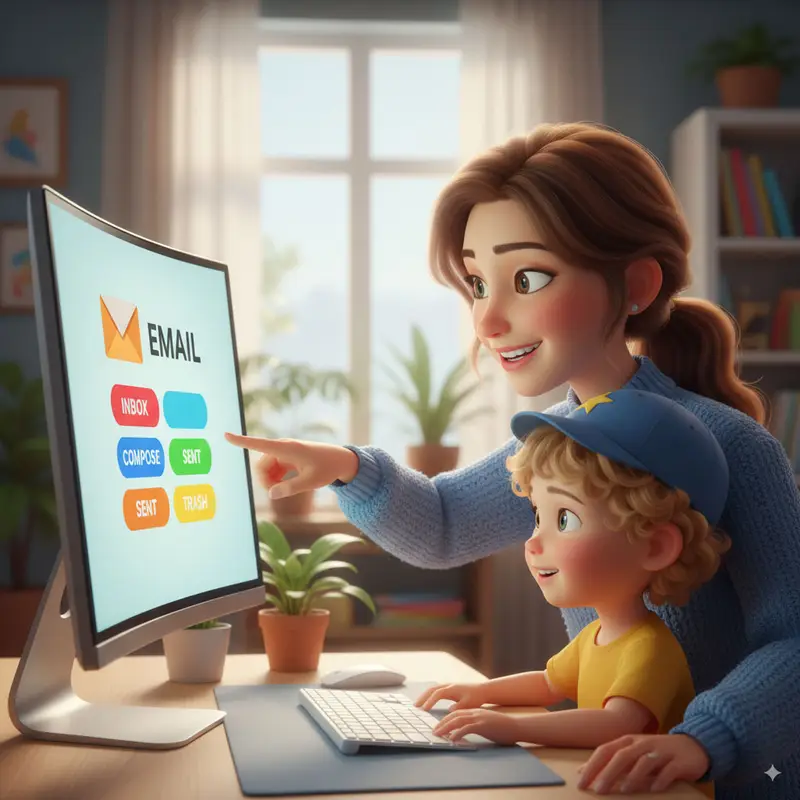
An email address serves as the foundational "digital passport" required for participation in modern educational and social spheres. It represents an essential milestone in a child's digital journey, necessary for vital activities ranging from communicating with teachers and completing school assignments to signing up for educational platforms and maintaining contact with extended family members.1
The introduction of email marks a pivotal moment where the parental role must transition from pure monitoring to active mentorship. The objective extends beyond merely setting up an account; it requires fostering safe, responsible, and digitally literate habits that will endure as the child gains autonomy.1 Consequently, parents must systematically navigate the landscape of security, legal compliance, and technical implementation before granting a child access to their first inbox.
1.2. The Age Debate: Readiness vs. Regulation—Navigating COPPA Compliance
Determining the appropriate age for a child's first email account involves balancing developmental maturity against rigid legal requirements. Many providers offer options for supervised use, acknowledging that while a child may be developmentally ready for limited digital communication, regulatory factors dictate the legal age of independent account creation.
The Federal Mandate and the Age of Autonomy
In the United States, the Children’s Online Privacy Protection Act (COPPA) is the governing federal regulation. COPPA mandates that personal information cannot be collected about children under the age of 13 without verifiable parental consent.1 Since the creation of an email account necessitates entering personal data such as a name or date of birth, this regulation effectively sets 13 as the minimum age for a child to independently register an account.1
This legal constraint is not a suggestion based on developmental psychology; it is a binding requirement designed to protect data privacy. Parents must understand that when they create a supervised account for a child under 13, they are legally providing consent for data collection and accepting responsibility for the account’s operation until the child reaches the legally mandated age of autonomy.2 It is also important to recognize that while 13 is the standard COPPA age, the minimum age for registration and supervision transition can vary globally and between providers, making it necessary to review the specific terms and conditions of the chosen service.1
Bridging the Regulatory-Maturity Divide
A conflict often arises because many educational institutions require a functional email address for children well before they turn 13, prompting parents to seek solutions for younger users. The legal framework of COPPA (age 13 focus) centers strictly on data privacy and collection, while a parent's decision must focus on the child’s emotional and digital readiness.
The supervised account model, therefore, functions as a crucial temporary bridge. It allows children who display sufficient maturity (e.g., 10 or 11 years old) to begin using email for necessary communication while providing the parent with mandatory technical oversight. Assessing digital readiness requires evaluating the child's ability to handle basic passwords, understand simple privacy concepts (what information should not be shared), distinguish between formal and informal communication tones, and consistently follow basic security instructions. If these foundational skills are lacking, technical supervision alone cannot guarantee safety.
II. Choosing the Right Platform: Security, Control, and Privacy
Selecting the appropriate email service for a child involves evaluating the depth of parental controls, the complexity of the interface, and the provider's commitment to COPPA compliance. Three primary ecosystems dominate the supervised account landscape: Google, Microsoft, and specialized, interception-based providers.
2.1. Analyzing the Ecosystems: The Big Three Supervised Account Options
A. Google Family Link (Gmail): The Deep Control Standard
Gmail accounts for children under 13 must be managed via Google Family Link, which integrates extensive supervision features across the entire Google ecosystem, including the child's Android or Chrome OS device.5 This represents the most comprehensive suite of controls available from a major provider.
The setup process for an underage Google Account is mandatory and initiates automatic parental linking. The parent must verify their identity using their own Gmail account, followed by a secure code verification sequence that links the child's device to the parent's.6
Through Family Link, parents acquire critical managerial rights. They can implement technical controls such as setting daily screen time limits, scheduling a device bedtime, viewing app activity reports to gauge usage patterns, and approving or declining new app downloads or in-app purchases through the Google Play Store.5
A paramount safety feature inherent in a newly created, linked Google Account is the parent’s guaranteed access. The parent can remotely manage and secure the child's account, including the ability to change or reset the child’s password if it is forgotten or compromised. This ability provides the ultimate safety net, ensuring that the parent maintains control over the account’s data and security integrity.5
The Transition Point at Age 13
The depth of Google’s control requires parents to prepare for the inevitable shift to autonomy. When a child managed by Family Link turns 13 (or the applicable legal age in their jurisdiction), they are presented with a crucial choice: they can decide to keep the parental supervision in place, or they can choose to fully manage their own Google Account.4
This technical reality necessitates effective preparedness. If the child opts for full personal management, the technical controls the parent relied upon—remote password reset, screen time limits, app approval—can vanish instantly. This means that relying solely on technical supervision is a temporary strategy. The essential safety training, digital literacy, and responsible habits must be firmly established before the child reaches this age, as independent discernment becomes the primary security measure when the technical guardrails are removed.
B. Microsoft Family Safety (Outlook): Ecosystem-Specific Protection
Microsoft offers supervised use through Outlook, managed via the Microsoft Family Safety platform. This system is designed around establishing a "family group" which facilitates healthy online habits across Microsoft products, particularly Windows and Xbox devices.9
While robust in device and browser management, Microsoft’s approach to email control is generally less intrusive than Family Link. The platform focuses heavily on setting screen time limits and filtering inappropriate web content, especially when the child uses Microsoft Edge.6 For email safety, Outlook provides standard spam filtering and the ability to block specific email addresses.
Unlike Google, where underage account creation mandates immediate linking, Microsoft often requires the parent to link the child’s account within the Microsoft Family Safety portal after creation.6 A key differentiation point is that Microsoft does not provide parents with a direct method to monitor the
content of the child’s emails from the parental dashboard, focusing instead on web and device use.
C. Specialized Email Providers (e.g., KidsEmail.org): Interception-First Safety
Specialized services like KidsEmail.org are designed explicitly for young children, placing safety protocols at the center of their architecture. These platforms are most suitable for younger users (often 8 to 10 years old) where the risk of exposure to unknown or malicious contacts is the primary concern.10
The core technical defense mechanism these providers utilize is the Mail Queue. Any email sent to the child from a sender not already on their pre-approved contact list (whitelist) is automatically intercepted and sent to the parent’s Mail Queue.11 The parent must then review the correspondence and explicitly approve or deny its delivery to the child’s inbox. This provides granular, message-by-message control over all external communication.11
While most major provider systems are free, these specialized platforms operate on a subscription model.12 However, many offer better value for large families, often allowing four to six child accounts per paying adult for no additional fee, contrasting favorably against competitors who charge per child.13
Table 1: Comparative Analysis of Supervised Email Platforms
III. Advanced Account Security and Content Filtering Strategies
The effectiveness of parental supervision is directly tied to the rigorous technical configuration of the child's account. This "hardening phase" ensures that technical defenses are optimized against external threats and digital clutter.
3.1. Technical Configuration: The Hardening Phase
A fundamental requirement for any child’s email account is the establishment of a robust, unique password. This password should be set and initially managed by the parent, ensuring it is complex and distinct from other family accounts. For advanced security and to protect this vital "digital passport," parents should consider implementing robust password management techniques and Two-Factor Authentication (2FA) for the parental control account, as 2FA makes it exponentially harder for unauthorized users to gain access even if the password is stolen.
3.2. Mastering the Whitelist and Blacklist
For young children, whitelisting—the practice of only allowing emails from approved contacts—is the most potent technical defense against exposure to unknown parties. This strategy minimizes potential contact with scammers, predators, or marketers.
Implementing Whitelisting in Major Services
In Gmail, whitelisting goes beyond simply adding a contact. While adding a sender's email address to Google Contacts is the easiest initial step, it does not absolutely guarantee that Google’s spam filter will not flag a future message.14
The most reliable, expert-level technique for whitelisting in Gmail requires creating a dedicated filter rule on the web version of the application. This filter must instruct Gmail to never send mail from a specific address to the Spam folder, thus overriding the algorithm’s judgment.14 For institutional domains, such as the child's school district, advanced administrators can also utilize specialized envelope filters to specify large sets of approved senders.15
Specialized services simplify this process, as their core function is, by default, a whitelist system. Parents simply review the Mail Queue and manually approve trusted contacts, automatically granting them permanent access to the child’s inbox.11 Conversely, Microsoft Outlook users can add specific recipients to the Safe Senders List to ensure those emails bypass the Junk E-mail folder.16
3.3. Mitigating Spam and External Exposure
The uncontrolled accumulation of spam presents a significant risk to a child’s safety. Excessive spam not only exposes the child to potential phishing attempts and inappropriate content but also dilutes the utility of the email account, teaching the child poor digital habits by requiring them to wade through digital clutter. Proactive defense is mandatory.
The most effective strategy is the restriction of use. Initially, the child should be strictly prohibited from using the primary supervised email address to sign up for non-essential websites, free games, newsletters, or temporary downloads.
When a child inevitably requires an email address for a one-time subscription, contest entry, or to read an article requiring registration, using the primary, controlled address risks exposing that account permanently to marketers and potential data breaches. To ensure the security integrity of the primary supervised account is maintained, parents should teach the child the value of protecting primary email addresses from excessive spam through temporary solutions. Utilizing a secondary, disposable email solution for these non-essential sign-ups prevents the permanent, supervised account from receiving persistent, security-compromising spam.
IV. Digital Citizenship: Teaching Email Safety and Etiquette
While technical controls provide a necessary shield, the most enduring security layer is the child’s own capacity for independent discernment. The supervision period must be viewed as an intensive curriculum delivery window, where digital literacy and responsibility are instilled before the child gains full account autonomy.
4.1. The Art of Professional Correspondence: Building Digital Responsibility
Digital citizenship begins with understanding the nuances of communication. Children must learn the fundamental distinction between the highly informal, immediate tone of text messaging and the more formal, structured requirements of email, particularly when communicating with school staff or other authority figures.17
Etiquette Non-Negotiables
Parents must institute strict etiquette guidelines. The Do’s of proper correspondence include using polite and respectful language, ensuring sentences are complete and grammar is correct, and using a clear, specific subject line (e.g., "Question regarding History Assignment on Page 50"). Every email should conclude with a respectful closing, such as "Sincerely" or "Yours Truly," and a thank you should be sent after receiving a response.17
Equally important are the Don’ts. Children must be strictly instructed to avoid using ALL CAPS, as this equates to shouting online. They must refrain from using demanding language ("I need help now!") and should generally avoid acronyms (such as LOL, BTW, or UR) and excessive emojis, especially in formal communication.17 The account must be maintained for its professional purpose, meaning forwarding chain letters, entertainment videos, or unrelated content is prohibited.17
The critical habit to instill is the Practice the Pause technique. Before clicking "Send," the child should be encouraged to review the content aloud to catch spelling errors (which spell-check may miss, such as "too" versus "two"), correct grammar, and ensure the tone is polite and accurately reflects their intended message.17
Table 2: Essential Email Etiquette Guide for Children
4.2. Phishing and Scam Recognition: The Red Flag Training
The inability to recognize a digital manipulation attempt renders even the most complex technical security settings useless. Phishing is a primary method of exploiting children, relying on psychological tactics rather than technical hacking. Training must, therefore, be proactive and focused on recognizing the emotional and contextual markers of a scam.
The Five Red Flags of Phishing
Parents should teach children to actively scan every unexpected or suspicious email for the following five critical indicators:
- Sense of Urgency: The message pressures the recipient to "act quickly" or face a catastrophic consequence, such as account closure or loss of access.18 This tactic bypasses rational thought.
- Emotional Triggers: The email plays on strong feelings—fear, panic, excessive hope, or intense curiosity—to encourage an unthinking click.18
- Suspicious Sender Address: The email originates from an unknown sender or an address that looks slightly misspelled or unusual (e.g., micros0ft.com instead of microsoft.com).18
- Requests for Sensitive Information: Any email asking for passwords, payment details, or personal verification (PII) via a reply or a link within the message is almost certainly fraudulent.18 Legitimate services will direct users to secure websites, not email replies.
- Unexpected Links or Attachments: The email contains unsolicited files or links, such as an "invoice for payment" that was never expected.18
For training, gamified learning tools, such as the "Spot the Phish - Kids Edition" or "Hack-A-Cat" available through KnowBe4, are highly effective ways to practice identification skills in a low-stakes environment.19
Table 3: Phishing and Online Scam Red Flags Checklist
4.3. Managing the Digital Footprint
The ultimate long-term security lesson involves teaching children that their email address is a permanent identifier and that every communication they send contributes to their lasting digital footprint. Parents provided consent for data collection under COPPA; however, once the child begins communicating, they are voluntarily sharing information.
It is crucial to emphasize understanding the risks of online data collection and privacy protection. Children must learn that once information—whether a personal photograph, an embarrassing comment, or their private contact details—is sent via email or used to register for a service, the control over that data is often lost. This reinforces the need for rigorous protection of Personally Identifiable Information (PII) and discretion in all online interactions.
V. Transition and Ongoing Mentorship
5.1. The Shift to Digital Autonomy
The parental control systems, such as Family Link, operate with a built-in expiration date. Once the child turns 13, they are given the choice to disable supervision.4 If the parent recognizes that their technical supervision is a time-limited tool, they can use the final year before this transition age as a concentrated curriculum delivery period.
The objective during this phase is to ensure the child has internalized the required digital literacy—from phishing detection to etiquette—so that the removal of technical guardrails does not result in an immediate vulnerability. When the child achieves autonomy, parents should set new, clearly defined expectations for independent account use, focusing on continued vigilance against online threats and maintaining responsible communication practices.
5.2. Recommended Authoritative Safety Resources
To ensure that parents have access to current, accurate, and authoritative information regarding digital safety, leveraging resources developed by non-profit and government organizations is essential for high standards of trustworthiness and accuracy.
- NetSmartz (NCMEC): Operated by the National Center for Missing & Exploited Children (NCMEC), NetSmartz provides age-appropriate videos and activities to help children identify and prevent potential online risks. NCMEC also operates the CyberTipline for reporting suspected child exploitation.20
- Common Sense Media: A respected non-profit organization that offers detailed reviews and educational information on media and technology for families.21
- CyberSmart: Provides free K-12 curriculum materials correlated to international technology education standards, focusing on internet safety and digital citizenship.21
- FTC Consumer Guidance: The official source for information regarding the Children’s Online Privacy Protection Act (COPPA) and updated consumer protection guidelines.3
VI. Valuable Frequently Asked Questions (FAQs)
Q: At what age is my child legally allowed to stop parental supervision on a Google Account?
A: In the United States, children can choose to manage their own Google Account and stop parental supervision when they turn 13 years old. This age is set by COPPA, although the applicable age may vary in other countries.4
Q: Can I access my child's email content without their permission?
A: If the supervised Google Account was created by the parent from scratch and linked via Family Link, the parent retains the ability to reset the password and access all managed data and emails.5 For specialized services like KidsEmail.org, the parent reviews every email from an unapproved sender via the Mail Queue
before it reaches the child.11
Q: What should I do immediately if my child accidentally clicks a suspicious link?
A: If the child uses an Android or Chrome OS device, parents should first attempt to remotely lock the device using the Family Link application.5 Immediately after, the child's email password should be changed, as it may have been compromised by malware or a credential-stealing site. Finally, a full and robust malware scan should be run on the device.
Q: How do I ensure my child only receives email from their teacher and approved contacts?
A: The most reliable defense is implementing whitelisting. For Gmail, this requires creating a specific filter rule on the web version of the account, which explicitly instructs Gmail to force messages from trusted addresses into the primary inbox, overriding the spam filter.14 Specialized services make this the default operational setting using the Mail Queue.11
Q: My child needs an email address for a one-time contest sign-up. Should I use their primary supervised address?
A: It is strongly recommended to avoid using the primary supervised address for any non-essential or temporary sign-ups. Such usage inevitably leads to increased spam exposure and a heightened risk of data theft.1 Instead, parents should consider using a secondary or disposable email solution to protect the main, supervised account’s security integrity.
VII. Conclusion: A Partnership in Digital Growth
The process of setting up a child's first email account is multifaceted, demanding a comprehensive strategy that synthesizes legal compliance, technical security, and educational mentorship. The decision of when to introduce email is defined by a child's maturity, while the regulatory compliance, dictated by COPPA, provides the framework for how the account must be supervised until age 13.
Effective parental guidance requires the deployment of technical controls, such as meticulous whitelisting and the rigorous management of supervised accounts like Google Family Link, to create a secure digital perimeter. However, these technical protections are inherently temporary. The ultimate goal is not to maintain perpetual surveillance, but to empower the child with essential digital citizenship skills: the ability to discern phishing attempts, practice appropriate email etiquette, and grasp the gravity of their lasting digital footprint. The transition to digital autonomy will occur, and when it does, the child's own informed judgment, cultivated through consistent partnership and training, will serve as their final and most critical security safeguard.
Written by Arslan – a digital privacy advocate and tech writer/Author focused on helping users take control of their inbox and online security with simple, effective strategies.