
How to Safely Sign Up for and Participate in Game Betas
How to Safely Sign Up for and Participate in Game Betas: A Perfect Guide
The thrill is undeniable: an exclusive invitation to beta test the next big game lands in your inbox. You get to explore a new world before anyone else, provide feedback that shapes the final product, and earn some serious bragging rights. For any passionate gamer, it’s a dream come true. But in the rush of excitement, it's crucial to remember that the digital world is fraught with risks. Scammers and malicious actors often use the hype around new games to lure unsuspecting players into traps.
This guide is your comprehensive walkthrough for safely navigating the world of game beta testing. We'll cover everything from understanding what a beta test really is to identifying sophisticated scams, protecting your personal information, and finding legitimate opportunities. Eager to test the next big game? Here’s how to verify the legitimacy of a beta invite and participate without exposing your primary accounts to unnecessary risk.
Chapter 1: Understanding the Landscape of Game Beta Testing
Before diving into the "how," it's essential to understand the "what." Game development is a multi-stage process, and testing phases are critical milestones. Knowing the terminology will help you gauge the state of the game and the nature of the test.
Alpha vs. Beta: What's the Difference?
You'll often hear "alpha" and "beta" used, and while both are testing phases, they represent different stages of development.
- Alpha Testing: This is an early phase, often conducted internally by the developers and a small, trusted group.[1][2][3] The game is far from complete, core mechanics are still being implemented, and it may be riddled with major bugs.[2][4] The primary goal of the alpha phase is to test core functionality and gather initial feedback on the game's direction.
- Beta Testing: The beta stage begins when the game is "feature complete," meaning all major systems and content are in place but require polishing, bug fixing, and balancing.[4][5] This phase is about refinement and is often opened to a wider audience to stress-test servers and identify less obvious bugs.[1][2]
Types of Beta Tests
Beta tests themselves come in a few different flavors, each with a different level of accessibility:
- Closed Beta: This is an invite-only test for a limited number of participants.[6] Developers often handpick testers from sign-up lists or give keys to community members, influencers, and journalists. The goal is to get focused feedback from a controlled group.[7]
- Open Beta: As the name suggests, this version is open to the public.[8] Anyone can download and play the game for a limited time. Open betas often serve as a final large-scale stress test for servers and a marketing tool to generate hype before the official launch.
- Perpetual Beta: Some games, particularly in the "early access" model, exist in a state of continuous beta.[5] Players can buy and play the game while it's still in active development, receiving regular updates.
Chapter 2: The Dark Side: Common Scams and Risks of Beta Testing
The excitement surrounding a new game creates a perfect hunting ground for scammers. Their methods are often sophisticated and prey on a gamer's eagerness to get in on the action early. Here are the most significant risks to be aware of.
Phishing Scams
Phishing remains one of the most common threats. Scammers create fake emails, direct messages, or websites that convincingly mimic official communications from game developers.[9][10] These messages often create a sense of urgency, claiming you have a "limited-time exclusive invite."[10] The goal is to trick you into clicking a malicious link and entering your login credentials for platforms like Steam, Discord, or your email, giving them full access to your accounts.[11]
Red Flags for Phishing:
- Suspicious sender email addresses that are similar, but not identical, to official ones.
- Poor grammar and spelling errors in the message.
- A sense of urgency or threats (e.g., "Your account will be suspended if you don't verify").[10]
- Links that, when hovered over, reveal a URL that doesn't match the official developer's website.[10]
Malware and Account Takeover
A particularly nasty scam involves tricking you into downloading a fake game client. A scammer, sometimes posing as a friend whose account has already been compromised, will send you a link to a file, claiming it's the beta.[12] When you run the file, it installs malware on your computer.[12] This malware can do any number of things, from logging your keystrokes to steal passwords to encrypting your files for ransom or stealing your social media and gaming account tokens.
Data Privacy and Identity Theft
When you sign up for any online service, you're handing over personal information. With a legitimate beta, this data is usually handled responsibly. However, illegitimate beta sign-up forms are created solely to harvest your data. This can include your full name, email address, date of birth, and more. This information can then be sold on the dark web or used to attempt to access your other online accounts.[13]
Chapter 3: Your Safety Playbook: A Step-by-Step Guide to Safe Beta Testing
Now that you're aware of the dangers, let's build your defense strategy. Following these steps methodically will drastically reduce your risk of falling victim to a scam.
Step 1: Verify the Source of the Invite
Authenticity is everything. Before you click a single link, you need to be certain the invitation is legitimate.
- Check Official Channels First: If you receive a beta invite, your first action should be to open a new browser tab and navigate directly to the game developer's official website, Twitter profile, or official Discord server.[14] Developers will almost always announce beta tests publicly on their main channels. If there's no mention of a beta, the invite is likely a scam.
- Scrutinize the Email Sender: If the invite came via email, examine the sender's address. A real email from a company like Ubisoft will come from an address ending in @ubisoft.com, not @ubisoft-betas.com or @gmail.com.
- Beware of Unsolicited DMs: Be extremely skeptical of direct messages on platforms like Discord or Twitter, even if they appear to come from a friend. Their account may have been compromised.[12]
Step 2: Protect Your Digital Identity During Sign-Up
Once you've confirmed the beta is real, you still need to protect your personal information during the registration process. The key is isolation. Never tie a beta test to your primary, personal accounts.
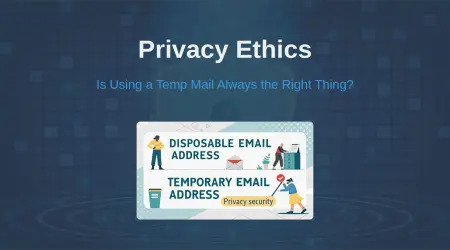
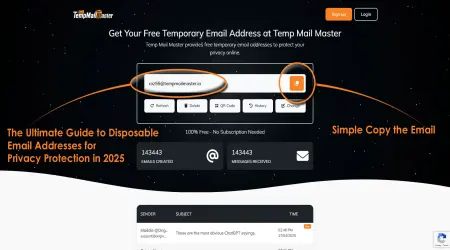
- Use a Temporary Email Address: This is the single most important step you can take. Instead of giving out your primary email address, use a disposable or temporary one. This prevents your main inbox from being flooded with spam if the beta provider's database is ever breached or sold.[15] More importantly, it insulates your primary email—often the key to resetting all your other account passwords—from being exposed. Using a temporary email service is an excellent way to safeguard your privacy without compromising your ability to receive a confirmation link.[16][17]
- Create a Dedicated Gaming Identity: Do not use your main gaming account (Steam, Xbox, PlayStation) or your primary email for signing up. Create a brand new email address and a new, separate account with the game developer specifically for testing.
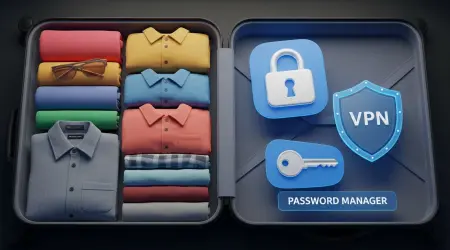
- Use a Strong, Unique Password: This should go without saying, but never reuse passwords.[18] Use a password manager to generate and store a long, complex, and unique password for every single account you create, including for beta tests.
- Enable Two-Factor Authentication (2FA): If the beta account allows for it, enable 2FA immediately.[18] This provides a critical layer of security, even if your password gets compromised.
Step 3: Secure Your System and Downloads
You've signed up safely, and you've been accepted. Now it's time to download the game, but this is another critical security checkpoint.
- Download Only from the Official Source: The acceptance email or the developer's website will provide a link to download the game client. Double-check that this link leads to the official domain or a trusted platform like Steam, the Epic Games Store, or a console's official store.[19]
- Scan the File: Before running any installer, use reputable antivirus software to scan the downloaded file for any potential threats.
- Consider a VPN: A Virtual Private Network (VPN) encrypts your internet connection, which can help protect your data, especially if you're using public Wi-Fi.[18]
Step 4: Understand and Respect the Non-Disclosure Agreement (NDA)
Many closed betas will require you to agree to an NDA. This is a legally binding contract that prohibits you from sharing any information about the game.[20][21]
- What it Covers: The NDA typically forbids you from sharing screenshots, videos, or even written descriptions of gameplay, characters, or story elements.[21][22]
- Consequences of Breaking an NDA: Violating an NDA can have serious repercussions. You could be immediately removed from the beta, banned from future tests, and in some cases, face legal action from the developer for damages.[23]
- Read Before You Agree: Even if it seems like standard legal text, take a moment to understand what you're agreeing to.[21]
Chapter 4: Where to Find Legitimate Beta Testing Opportunities
To avoid scams, it's best to be proactive and seek out beta tests from trusted sources rather than waiting for unsolicited invites.
- Official Developer Websites: The most reliable place to sign up for betas is directly on the developer's website. Major studios like Electronic Arts, Ubisoft, and Riot Games have dedicated "playtesting" sections.[14][24]
- Gaming News and Community Hubs: Reputable gaming news sites often report on upcoming betas. Additionally, some community-run websites are dedicated to archiving beta sign-up opportunities.
- Platform-Specific Programs:
- PC (Steam): Steam has a built-in feature that allows developers to grant beta access. You can opt-in to the "Steam Client Beta" to test new Steam features, and individual games often have beta branches you can access through the game's properties menu.[25][26][27]
- Xbox: The Xbox Insider Program allows players to sign up to test upcoming system updates and games.
- PlayStation: Sony runs a PlayStation Beta program for system software and occasionally sends out invites for game betas to registered users.
Conclusion: Play Hard, Play Smart, Play Safe
Being a beta tester is an exciting and rewarding experience that offers a unique glimpse into the world of video game development. It allows you to contribute to the polish of a game you're passionate about. However, that excitement should never come at the cost of your personal security.
By adopting a security-first mindset—verifying every invite, isolating your digital identity with tools like temporary emails, using strong and unique passwords, and downloading software only from official sources—you can safely enjoy the perks of early access. The digital world is full of challenges, but with the right strategy, you can confidently plant your flag in new and uncharted gaming worlds without putting your primary accounts at risk.
Frequently Asked Questions (FAQ)
Q1: Do you get paid for beta testing games?
Generally, no. Most public beta tests are voluntary. Testers participate for early access and to help improve the game. Professional, in-house QA (Quality Assurance) testers are paid employees, but that is a different role.
Q2: Can I keep the game after the beta test ends?
Typically, no. Beta access is temporary and is revoked after the testing period concludes. You will usually need to purchase the full game upon its official release.
Q3: What should I do if I find a bug?
Developers will provide specific instructions on how to report bugs.[7] This usually involves using an in-game reporting tool or a dedicated forum or Discord channel. Be as detailed as possible in your report, including steps to reproduce the bug, screenshots, and videos if possible.
Q4: Is it safe to link my main Steam or Discord account to a beta test?
It is strongly advised not to. To minimize risk, you should always create separate, dedicated accounts for any beta test you participate in. This prevents your main accounts from being compromised if the beta service suffers a data breach.
Q5: What's the difference between "early access" and a beta?
While similar, "early access" usually refers to a playable but unfinished version of a game that players can purchase and play through its development. A beta is typically a time-limited test of a near-complete game that is often free to participate in.
Written by Arslan – a digital privacy advocate and tech writer/Author focused on helping users take control of their inbox and online security with simple, effective strategies.