Fraud Alert: Fake Instagram & Facebook 'Support' Messages Are Stealing Passwords
Fraud Alert 2025/2026: How to Defeat the Fake Meta and Instagram Support Account Violation Scam
I. Executive Summary: The Rising Tide of Social Media Account Takeovers
The digital landscape for content creators, small businesses, and media figures is currently defined by a heightened threat of account takeover (ATO) attacks. These compromises, initiated predominantly through sophisticated phishing campaigns, target the most valuable assets of a modern enterprise: its established social media presence and associated financial data.
The Digital Trust Crisis: Why Account Takeovers Are Surging in 2025
Recent trends in cybercrime underscore a dramatic escalation in attacks aimed at digital identity. Data collected in 2024 revealed a staggering increase in fraud incidents specifically targeting social media and email accounts, jumping from 23,000 reported cases in 2023 to an alarming 35,436 in 2024.1 This acceleration is heavily powered by phishing, which serves as the entry point for approximately 80% of all security incidents across the digital domain.2
Despite increasing public awareness, phishing remains highly successful, costing victims an estimated $17,700 every minute globally.2 These statistics demonstrate that conventional user security training has failed to keep pace with the evolving sophistication of malicious actors. The primary reason for this relentless pursuit of social media credentials lies in the
financialization of digital threats. Attackers are motivated by more than simple identity theft; they recognize that a compromised professional account provides immediate pathways to significant financial gain.
The strategic goal for many attackers is to transition from social media compromise to broader financial fraud. Evidence supports this linkage: attacks directed against the online payment and financial sectors accounted for 30.9% of all observed attacks in the first quarter of 2025.3 Social media credentials are used as a gateway, granting access to stored payment details, enabling the creation of fraudulent ad campaigns, and facilitating the purchase of goods or services in complex fraud schemes.4 Stealing these credentials is fundamentally a lucrative financial endeavor for organized cybercrime groups.
Why Creators and Businesses are Primary Targets (The High Stakes)
Social media platforms and Software as a Service (SaaS) companies are identified as high-priority sectors for attackers, accounting for 22.3% of phishing campaigns in aggregate.2 For businesses, the impact of a compromised account is existential. A security violation or suspension leads to a significant negative impact on business continuity, immediately disrupting advertising campaigns, customer service operations, and overall brand visibility.6
For creators and small businesses whose revenue streams are intrinsically linked to their digital footprint, losing an account means the instantaneous loss of years of work, access to customer data, and severe reputational damage. The speed and urgency of the fake support scam exploit this vulnerability, compelling targeted individuals—who view their accounts as critical infrastructure—to react impulsively to avoid perceived catastrophe.7
II. Dissecting the Social Media Account Violation Scam
The social media account violation scam is a highly effective form of credential phishing that expertly utilizes social engineering principles to bypass rational security checks. It relies on the psychological manipulation of fear and urgency to achieve rapid account takeover.
The Social Engineering Blueprint: Exploiting Fear and Urgency
The entire scam is constructed to exploit the victim’s fear of being suddenly and unfairly cut off from their audience and revenue stream. Scammers craft alarming, unsolicited messages—typically delivered via Direct Message (DM), SMS, or an unofficial email—claiming that the user has violated platform policies, such as copyright or terms of service.5
The critical component of the attack is the imposition of a strict, imminent deadline. Messages often create a crisis by stating that the account will be "permanently deleted," "restricted," or "banned" unless the user takes immediate action, often within a timeframe as short as 24 hours.8 This intense pressure is designed to override critical thinking, forcing the recipient to prioritize speed over security verification.9 It is crucial to remember that platforms like Meta explicitly state they will never initiate contact regarding privacy policy issues or account violations via direct messages; official communication is always routed through the registered email address or the internal Support Inbox.5
The Three Phases of Attack: Lure, Payload, and Credential Harvesting
The mechanism of the scam follows a predictable, three-stage process, ensuring maximum success rate and minimal operational complexity for the attacker.
1. The Lure Phase
The initial notification is engineered to appear highly authentic. It uses official-sounding terminology, such as "Urgent notification about your account," "Meta," "policy violation," and "restricted access".5 The message specifically focuses on high-anxiety topics like copyright infringement or violations detected on the associated Facebook Page, lending immediate credibility to the threat.8
2. The Payload Phase
Embedded within the alarming message is a crucial link, disguised as an "Appeal Form," "Help Center," or "Account Confirmation" page.8 This link is the malicious payload. It is often shortened, masked, or slightly misspelled, but its true destination is a fraudulent, third-party website, not an official platform domain.
3. The Harvesting Phase
Upon clicking the link, the victim is directed to a phishing site. This site is meticulously designed to mirror the authentic Facebook or Instagram login page, often using official logos and branding.8 When the victim, acting under duress, enters their username and password to "appeal" or "verify" their account, the credentials are instantly harvested by the scammers. This immediate theft results in an account takeover, where the attacker gains full control and locks the legitimate user out.5
Common Violation Pretexts: Leveraging Compliance Anxiety
Scammers primarily utilize copyright infringement and terms of service (TOS) violations as their chosen pretexts. These are particularly effective because they leverage a genuine source of anxiety among content creators and businesses who are aware of the risks of legal action, SEO penalties, or content removal.10
To heighten the level of intimidation, phishing messages may even cite specific, formal legal references, such as the Digital Millennium Copyright Act (DMCA) and 17 U.S.C. Section 101 et seq., mentioning the potential for devastating statutory damages up to $140,000.12 This mimicry of legitimate legal and compliance threats creates maximum emotional duress.
This method successfully exploits the legitimate risk of algorithm penalties and legal issues inherent in digital content management. By presenting the situation as a mandatory compliance check, scammers effectively turn a standard, cautious security procedure (checking the URL) into an urgent, unthinking action (clicking to appeal the fine or ban).7
Consequences: Beyond the Password
The damage resulting from a successful account takeover extends far beyond the mere inconvenience of a stolen password. Once attackers have control, they can:
- Lock the Victim Out: The immediate change of passwords and recovery information prevents the legitimate owner from regaining access.5
- Financial Theft: Access saved payment information, credit card details, or advertising credit lines, leading to unauthorized purchases or transfers.4
- Reputation Damage: Post spam, dangerous, or illegal content, severely damaging the brand's integrity and customer trust.4
- Credential Stuffing: Use the stolen password/username combination to attempt logins on dozens of other unrelated websites and accounts, especially if the victim reuses credentials—a highly common practice.4
III. Expert Protocol: Spotting Phishing Red Flags and Authenticity Checks
Defeating the fake support scam requires meticulous attention to detail and adherence to strict verification protocols. Since most online attacks begin with a single click, users must develop an expert ability to recognize deception before acting.13
Official Communication Channels: The Gold Standard Check
The single most reliable method for determining the authenticity of a warning is verifying the communication channel. Genuine notifications regarding account status, security breaches, or policy violations will never be delivered solely through an unsolicited direct message (DM) on Instagram or Facebook Messenger.5
Legitimate security notifications are communicated through specific, verifiable channels:
- The In-App Support Inbox: This is the platform’s dedicated, secure internal channel for official communications. Users must navigate to the app’s "Settings" or "Support Inbox" section to check for notifications [Image].
- Registered Email Address: Official Meta correspondence will only arrive via email to the address associated with the account.5 Furthermore, these emails will only originate from specific, official Meta domains, including:
fb.com, facebook.com, facebookmail.com, instagram.com, meta.com, or metamail.com.14 Any variation, or an address from a common public provider (e.g., Hotmail, Gmail), is a significant red flag.12
Deconstructing the Malicious Link: The Technical Inspection
Phishing links are often the most exposed component of a scam, but users must take the proactive step of technical inspection. Before clicking any link, the destination URL must be revealed and scrutinized. On desktop, this is done by hovering the mouse cursor over the link. On mobile devices, this usually requires pressing and holding the link until the destination URL appears.9
The true URL must belong to the official platform domain (e.g., instagram.com/support or facebook.com/help). Red flags to look for include:
- Typosquatting: Subtle misspellings in the sender’s username (e.g., Insta_Support_Team8) or the domain name (e.g., amazan.com).15
- Untrusted Shortened URLs: Links that are compressed and hide the true domain.15
- Suspicious Subdomains: Links directing to unusual or non-Meta domains (e.g., meta-appeal.net or a random IP address).16
Table 1: Red Flags of Fake Social Media Support Messages (Immediate Visual Guide)
The following table synthesizes the verification points crucial for rapid threat assessment:
Table 1: Official vs. Fake Social Media Security Notifications
AI and Phishing: The Death of the Grammar Check
Historically, poorly written text, generic greetings, and obvious grammatical errors were immediate indicators of a phishing attempt.15 However, the landscape has fundamentally shifted with the widespread adoption of advanced generative Artificial Intelligence (AI) by cybercriminals.21
AI tools now enable attackers to produce highly personalized and grammatically flawless phishing emails and messages.21 This means users can no longer rely on simple error detection to spot a scam.15 The focus must transition from detecting stylistic errors to verifying the
context and the source of the message. If a message, even one with perfect grammar, arrives via an unexpected or unofficial channel, or makes an urgent demand for immediate action, it must be treated with extreme skepticism. Effective defense now relies heavily on verifying the official context, not just the quality of the writing.22
IV. Proactive Defense Strategy: Hardening Your Social Media Accounts
A robust security posture, often referred to as cyber hygiene, is the most effective preventative measure against the fake support scam. This involves layers of defense focused on passwords, authentication, and strategic data management.
The Criticality of Unique Passwords and Managers
Account takeovers often succeed because users rely on weak or reused passwords.23 Implementing a strong password policy is foundational security.6 Passwords should be long, unique, and complex. Security experts highly recommend utilizing a reliable password manager to generate and store cryptographically secure, unique credentials for every online service, ensuring that the compromise of one account does not lead to the immediate compromise of others.23
Multi-Factor Authentication (MFA) Deep Dive: Choosing the Best Shield
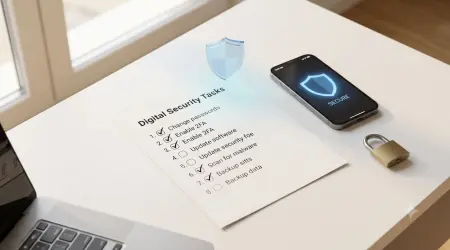
Multi-Factor Authentication (MFA), also known as two-factor authentication (2FA), is the single best defense against account takeovers [Image]. MFA requires a user to present two or more credentials from different categories—something they know (password), something they have (code/key), or something they are (biometrics)—to log in.20 This makes stolen passwords useless without the secondary verification factor.24
For platforms like Instagram and Facebook, users are typically offered several MFA options, but not all provide equal levels of security:
- Authentication App (Recommended): Services like Google Authenticator or Duo Mobile generate time-based one-time passwords (TOTP). This method is widely recommended because the codes are generated locally on the device, making them resistant to remote attacks like SIM-swapping or network interception.25
- SMS Text Message: While convenient, relying solely on SMS codes for 2FA is now considered moderate security. These codes are vulnerable to sophisticated social engineering techniques like SIM-swapping, where an attacker tricks a telecom carrier into transferring the victim's phone number to a device the attacker controls.20
Users should always opt for the strongest method available and regularly ensure their MFA settings are active and functioning across all critical accounts.26 Instagram, for instance, provides login alerts for unrecognized devices whenever 2FA is enabled, allowing the user to approve or deny the request immediately.27
Table 2: Comparison of Multi-Factor Authentication (MFA) Methods
Strategic Email Segregation: The Hidden Layer of Defense
One of the most overlooked aspects of social media security is protecting the primary email address used for account recovery. If this email is compromised, a hacker can easily change the password, even if MFA is enabled.
Phishing and account theft often rely on information leaked from third-party services. If a user utilizes their primary email address—the one linked to their Meta or Instagram recovery settings—to sign up for dozens of newsletters, coupons, or low-stakes trial accounts, that email address is repeatedly exposed to potential data breaches.28 Attackers harvest these publicly leaked emails and attempt "credential stuffing," hoping the user reused the same password across multiple platforms.4
To prevent this critical asset from becoming a security liability, it is highly recommended to practice strategic email segregation. This involves utilizing disposable temporary email addresses for low-stakes interactions and sign-ups [Link: /privacy-protection-through-burner-inboxes/].
By isolating the risk of spam and potential credential leakage away from the primary email that controls social media and financial recovery, users effectively build a protective buffer. This dramatically reduces the chances of the primary email being targeted by phishing or credential stuffing, thereby safeguarding the vital recovery lifeline linked to sensitive accounts.29 Moreover, utilizing
disposable email services for non-essential communications helps reduce the overall volume of spam, ensuring that legitimate security alerts sent by Meta or Instagram are not missed or buried in a deluge of unwanted messages [Link: /how-disposable-emails-prevent-spam-and-phishing/].
Regular Security Audits and Device Management
Proactive security involves routine auditing of account settings. Platforms provide internal tools to manage security posture. Meta, for example, offers a Security Checkup feature that helps users review security settings and add enhanced protection to their Facebook accounts.30 Users should also frequently check their active login sessions and device lists (e.g., in Instagram's Security settings) and immediately log out any device or location they do not recognize.31 Finally, ensuring all operating systems, applications, and anti-virus software are updated is essential, as these updates often contain critical patches against known vulnerabilities.22
V. Advanced Threat Landscape (2025 Trends)
Cybercrime tactics are evolving rapidly, necessitating an understanding of emerging threats that bypass traditional security awareness methods. The next generation of phishing attacks leverages artificial intelligence, making them virtually indistinguishable from legitimate communication.
The AI-Powered Phishing Threat Evolution
The sophistication of phishing emails has reached a point where AI-powered tools are routinely used to create hyper-personalized campaigns.21 This enables attackers to move away from mass, generic phishing attempts toward highly targeted "spear-phishing" with an increased success rate. The emails can now mimic the precise writing style, professional jargon, and company-specific details of trusted colleagues or business partners, eroding the effectiveness of human detection.21 This personalization, combined with the lack of obvious grammatical errors, compels a shift in security focus from checking the
content to rigidly verifying the sender and channel.
Deepfake Voice and Video Vishing (Voice Phishing)
Deepfake technology represents a particularly dangerous evolution for social media creators, who often have publicly available voice and video samples. Deepfakes allow criminals to clone voices or generate fake video messages that appear to come directly from a known figure, such as a supervisor or business associate.21
This technology is utilized in vishing (voice phishing) to trick employees or partners into making financial transfers or revealing confidential data under the guise of an urgent, authoritative instruction.21 For social media personalities, this poses a unique risk: a deepfake impersonation could be used to target followers, partners, or advertisers in a secondary scam, compounding the reputational damage caused by the initial account takeover. Organizations must implement strict policies requiring multi-channel confirmation for all sensitive requests.
QR Code Phishing (Quishing): Bypassing Traditional Filters
A major threat emerging in 2025 is QR Code Phishing, or "Quishing".3 Attackers are embedding malicious QR codes in emails, texts, and social media images. When scanned, these codes instantly direct the user’s device to a phishing or malware site.
This tactic exploits a gap in traditional cyber defense. Most security tools and user awareness training are focused on textual analysis, such as scanning URLs or hovering over links to check their destination. Because QR codes are visual graphics, they effectively render the malicious payload invisible to standard link filters and also prevent the user from performing the crucial check of link hovering.9 This necessitates a change in user behavior: any unexpected or unsolicited QR code, especially one appearing within a suspicious social media DM, must be treated as a hostile link that attempts visual evasion of security protocols.
VI. Incident Response and Account Recovery Toolkit
If a user suspects they have fallen victim to the fake support scam and entered their login credentials, immediate, rapid action is crucial to minimize damage and prevent permanent loss of the account.
Immediate Triage: The Critical First 60 Minutes
The first action is to assume that the account is compromised and the device may be infected.
- Change Passwords Immediately: If the user can still log into the account, the password must be changed instantly. The new password should be strong and unique.31
- Log Out of All Devices: Platforms offer a mechanism to force a logout of all active sessions, which immediately terminates any unauthorized access the scammer may have gained.14
- Scan for Malware: Phishing pages sometimes initiate automatic malicious downloads. The device must be scanned immediately using up-to-date security software.24
If You Are Locked Out: Platform-Specific Recovery Protocols
If the attacker changed the password or recovery information, the user must initiate the official account recovery process immediately. Crucially, victims must navigate directly to the platform’s official, external help centers by typing the URL into the browser, never using any link provided in the original scam message.19
Facebook/Meta Account Recovery Steps
If login is impossible, users must utilize the "Forgot Password" function.32 Facebook’s recovery process guides users through confirming their identity using alternate email addresses or phone numbers listed on the account. If those fail, the last resort is contacting Facebook Support via the Help Center, which often requires submitting documentation to verify identity.14 It is important to note that the older "Trusted Contacts" recovery feature is no longer supported by Facebook.32
Instagram Hacked Account Restoration
Instagram offers a specific path for hacked accounts. Users should visit the dedicated recovery URL, Instagram.com/hacked, and select "My account was hacked" to start the process.31
If the hacker changed the account’s linked email address, Instagram usually sends a specific "Secure My Account" undo link to the original email address. Checking this original email first is a vital step.33 If standard recovery fails, Instagram may request identity verification, which involves recording a selfie video to confirm the user is the rightful owner.31 Additionally, users should check the Accounts Center and revoke access to any suspicious third-party applications or unknown linked accounts.33
TikTok Recovery and Device Management
TikTok recovery is initiated via the app's Help button and the "Recover your account" option.34 Users must immediately review and manage all active devices under the "Manage devices" section in Security & permissions, removing any suspicious devices.35 TikTok also offers a friend verification method to help regain access if standard methods fail.34
Table 3: Emergency Social Media Account Recovery Directory (Official Resources)
During a crisis, speed and accuracy are essential. This table provides verified starting points for immediate incident response:
Table 3: Emergency Social Media Account Recovery Directory (Official Resources)
Official Reporting: Filing Complaints and Supporting Threat Intelligence
Reporting the scam is critical not just for the victim's case, but for contributing to global threat intelligence. Victims should report the phishing attempt to the specific social media platform immediately. Additionally, the incident should be reported to authoritative bodies such as the Federal Trade Commission (FTC) 18 and the Cybersecurity and Infrastructure Security Agency (CISA).15 This collective reporting helps security organizations rapidly identify and block the domains and infrastructure used by scammers, improving overall digital defense.3
VII. Phishing Prevention Frequently Asked Questions (FAQs)
Q: Can a real Meta representative send me a DM regarding a policy violation?
Answer: No. Meta’s official policy confirms that official communication regarding security issues, account violations, or policy changes will only be sent to the registered email address (from a verified domain like @meta.com or @facebookmail.com) or appear in the dedicated in-app Support Inbox.5 Any security warning delivered via a Direct Message (DM) is fraudulent and should be immediately reported and deleted.
Q: What is the single best defense against an account takeover?
Answer: Multi-Factor Authentication (MFA) is the most effective single defense [Image]. Even if a hacker successfully steals a password through phishing, MFA requires a secondary code or biometric confirmation that the attacker cannot easily obtain. It is highly recommended to use an independent Authenticator App (TOTP) rather than relying on SMS text messages for this secondary layer.25
Q: I clicked the link but didn't enter credentials. Am I safe?
Answer: While avoiding credential entry significantly reduces the risk of account takeover, simply clicking a malicious link still poses a risk, particularly for device infection.13 Some phishing links can initiate automatic downloads or exploit browser vulnerabilities. Users should immediately update and run a full, deep antivirus and anti-malware scan on the device and consider clearing browser cookies related to that session.
Q: How does using a temporary email address relate to social media security?
Answer: The primary email address linked to a social media account is the key to recovery.24 Using
disposable email services for low-stakes interactions (e.g., promotional sign-ups, website trials) prevents that critical primary email from being exposed in third-party data breaches.28 This strategic segregation minimizes the amount of spam that could mask real security alerts from Meta, and crucially, reduces the risk of credential stuffing attacks targeting the user's primary accounts, providing a necessary layer of identity protection.29[Link:
/disposable-email-spam-and-phishing-prevention/]
Q: What is the risk of using an SMS code for 2FA instead of an app?
Answer: SMS codes rely on the security of the telecom network. They are susceptible to being intercepted through network vulnerabilities or sophisticated social engineering tactics such as SIM-swapping.20 SIM-swapping allows an attacker to transfer the victim's mobile number to their own device, thereby receiving the one-time authentication code. Authentication apps generate codes locally, which are isolated from the telecom network, making them a much more robust defense mechanism.25
VIII. Conclusion: A Commitment to Cyber Vigilance
The Fake Meta/Instagram Support Account Violation Scam exemplifies the current landscape of cyber threats: highly professional, psychologically manipulative, and increasingly powered by sophisticated technologies like AI. For creators and businesses, whose livelihoods depend on their digital presence, passive security measures are no longer adequate.
Successful defense against these evolving threats rests on a three-pronged approach anchored in continuous vigilance:
- Verify the Channel: Rigorously confirm that all security warnings arrive exclusively through the official, in-app Support Inbox or a verified email from a known Meta domain (@meta.com, @facebook.com, etc.).
- Scrutinize the Link: Treat all unsolicited links as hostile. Always hover over the URL or long-press on mobile to inspect the true destination. If the link does not point to the official platform domain, it must be deleted immediately.
- Enable App-Based MFA: Deploy Multi-Factor Authentication, prioritizing the use of an independent Authenticator App over SMS, to ensure that a stolen password cannot grant access to the account.
In the face of AI-driven, highly convincing phishing scams, the most effective defense is a proactive security posture that includes robust digital hygiene and the strategic segregation of identity data. By implementing these expert protocols, users can significantly enhance their resilience and protect their valuable digital assets from increasingly sophisticated account takeover attempts.
Written by Arslan – a digital privacy advocate and tech writer/Author focused on helping users take control of their inbox and online security with simple, effective strategies.