A Guide to Understanding and Managing App Permissions on Your Phone
Reviewing App Permissions: What Is Your Phone's Flashlight App Really Doing?
Your smartphone is one of the most powerful computing and communication tools ever created, yet it is also a surveillance device willingly enabled by thousands of small, seemingly harmless applications. The decision to download an app often marks the beginning of a subtle exchange where functionality is traded for personal data access. This report provides a definitive guide to understanding, auditing, and managing mobile app permissions on both Android and iOS platforms, allowing users to take back control of their private information.
The Core Problem: Why Does a Flashlight Need My Contacts?
The common flashlight application serves as a prime, high-impact case study illustrating the deep problem of mobile app permission overreach—a phenomenon where apps request access to far more data than their core function demands. A flashlight app’s primary and only technical requirement is accessing and toggling the camera LED (or flash). This functionality requires minimal hardware access and zero network connectivity.
The reality, however, paints a picture of systemic data exploitation. A detailed security analysis focused on Android flashlight applications revealed astonishing figures: an average flashlight app requested approximately 25 separate permissions upon installation. In total, 937 unique flashlight applications were analyzed, and while seven were classified as outright malicious, the vast majority engaged in permission hoarding.1
The most concerning finding was the sheer disparity in permission requests. While 408 of the tested applications required 10 permissions or fewer—a figure considered reasonable for core utility—a staggering 262 applications demanded 50 permissions or more.1 Seventy-seven of these apps requested nearly a third of all available permissions supported by the Android operating system. This massive difference strongly suggests that the primary goal for many developers shifts immediately from simply lighting the screen to comprehensive user profiling and data monetization through non-app functions, such as harvesting contacts, location history, and device IDs for sale to third-party data brokers.
Defining App Permissions and the Evolution of Trust
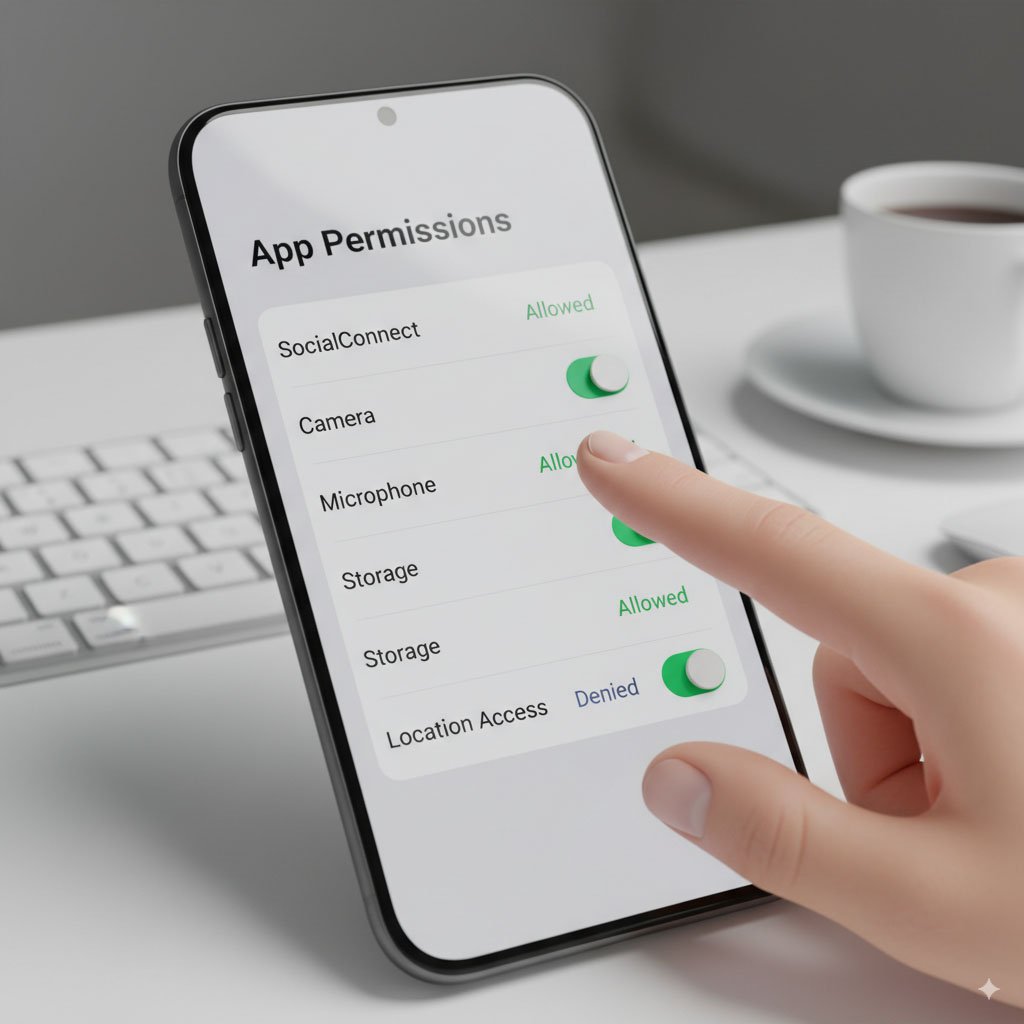
App permissions are critical gateways that grant applications access to device resources and private user data that lie outside the application’s own protected "sandbox".2 These resources can include hardware components like the camera and microphone, or sensitive data stores like contacts, SMS messages, and geographical location.
Historically, mobile operating systems employed an "all or nothing" consent model. Prior to Android 6.0 (Marshmallow), users were required to accept all permissions requested by an app at the moment of installation, severely limiting choice and transparency.3 This model inherently assumed developer trustworthiness, an assumption that frequently proved unfounded, as demonstrated by the flashlight paradox.
Modern operating systems, however, have evolved toward a runtime permission structure. Permissions are now displayed and requested only at the precise moment the app requires them to perform a particular function. This fundamental shift changes the user/app contract: the user is no longer a passive recipient of requirements but an active, dynamic security auditor.
Deconstructing the Risk: When Permissions Become Liabilities
Granting excessive or unnecessary permissions turns sensitive personal data into a significant liability. When apps gain access to information far beyond their functional scope, they compromise a user's security posture and place their privacy at severe risk by heightening the likelihood that this information falls into the wrong hands.4
The Anatomy of Sensitive Data Exposure
Mobile applications, particularly those allowed broad permissions, can often access sensitive information that includes health, financial, and highly specific geolocational data.4
Location data, in particular, represents a major vulnerability vector. Access to a device’s location allows for the creation of persistent behavioral profiles that can reveal everything from a user's regular commute to highly private details, such as visits to a doctor's office, a financial institution, or a romantic partner's residence.4 This behavioral profiling is high-value for targeted manipulation, personalized marketing, or digital discrimination based on inferred sensitive life events. Managing location permission is therefore a critical step in mitigating this extensive digital footprint.
Categorizing High-Risk Permissions and Their Malicious Potential
Certain types of permissions are consistently more valuable to malicious actors and data brokers due to the sensitivity and scope of the data they compromise. Modern security standards demand that users rigorously scrutinize requests for these permissions.
The Phishing and Spam Pipeline
One of the most immediate and tangible negative consequences of granting overreaching permissions, particularly to Contacts and Call Logs, is the compromise of communication data.5 If an app gains the ability to read and manage phone books, it collects the emails and phone numbers of the user’s entire social network. This data is leveraged to perform targeted phishing attacks (spear-phishing) against the user, or it may be sold off to fuel mass spam campaigns that target the user’s contacts.
The harvesting of contact and communication data directly leads to an increase in unwanted digital correspondence—spam and malicious emails—for the user and their associated network.5 To fight back against this inevitable influx of unwanted messages and maintain inbox integrity, users must utilize tools that protect their primary email address from exposure.
- To learn how to fight back against this flood of unwanted messages and effectively protect your inbox, detailed solutions are available in our guide: [How to block junk emails: choose a spam email blocker 19].
Platform Deep Dive: Mastering Permission Management on Android
The Android ecosystem offers robust centralized controls, but effectively managing them requires understanding the multi-layered permission system. Android facilitates permission management through two primary pathways: managing permissions based on the application, or managing them based on the data type (Permission Manager).
Leveraging the Android Permission Manager: A Security Control Center
The Permission Manager acts as the security control center for Android devices, listing permissions by type (e.g., Location, Calendar, Microphone) and allowing users to see which apps have access to which data at a glance.6
Step-by-Step Access via Permission Manager (By Data Type):
- Open the Settings application on the device.
- Navigate to Security & Privacy or search for "Privacy."
- Select Privacy and then Permission manager.7
- Tap a permission type (e.g., Contacts, Camera) to see which applications have been granted or denied access.
- To change an app's setting, tap the application name and then choose the desired permission setting.6
Step-by-Step Access via Apps Menu (By Application):
- Open the Settings application.
- Tap Apps, then select the app to review. If not immediately visible, tap See all apps.6
- Tap Permissions. Any allowed or denied permissions for that specific application will be listed.6
- Tap a specific permission setting to change it to Allow or Don't allow.6
Granular Control: Choosing the Right Access Level
Modern Android versions provide crucial, granular control options for high-risk permissions such as Location, Camera, and Microphone.6 Understanding these choices is vital for minimizing exposure:
- Allow all the time: The application can use the permission at any time, even when the user is not actively interacting with the app. This is generally reserved for essential system services (like security monitoring) and is strongly discouraged for standard user applications. This option is currently only available for Location.6
- Allow only while using the app: This is the recommended default for most functional permissions. The application can only utilize the permission (e.g., access the microphone or camera) while the user is actively engaging with that application.6
- Ask every time: Every time the user opens the application, the system will prompt the user to use the permission. It can use the permission until the user is done with the app. This is ideal for permissions that are rarely needed or carry high intrinsic risk, such as microphone access for a non-communication application.6
- Don't allow: The application is permanently restricted from using the permission, even when the user is utilizing the app. This should be the default choice for any permission that appears wholly unrelated to the application's core function, such as Contact access for a weather application.6
Essential Security Tactic: Auto-Revocation of Unused Permissions
A high-value, yet frequently overlooked, security feature in modern Android devices is the automatic removal of permissions for unused applications.6 This feature is essential because it minimizes the risk posed by dormant applications that may still hold wide-ranging, dangerous permissions. By enabling this setting, if an app hasn't been actively used for a specific period, the operating system automatically resets its runtime permissions, effectively neutering any potential background data collection or exploitation by forgotten apps.6
Platform Deep Dive: Taking Control on iOS Devices
Apple’s iOS architecture handles privacy management through a centralized structure, primarily categorized by data type. The iOS permission scheme places a strong emphasis on transparency, forcing developers to clearly justify their data access pop-ups to the user.
Navigating iOS Privacy Controls: Settings and Categories
iOS users can review and manage permissions for all applications by heading to the main control center within the device settings.8
Step-by-Step Guide:
- Open the Settings application on the iPhone.
- Scroll down and tap Privacy & Security.
- The user will see a list of categories like Location Services, Contacts, Camera, and Photos.8
- Tap on each category to view the list of applications that have requested access to that specific data type.
- If an app does not need access to certain data (e.g., Photos for a simple utility app), the user can tap the app and toggle off the permission.8
Leveraging the App Privacy Report: Your Digital Surveillance Tool
A significant addition to iOS (version 15.2 and later) is the App Privacy Report, which fundamentally changes the user’s ability to audit application behavior.9 This feature moves beyond simple static permission lists and provides a dynamic, behavioral audit of app activity.10
The App Privacy Report reveals exactly how often apps have accessed sensitive data, including location, camera, and microphone, and logs the specific network domains they contacted.8 This is critical for catching "silent" overreach: if an app is granted permission only while in use, but the report shows it accessed the location or microphone multiple times while the user was performing other tasks, the user has verifiable proof the app is too "nosey" and can immediately revoke access.8
The data collected in the App Privacy Report is encrypted and stored exclusively on the user's device. It must be manually turned on and will only start gathering information after activation.9
Instructional Guide to Accessing the Report:
- Go to Settings.
- Tap Privacy & Security.
- Select App Privacy Report.
- If not already active, tap Turn On App Privacy Report.10 Users can return here to review data access frequency and network activity.9
Addressing the Silent Culprit: Notification Privacy
Notifications, while designed for user convenience, can inadvertently become a privacy risk.8 If an application is allowed to send notifications that display sensitive information—such as contact names, detailed schedule information, or financial alerts—this data can be exposed to anyone who glances at the device’s locked screen or is nearby. Users must proactively manage these settings to prevent the unintentional exposure of private information.8
Users can manage notification settings by navigating to Settings > Notifications and then selecting the specific app. From there, users can restrict the content shown in banner alerts or switch off previews for sensitive applications.8
Proactive Privacy Measures and the Role of Anonymity
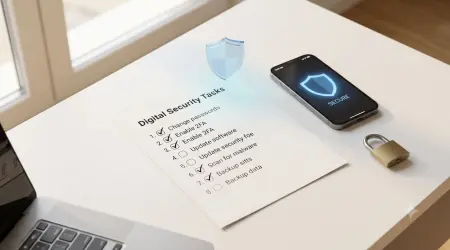
Achieving strong mobile security relies on continuous vigilance rather than a one-time setup. Security experts recommend a three-step proactive approach to managing the mobile ecosystem.4
Auditing Your Mobile Ecosystem: A Three-Step Approach
- Only install necessary applications: Every application installed increases the digital surface area vulnerable to attack or data exploitation. A minimalist approach is the safest standard.4
- Remove applications no longer used: Dormant or forgotten apps pose a risk, as they may still retain permissions or become vectors if compromised. Removing unused apps mitigates this risk immediately.4
- Actively manage permissions: Conduct regular audits of all remaining, necessary applications, adhering to the principle of least privilege.4
The Necessity of Contextual Consent
The future of mobile privacy is moving toward contextual consent, a necessary evolution that ethical developers are already embracing.11 Applications should request permissions only at the precise moment the user initiates an action requiring that access. This principle empowers users to ask and demand clarification: if an app asks, "Why access to my camera?" the response must be specific, such as, "This allows you to take photos and upload them directly within the app," rather than a vague or evasive answer.12 By adopting this user-centric approach, developers nurture a sense of security and foster a positive relationship regarding permission usage.12
Fortifying Registration Security: Connecting App Privacy to Email Protection
Even with rigorous permission management, the risk of data compromise remains, primarily due to factors outside the user’s control, such as third-party data breaches.13 When a user signs up for a non-essential service using their primary, sensitive email address, and that application or service eventually suffers a data leak, the user’s primary inbox is exposed to future waves of phishing, spam, and account takeover attempts.5
This causal link between app privacy failure and email security necessitates a buffer. Temporary or disposable email services act as an essential layer of isolation, separating a user's true identity from services that might overreach or eventually suffer a security failure. Using an alternative email address for sign-ups, especially when dealing with platforms known for high advertising intensity or those that require little commitment, is a crucial step in digital defense.
- When creating an account on social or non-essential platforms, it is important to secure your identity during sign-up. To learn how temporary email helps maintain anonymity and security: [How to use temp mail for Instagram 19].
- Platforms known for heavy advertising or intense data collection, such as Facebook, often increase the risk of exposing your email to massive spam campaigns. Using a temporary email helps protect your primary inbox: [Using temp mail for Facebook 19].
- Protecting your primary email address also fortifies the security of linked communication tools and services, creating a holistic security strategy for online privacy:].
Regulatory Landscape and the Future of Mobile Data (2025 Trends)
The push toward dynamic and transparent permission management is not solely driven by consumer demand; it is increasingly mandated by global regulatory frameworks.
Global Compliance: GDPR, CCPA, and Strict User Consent
Major regulations, such as the General Data Protection Regulation (GDPR) in Europe and the California Consumer Privacy Act (CCPA) in the United States, impose strict requirements on data controllers. These rules demand explicit user consent for data collection and mandate stringent requirements for data encryption.15 Under GDPR, non-compliance can result in substantial financial penalties, reaching up to €20 million or 4% of annual global revenue.15
This regulatory environment creates a massive incentive for developers globally to adopt a "privacy-by-design" methodology. Opaque bulk permission requests, like those seen in the flashlight paradox, are becoming increasingly non-compliant and financially hazardous for application developers. Businesses are now required to proactively adopt robust security measures to stay ahead of these legal and ethical changes.15
Future Architecture: Enhanced Privacy Models
The trend toward user-centric privacy will accelerate significantly, with expectations for mobile operating systems and application developers becoming more stringent. Anticipated 2025 trends for Android highlight these evolving requirements 11:
- Contextual Permission Requests: Developers are being pushed to ask for permissions only when the user takes a specific action that requires that access, reducing broad, unjustified requests.11
- Graceful Revocation Handling: Users must be able to revoke permissions at any time. Applications are expected to handle this gracefully, providing a usable "fallback UX" that informs the user what features will be limited rather than simply crashing or displaying an error.11
- Opting for Alternatives: Developers are encouraged to use safer, more limited alternatives for data access, such as utilizing MediaStore for media access rather than requesting full, unrestricted storage access.11
This impending architectural evolution validates current user efforts to enforce a principle of least privilege and indicates that current best practices will soon align with global regulatory and operational mandates.
Advanced Tools for Application Security Auditing
For organizations and security professionals seeking to verify compliance and audit application security, specialized tools are essential. Frameworks like Burp Suite and advanced XDR (Extended Detection and Response) solutions, such as Singularity Endpoint Autonomous Prevention, are utilized to conduct comprehensive mobile application security audits. These tools analyze network traffic, permission handling, and potential vulnerabilities within the app’s code base, ensuring a high level of security and regulatory adherence before deployment.16 This high standard of professional auditing reinforces the seriousness of mobile application security.
Frequently Asked Questions
Key Questions on Permission Management and App Functionality
Q: Will denying certain permissions break the app entirely?
Denying permissions that are genuinely critical to an app’s core function (e.g., denying camera access to a photo editor) will limit its functionality, and the operating system may present a notification to the user indicating this limitation.18 However, denying permissions that are unnecessary for core functionality (e.g., denying Contacts access for a gaming app or flashlight app) typically has no negative impact on operation, which underscores the initial overreach.
Q: What is the difference between "Normal" and "Dangerous" permissions?
The Android system categorizes permissions based on the level of risk they pose to the user's privacy.2 Normal permissions (e.g., accessing the internet connectivity, controlling vibration) present very little risk and are typically granted automatically by the system.3 Dangerous or Runtime permissions (e.g., Location, Camera, Contacts, SMS) access sensitive data or device functions and therefore require explicit user consent at the moment they are needed.6
Q: How often should a user perform a full mobile permission audit?
A user should conduct a full, centralized audit of all application permissions at least twice per year, or immediately following any major operating system update. For Android users, the best continuous defense is ensuring the "Auto-remove permissions for unused apps" feature is permanently enabled.6 iOS users should check the App Privacy Report monthly to catch unexpected background activity or silent data access attempts.9
Q: I rarely use an app, but I need to keep it installed. What should I do?
If the app is necessary but infrequently used, users can minimize risk without full uninstallation. On Android, activating the "Auto-remove permissions" feature will ensure the app loses dangerous access if it remains dormant.6 On iOS, manually navigate to Settings and revoke all unnecessary high-risk permissions (Camera, Location, Microphone) until the application is needed again. However, the safest security posture is always to remove unused applications entirely.4
Q: Why do non-calling apps need access to the "Phone" permission?
The "Phone" permission often allows applications to read and write phone call logs, manage phone calls, and potentially access device identifiers.6 While legitimate applications like certain security monitoring tools or specialized anti-spam blockers may need this, for most applications, it serves as an opportunity to harvest contact data and track communication patterns. This permission should be treated with the same caution as Contacts or SMS access.5
Conclusion: Reclaiming Digital Sovereignty
The analysis of mobile application permissions, highlighted acutely by the paradox of the flashlight app, reveals that data exploitation is not a fringe activity but a core monetization strategy for countless applications. The reality is that a user’s mobile device is the gateway to their most sensitive personal, professional, and financial data.
The user must recognize and embrace the role of the constant security auditor. Vigilance regarding app permissions—specifically restricting Location, Contacts, Camera, and Microphone access to only what is functionally necessary—is the single most effective security measure against data exploitation and the resulting privacy fallout. By diligently utilizing the centralized permission managers on Android and the dynamic auditing tools like the App Privacy Report on iOS, users possess the power to enforce the principle of least privilege. Reclaiming control over personal data begins with the simple, necessary act of reviewing what every application, even the most basic utility, is truly doing behind the scenes.
Written by Arslan – a digital privacy advocate and tech writer/Author focused on helping users take control of their inbox and online security with simple, effective strategies.