Email Privacy for Remote Workers: What Your Employer Can Actually See
When I first started working remotely, I made an assumption that turned out to be wrong.
I assumed that because I was working from my own home, on my own schedule, sitting at my own desk — my digital activity was largely my own business. The office surveillance model didn't apply to me anymore. I was free.
That assumption was incorrect in several important ways.
Remote work doesn't eliminate employer visibility into your digital activity. In some cases, it expands it — because the monitoring software that would have required physical IT infrastructure in an office can now be deployed silently to any device, anywhere.
Here's what employers can actually see, what they legally can and can't do, and — most importantly — how to maintain genuine privacy boundaries while working remotely.
The Remote Work Privacy Gap Most People Don't Think About
When you worked in an office, the privacy boundary was somewhat intuitive. Your work computer was at work. Your personal phone was in your pocket. The two worlds were physically separate.
Remote work collapsed that separation.
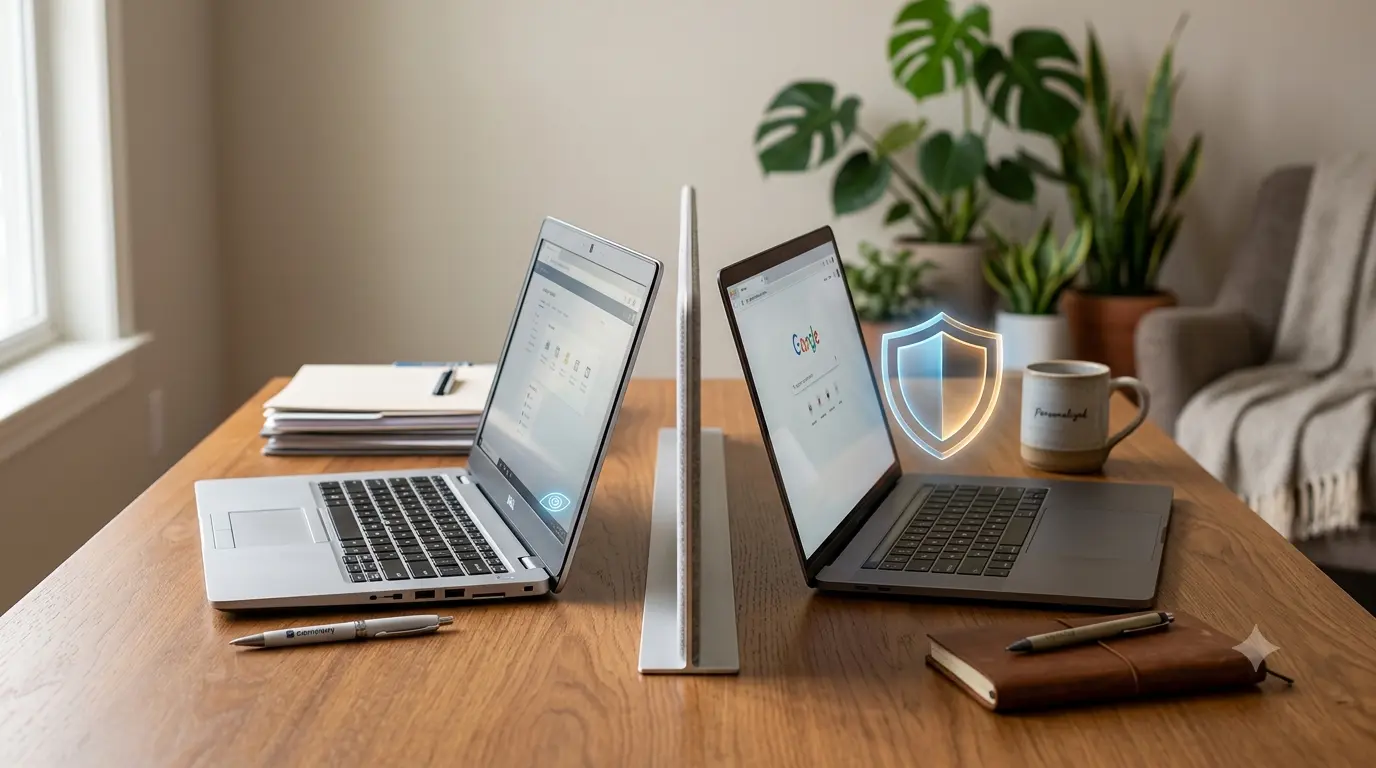
Now your work laptop sits beside your personal laptop. Your work email and personal email are open in adjacent browser tabs. You use the same home Wi-Fi for everything. You might use your personal phone to quickly check a work Slack message, or use your work laptop to book a personal appointment because it's right in front of you.
Each of these blurred boundaries is a privacy risk — in both directions. Employer data can leak into personal spaces. Personal information can become visible to employer monitoring systems.
Understanding exactly which scenario creates which risk is the starting point for managing both.
What Your Employer Can See on a Work Device
If you're using a company-owned device — laptop, phone, or tablet — the monitoring capabilities are extensive.
Email: If you access your work email through a company-managed email system (Microsoft 365, Google Workspace), your employer has administrative access to every email in that account. They can read your messages, search your inbox, and access deleted items. This is standard and legal in most jurisdictions for work accounts.
Browsing activity: Most corporate devices run endpoint management software (Microsoft Intune, Jamf, Kandji) that can log URLs visited, time spent on sites, and searches performed. VPN traffic from a corporate VPN is visible to the employer's network team.
Application usage: Time-tracking and employee monitoring software (Teramind, ActivTrak, Hubstaff) logs which applications are open and for how long. Screenshots may be captured at regular intervals on some platforms.
Keyboard activity: Some monitoring software logs keystrokes. This is less common but legal in many jurisdictions with appropriate disclosure.
Files and documents: Files stored on company cloud storage (SharePoint, Google Drive) are accessible to administrators. Files created on a managed device may be subject to company data policies.
Location: If location services are enabled on a company mobile device, the employer may have access to your location data.
The critical point: on a company-owned device, assume everything you do is potentially visible to your employer. This is true whether you're aware of specific monitoring software or not.
What Your Employer Can See on Your Personal Device
If you use your own device for work — the BYOD (Bring Your Own Device) scenario — the picture is more complicated.
Through Mobile Device Management (MDM) software: If your company requires you to install an MDM profile on your personal phone or laptop, the monitoring scope depends on what permissions that profile requests. MDM can access company data on your device, enforce security policies, and remotely wipe the device if it's lost. Better-configured MDM setups only access the work container — not personal data. Poorly configured ones may have broader reach.
Through corporate email clients: If you access work email through a company-required app (Outlook, Gmail with a managed account), that app itself is subject to company policy. The app's data may be accessible to IT. Your personal photos and messages on the same device are not — but data within the work app is.
Through VPN: If you're required to route all traffic through a corporate VPN for remote work, your employer's network team can see all traffic that passes through it — including personal browsing if you haven't separated your connections.
What they cannot see on personal devices (without MDM): Your personal email, personal apps, personal files, and personal browsing — provided you're not accessing these through work-managed systems.
The Work Email Boundary: Non-Negotiable
The clearest privacy boundary in remote work is this: your work email account is not private.
Your employer administers that account. They can access it. In most legal jurisdictions, they have the right to do so — it's their system, running on their infrastructure, licensed under their contracts.
This means:
- Never use your work email for personal sign-ups, subscriptions, or communications
- Never send personal or sensitive personal communications through your work email
- Never use your work email as a recovery address for personal accounts
Any personal information in your work inbox is potentially visible to your employer — and, in the event of litigation, discovery, or a company data breach, to third parties as well.
The Personal Email Boundary on Work Devices
Here's where remote workers commonly make mistakes in the other direction.
You're on your work laptop. You need to sign up for something personal — a gym, a doctor's appointment portal, a personal finance tool. Your personal email is right there in a browser tab. You use it for the sign-up.
What you may not realize: the device-level monitoring software on your work laptop may have logged the URL you visited, the form submission, possibly even the email address you entered — depending on how aggressive the monitoring configuration is.
Your personal email isn't monitored — but the activity on the device used to access it may be.
The practical boundary: For personal sign-ups, personal research, and personal account creation, use your personal device. Not your work device. Even if the task seems minor.
When using a personal device for personal activity, TempMailMaster.io for non-essential sign-ups keeps your real personal email out of third-party databases entirely — relevant regardless of the work/personal device distinction.
What Your Employer Legally Can and Cannot Do
Legal monitoring rights vary significantly by jurisdiction. Here's a practical overview:
United States: Employers have broad legal rights to monitor activity on company-owned devices and systems. Most states require disclosure that monitoring may occur (often buried in an acceptable use policy you signed during onboarding). A few states (Connecticut, Delaware) have more specific notification requirements. There is no federal law prohibiting reasonable employer monitoring of company systems.
European Union (GDPR): Employer monitoring must be proportionate, disclosed, and have a legitimate purpose. Covert, blanket monitoring without disclosure or proportionality consideration violates GDPR. Employees have the right to know what's being monitored and why. Employers must conduct a Data Protection Impact Assessment before implementing extensive monitoring.
United Kingdom: Similar to the EU framework — monitoring must be disclosed in an acceptable use policy, proportionate to the stated purpose, and not covertly extensive.
What employers generally cannot do legally (even with disclosure):
- Access personal accounts (personal email, personal social media) without consent
- Monitor personal devices without installing disclosed software with consent
- Use monitoring data for discriminatory purposes
- Retain monitoring data longer than necessary
If you're unsure about your specific employer's monitoring practices, your employment contract, acceptable use policy, and employee handbook should outline the scope. If it's not disclosed, that itself may be a compliance issue in jurisdictions requiring disclosure.
Practical Separation: The Remote Worker's Privacy Setup
Here's the setup that maintains clear boundaries:
Rule 1: Work email is for work only. Never use your work email for personal sign-ups, personal communications, or personal account recovery. Full stop.
Rule 2: Personal email stays on personal devices. Access your personal email exclusively on your personal device. Avoid opening personal accounts on work devices even for quick checks.
Rule 3: Use temp email for personal sign-ups. For any personal account you create that doesn't require a permanent email, use TempMailMaster.io on your personal device. This keeps your real personal email out of third-party databases — protecting it from both commercial spam and from the risk of appearing in your work device's browsing logs if you ever forget the device boundary.
Rule 4: Separate browser profiles. On a computer where you do both work and personal tasks, use separate browser profiles — one for work (with work accounts signed in), one for personal. This prevents credential cross-contamination and makes the separation concrete.
Rule 5: Understand your MDM scope. If your employer requires MDM on your personal device, ask IT specifically what the MDM profile can access. Get the answer in writing if possible. Know before you install.
A Real Situation: What Happened When Lines Got Blurred
A colleague of mine — remote worker, mid-sized tech company — used his work laptop for a personal medical appointment portal sign-up. He used his personal Gmail for the sign-up, so he assumed his personal email was private.
What he hadn't considered: his company's endpoint monitoring software logged all URLs visited, including the appointment portal. The IT department had access to those logs. During a routine security audit, that browsing activity was visible in the logs.
He wasn't in trouble — personal browsing on company devices is usually tolerated unless explicitly prohibited. But he realized his medical appointment search history was in a corporate log he had never thought about.
The lesson: the email address used may have been personal and private, but the device activity wasn't. For genuinely sensitive personal matters — medical, financial, legal — use a personal device exclusively.
The Email Forwarding Risk
One practice that seems convenient but creates significant privacy risk: forwarding work emails to a personal account, or forwarding personal emails to a work account.
Forwarding work to personal: Sends company data outside the company's controlled systems. This may violate your employment agreement and certainly violates data protection policies in regulated industries. Even if not explicitly prohibited, it creates personal liability if that company data is later involved in a breach from your personal account.
Forwarding personal to work: Puts your personal communications inside a system your employer administers. Your personal emails become accessible to IT administrators.
Both directions create problems. Keep the accounts completely separate and access each only on the appropriate device.
FAQ
Can my employer read my personal WhatsApp or Signal messages? Not on your personal device without MDM access. Not on a company device unless they've installed monitoring software that specifically captures messaging app content — which some do and some don't. The safest assumption for any communication on a company device: it could be monitored.
If I use incognito mode on my work laptop, is my browsing private? No. Incognito mode prevents the browser from saving local history. It doesn't prevent device-level monitoring software from logging activity. Incognito provides zero privacy protection from employer monitoring.
Is my employer allowed to monitor my activity without telling me? In most US states, yes — disclosure requirements are limited. In the EU and UK, covert monitoring without disclosure generally violates GDPR/UK GDPR. Check your employment agreement and acceptable use policy for what your employer has disclosed.
What if I work for myself as a freelancer but use client-provided equipment? The same principles apply. Equipment provided by a client may be monitored by that client's IT systems. Keep personal activity on your own devices.
Does using a VPN on my personal device protect me from employer monitoring? A personal VPN on your personal device protects your browsing from your ISP and hides your traffic from your home router. It has no effect on employer monitoring of company devices or company systems.
References
- EFF — Employee monitoring guide https://www.eff.org/issues/employee-privacy
- GDPR.eu — Employee monitoring under GDPR https://gdpr.eu/gdpr-employee-monitoring/
- SHRM — Remote work monitoring practices https://www.shrm.org
- CISA — Remote work security guidance https://www.cisa.gov/remote-work
- ICO — Employee monitoring guidance (UK) https://ico.org.uk/for-organisations/employment/monitoring-at-work/
- FTC — Workplace privacy https://www.ftc.gov
- NIST — Telework security guidelines https://csrc.nist.gov/publications/detail/sp/800-46/rev-2/final
- ENISA — Remote work security guidelines https://www.enisa.europa.eu
- Pew Research — Remote work and privacy https://www.pewresearch.org/internet/
- Microsoft — Acceptable use policy guidance https://docs.microsoft.com/en-us/compliance/
Published: June 2026 | Author: Arslan | Category: Remote Work Privacy & Email Security