Freelancer's Guide to Email Privacy: Protecting Your Inbox When You Work Online
Freelancing means sharing your email address constantly.
Job boards. Client platforms. Project management tools. Invoicing software. Tax tools. Time trackers. Collaboration apps. Portfolio hosting. Social platforms for professional networking.
At the start of a freelancing career, sharing your email feels like building visibility. And it is — partly. But it's also building exposure in ways that accumulate quietly over time.
By year three of full-time freelancing, I had my email address in approximately 80 different systems. Some were actively useful. Most were generating noise. A handful were outright risks.
Here's what I learned about managing email privacy as a freelancer — specifically, the distinctions that aren't obvious when you're starting out.
Why Freelancers Have a Unique Email Privacy Problem
Most email privacy advice is written for regular consumers — people with one job, one employer's email, and a personal email for everything else.
Freelancers don't fit that model. The email dynamics are different:
Your email is your professional identity. Unlike employees who have a company email domain, freelancers typically use their personal email as their primary professional contact. This means your professional email and your personal email are often the same address — or very closely linked.
You share your email constantly with people you don't know well. Every new client inquiry, every job board application, every platform sign-up involves sharing your email with an entity you haven't fully vetted.
You sign up for a lot of tools. Freelancers evaluate new tools constantly — project management software, time trackers, invoicing tools, portfolio platforms, communication apps. Each evaluation involves an email sign-up.
You're on multiple freelance platforms. Upwork, Fiverr, Toptal, Contra, LinkedIn, and various niche platforms all hold your email in their systems, with varying data practices.
Your reputation is attached to your email. A compromised or spam-flooded professional email creates business problems beyond personal inconvenience.
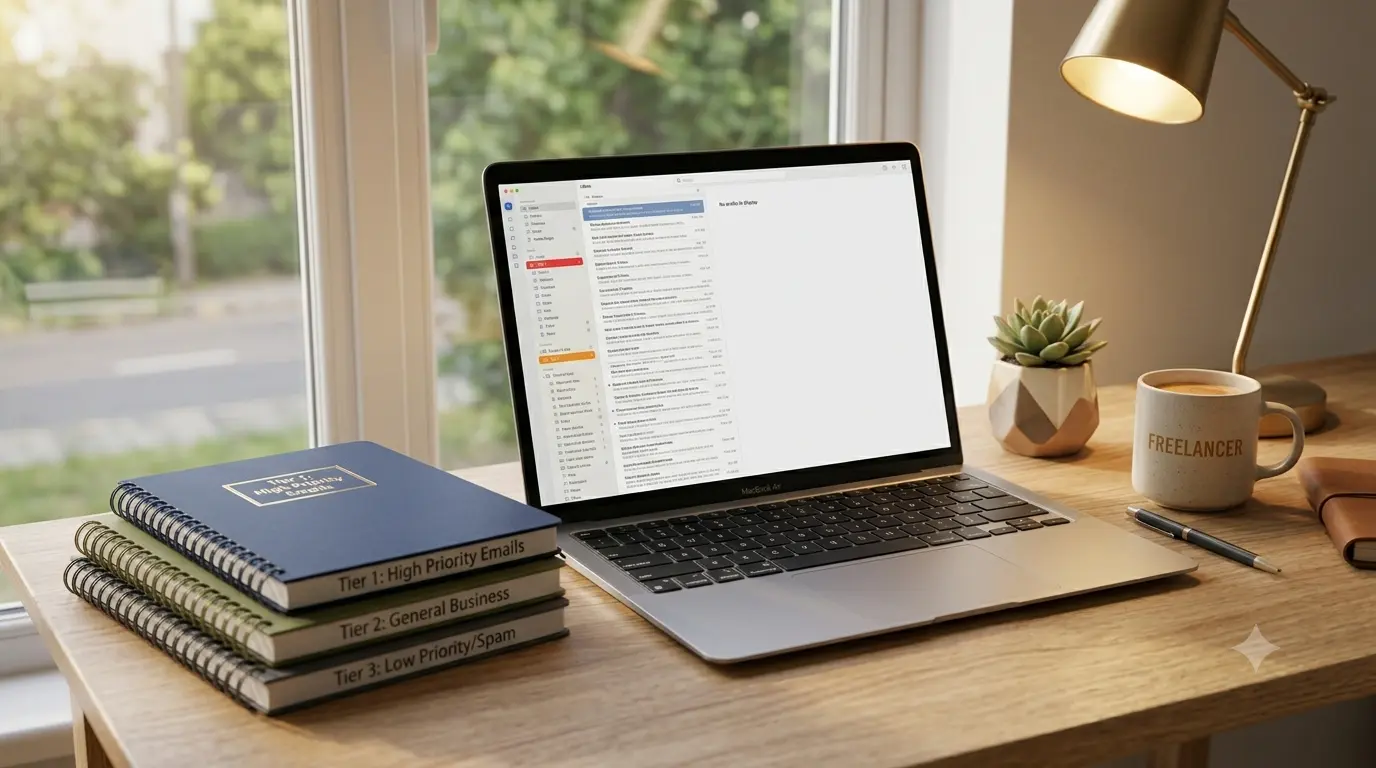
The Three Email Categories Every Freelancer Needs
The most effective approach isn't one email address — it's a deliberately structured system of three:
Category 1: Your Primary Professional Email
This is the email you give to actual clients, include on invoices, list on your portfolio, and use for the accounts that run your business. It should be professional, consistent, and reserved for genuine professional relationships.
This email goes to: direct clients, long-term platform accounts (if you've been using the platform for real paid work), professional networking contacts, tax and legal services, banking.
This email does NOT go to: platforms you're evaluating, job boards you're trying out, tools you're testing, any sign-up where you're not certain of the ongoing value.
Category 2: A Dedicated "Professional Exploration" Email
Create a second email address specifically for professional platforms, job boards, and tools you're evaluating. This address is still professional (your name, not something random), but it serves as a buffer between your primary business email and the inevitable marketing noise from platforms you try and don't adopt.
This email goes to: freelance platforms you're testing, professional tools in trial periods, job boards, industry newsletters you want to read but aren't certain about long-term.
The key: this email is checked regularly but treated as lower priority. You migrate to your primary email only when a platform becomes part of your actual workflow.
Category 3: Disposable Email for Everything Else
For anything that doesn't fit the above categories — tools you're quickly evaluating, webinars, free resources, industry research downloads — TempMailMaster.io is the appropriate tool.
One-time platform evaluations. Free guides and templates. Competitor research requiring platform sign-up. Anything where you genuinely don't intend to maintain a relationship with the sender.
This three-tier system keeps your primary professional email clean, gives you a manageable middle tier for professional exploration, and uses disposable email for true one-offs.
Specific Platforms: What to Use Where
Based on common freelancer platform usage and their data practices:
Upwork and Fiverr (Core Platforms)
If these are active revenue sources, your primary professional email is appropriate. These are genuine business relationships. However, be aware that both platforms have extensive marketing automation — expect platform notification emails even when you configure preferences to minimize them.
Professional exploration email is appropriate. LinkedIn's marketing is persistent and their data sharing with advertisers is extensive. You want to receive LinkedIn notifications (they're professionally relevant), but you don't need LinkedIn's marketing in your primary inbox.
Job Boards (General)
Exploration email or temp email, depending on your intent. If you're actively searching on a board, exploration email. If you're just browsing one specific listing, temp email.
Tool Evaluations (All Categories)
Temp email for initial sign-ups. If a tool earns a permanent place in your workflow, create a proper account with your exploration email (or primary, if it's business-critical) at that point.
Client Communication Platforms Assigned by Clients
If a client requires you to use their Slack workspace, project management tool, or communication platform, use your primary professional email. These are direct business relationships.
Invoicing and Tax Tools
Primary professional email. These hold financial data and you need reliable ongoing access.
Portfolio Hosting
Primary professional email. Your portfolio is your professional identity.
The Job Board Problem: Where Freelancers Overshare
Job boards deserve specific attention because they're where freelancers most commonly overshare their email.
Here's the pattern: you sign up on a new job board to check if it has relevant opportunities. You use your primary professional email because it feels professional. You browse, find nothing relevant, and forget about the platform.
Three months later, that job board is emailing you weekly digests, promotional offers, and partner service recommendations. Your primary professional email has been added to their marketing system.
Some job boards are worse: they sell or share user email lists with recruitment agencies and HR tech companies. Your "professional inquiry" email is now in marketing databases for products you never researched.
The discipline that prevents this: Any job board or platform you're trying out for the first time gets your exploration email (or temp email for quick assessments), not your primary professional email. Migrate to primary only after you've verified the platform is genuinely useful and have reviewed their data practices.
Client Inquiries: The Email Exposure You Can't Avoid
New client inquiries are the necessary exception to the "minimize email sharing" principle. Potential clients need a way to reach you — and that means your professional email needs to be publicly accessible somewhere.
The practical approach:
Portfolio/website contact form: Many freelancers route public contact through a form rather than displaying their email directly. This reduces email scraping by bots. The form submission reaches you, but your email isn't visible in the page source.
LinkedIn messaging: Potential clients can message you through LinkedIn without having your direct email. You can move to email once you've verified the inquiry is legitimate.
Platform messaging: On Upwork, Fiverr, and similar platforms, initial contact happens within the platform's messaging system. Your direct email isn't shared until you choose to move communication outside the platform.
These approaches make your professional email harder to scrape while keeping you accessible to genuine potential clients.
Managing the Inbox After Years of Oversharing
If you're a freelancer who's been giving your primary professional email to every platform for years, the cleanup is possible but takes effort:
Step 1: Identify which platforms are actively generating revenue or professional value. These are the ones that deserve your primary email.
Step 2: For everything else — platforms you're not actively using, marketing lists you've accumulated, industry newsletters you don't read — bulk unsubscribe using a tool like Leave Me Alone or Clean Email. Process these in batches by category.
Step 3: For platforms you're not actively using, delete the account entirely rather than just unsubscribing from emails. A dormant account with your primary professional email is a breach risk.
Step 4: Going forward, apply the three-tier system to all new sign-ups. Your primary professional email is for confirmed business relationships only.
The Freelancer's Phishing Risk
Freelancers face specific phishing risks that general privacy guides don't address:
Fake client inquiries: Phishing emails designed to look like new client inquiries are specifically targeted at freelancers. They may reference your portfolio, your niche, or platforms you work on. The goal is to get you to click a link, open an attachment, or provide banking information for a "project deposit."
Platform impersonation: Emails impersonating Upwork, Fiverr, or other platforms you use are common. They warn about account issues, payment holds, or policy violations — creating urgency to click.
Invoice fraud: If your invoicing software is compromised, fraudulent invoices may be sent to your clients with altered payment details.
The best defense against freelancer-specific phishing:
- Verify client inquiries through the platform they claim to use before clicking any links
- Never open unsolicited attachments, even from apparent clients
- Access platform accounts by typing the URL directly — don't follow email links
- Enable MFA on all freelancing platform accounts
For a deeper look at how AI has made phishing emails more convincing: How AI Phishing Emails Work in 2026
FAQ
Should I have a separate professional email domain for freelancing? A custom domain email (you@yourname.com) looks more professional than a Gmail or Yahoo address. It also keeps your professional email completely separate from your personal one. The cost is typically $10–$15/year for the domain. If you're serious about freelancing long-term, it's worth it.
What if a client specifically requests my Gmail or personal email? Some clients (particularly individuals rather than companies) prefer direct email over professional domains. Providing your primary professional email is appropriate here — this is a genuine business relationship. Never provide personal email that you use for family/friends.
Is it unprofessional to use a different email for platform sign-ups than my main contact email? No — clients don't see which email you used to sign up for a project management tool. The email clients see is the one you use to communicate with them directly, which should be your primary professional email.
What do I do if my primary professional email is already heavily spammed? Consider creating a fresh primary professional email and migrating your active client relationships to it. This is disruptive but worthwhile if your current primary email is receiving significant spam or has been exposed in breaches. Start using the three-tier system immediately with the new address.
How do I handle tax tools that need my real identity information? Tax and financial tools require accurate personal information — they need your real email for legal and financial record-keeping. These go in your primary professional email, not a disposable one. The trade-off (some marketing email) is worth the legitimate business access.
References
- Freelancers Union — Digital privacy for freelancers https://www.freelancersunion.org
- EFF — Email privacy guide https://ssd.eff.org
- FTC — Phishing guidance for small businesses https://consumer.ftc.gov/articles/how-recognize-and-avoid-phishing-scams
- GDPR.eu — Self-employed data protection https://gdpr.eu/gdpr-for-sole-traders/
- CISA — Phishing awareness https://www.cisa.gov/phishing
- Upwork — Platform security practices https://www.upwork.com/security
- Verizon DBIR 2025 — Small business breach data https://www.verizon.com/business/resources/reports/dbir/
- ENISA — Small business cybersecurity https://www.enisa.europa.eu/topics/cybersecurity-education
- Have I Been Pwned https://haveibeenpwned.com
- Leave Me Alone — Email list management https://leavemealone.com
Published: June 2026 | Author: Arslan | Category: Freelance Privacy & Professional Email Management