How AI Phishing Emails Work in 2026 (And Why Your Real Email Is the Target)
Last December, something unusual happened across the cybersecurity world.
Security researchers tracking phishing attacks noticed a sudden, dramatic spike in the volume of AI-generated phishing emails. In November 2025, AI-generated attacks made up about 4% of all reported phishing. By December, that number jumped to 56%. By January 2026, it settled at around 40% — and has stayed there.
A 14x surge. Practically overnight.
If your inbox has felt more dangerous lately — more convincing scams, more emails that almost fooled you — this is why. And if you're still using your real email address for every website that asks for one, you're handing attackers exactly the raw material they need to target you.
Here's what's actually happening, and what you can do about it.
What Changed: The Old Phishing vs. The New
For years, phishing emails were easy to spot if you knew what to look for. Bad grammar. Generic greetings ("Dear Customer"). Suspicious sender domains. Urgent, threatening language. Obvious spelling mistakes.
These tells weren't accidental — they were the result of attackers writing at scale, often in a second language, blasting the same message to millions of addresses.
That era is over.
The phishing email that will breach your business in 2026 has perfect grammar, addresses you by name, references a real project, and arrives at exactly the moment it makes sense. Your spam filter was built to detect patterns — repeated signatures, known-bad domains, suspicious links. AI-generated phishing has no patterns to detect.
The numbers confirm how serious this shift is. 3.4 billion phishing emails are sent every day, and 82.6% are AI-generated. Click-through rates have jumped from 12% on traditional phishing to 54% on AI-crafted lures. One in two people who receive a well-crafted AI phishing email clicks it.
How AI Phishing Actually Works: Step by Step
Understanding the mechanics makes the threat much clearer — and makes the prevention strategies make more sense.
Step 1: Your Email Address Gets Harvested
It starts with your email address. Attackers collect real, active email addresses from:
- Data breaches — databases of exposed credentials sold on dark web marketplaces
- Public websites — email addresses visible on LinkedIn, company websites, forum profiles, and social media
- Data brokers — companies that aggregate and sell personal data including email addresses
- Scraped sign-up forms — when websites you've registered on share or sell their user lists
The more places your real email address appears online, the more likely it is to end up in one of these lists.
Step 2: AI Researches and Personalizes the Attack
This is the step that makes modern phishing genuinely dangerous. After acquiring your email, AI tools research your publicly available information:
- Your name, job title, and employer (LinkedIn)
- Colleagues' names and email formats
- Recent company news or announcements
- Services and platforms you're publicly associated with
- Your approximate location and time zone
Fourth-generation AI phishing tools can conduct entire social engineering campaigns end-to-end: researching targets, crafting personalized messages, adapting in real-time to responses, and even conducting follow-up calls using voice clones.
The AI uses all of this context to write an email that feels like it came from someone who actually knows you.
Step 3: The Email Is Generated — Flawlessly
The time to create a convincing phishing campaign using AI tools dropped from 16 hours to under 5 minutes. This isn't just faster — it's fundamentally different in scale and quality.
The generated email:
- Uses perfect grammar and natural language
- Addresses you by your real first name
- References your employer, your role, or a real project
- Mimics the exact writing style of a colleague, your bank, or a service you use
- Contains no detectable spam triggers
Research conducted at Harvard with 112 participants found that GPT-generated phishing emails achieved a 30–44% click-through rate, compared to 19–28% for human-written phishing — a 50–57% improvement in effectiveness.
Step 4: Delivery Through Clean Infrastructure
Old phishing emails were often caught because they came from suspicious domains or known-bad IP addresses. Modern AI phishing bypasses this by:
- Sending from legitimate, compromised email accounts (real people's hacked inboxes)
- Using reputable cloud email providers whose sender reputation is clean
- Shifting away from traditional file-based payloads and instead using stealthier delivery methods like URL-based attacks, QR code-embedded documents, and account takeover
Traditional secure email gateways still miss around 12–14% of targeted phishing emails. At 3.4 billion phishing emails per day, that gap represents hundreds of millions of dangerous messages reaching inboxes every 24 hours.
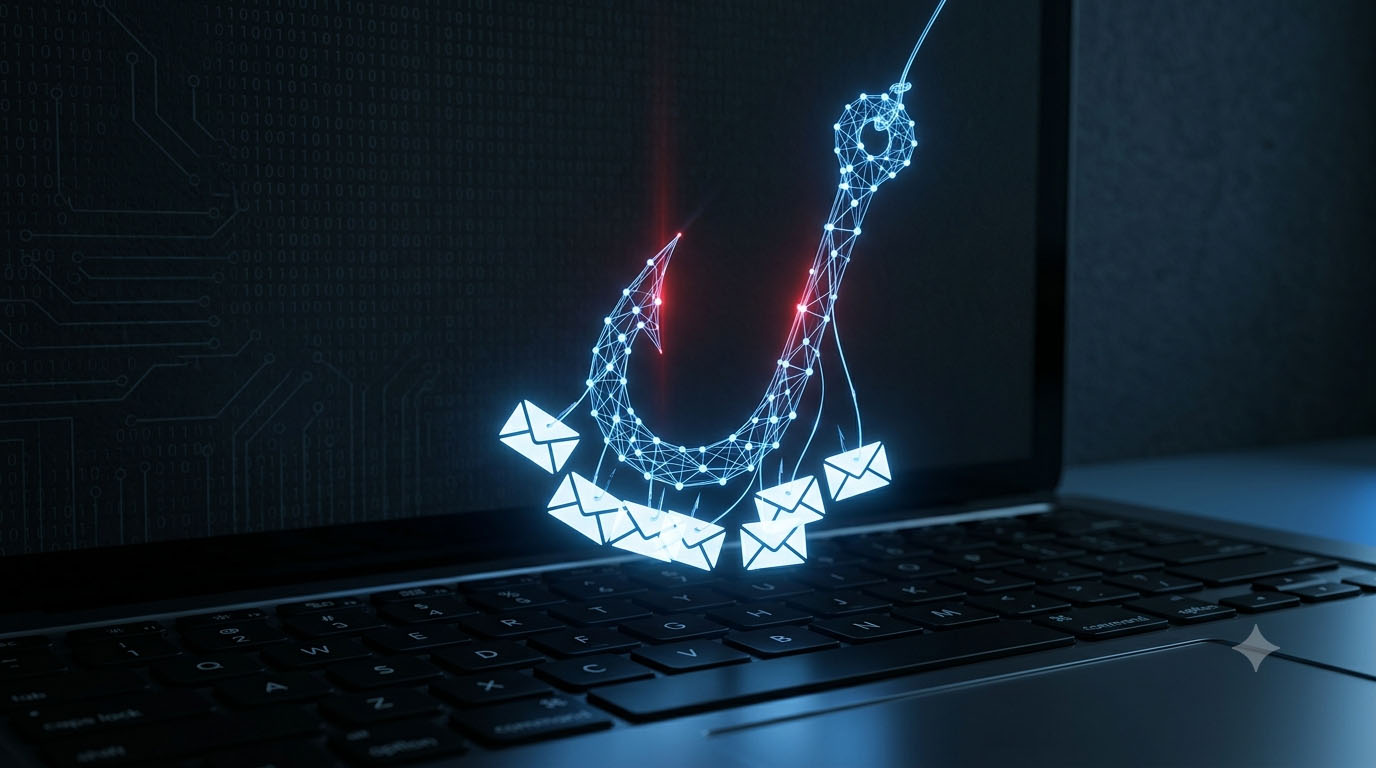
Step 5: The Hook — What They're After
Once you click, the goal varies depending on the attacker:
Credential theft: A fake login page — indistinguishable from the real one — captures your username and password. Modern "adversary-in-the-middle" kits capture your credentials and MFA codes simultaneously, bypassing two-factor authentication in real time.
Financial fraud: Business Email Compromise (BEC) attacks impersonate executives or vendors to authorize wire transfers or payment changes. BEC attacks caused $2.77 billion in FBI-reported losses in 2024 from 21,442 complaints.
Malware installation: Links or attachments install ransomware, keyloggers, or remote access tools on your device.
Account takeover: Stolen credentials are used to access your email, social media, banking, or other accounts — often within minutes of being captured.
The New Attack Variants You Need to Know About
Beyond standard email phishing, 2026 has introduced several new attack patterns that most people haven't heard of yet.
Callback Phishing (500% increase in Q4 2025)
Callback phishing uses fake alerts like invoices, subscription renewals, or security warnings to trick recipients into calling a malicious phone number. It grew 500% in Q4 2025 because phone numbers do not trigger email filtering solutions the way links and attachments do, allowing these messages to bypass technical defenses more easily.
Once on the phone, social engineers extract credentials, push targets to install remote access software, or authorize fraudulent payments. 27.1% of callback phishing campaigns impersonated financial services like PayPal, Venmo, and Bank of America, while 26.6% used fake subscription renewals and bogus order confirmations.
QR Code Phishing (+400%)
70% of malicious PDFs now contain QR codes that lead to phishing websites. QR codes are scanned on mobile devices, where full URLs are harder to see and scrutinize. The scan takes you to a convincing fake login page — on your phone, where you're more likely to enter credentials quickly.
Deepfake Voice and Video Phishing
The most alarming development in 2026 isn't email at all. A finance employee at engineering firm Arup transferred $25 million to fraudsters after attending a deepfake video conference call impersonating the company's CFO and senior leadership — every face and voice was AI-generated.
AI voice cloning can replicate a person's voice from just 3 seconds of audio. Deepfake incidents rose roughly 680% year-over-year.
Why Your Real Email Address Is the Starting Point
Here's the connection most guides miss: before any AI phishing attack can be personalized and launched against you, the attacker needs your real email address.
That's the entry point. Everything else — the research, the personalization, the convincing message — builds on having a real, active email they can target.
Every time you hand your real email to a website that doesn't genuinely need it — a one-time download, a free trial you'll never use, a newsletter you signed up for once — that address potentially enters a database. When that company gets breached (and breaches happen constantly), your address goes to the dark web. Once there, it gets purchased, enriched with public data, and fed into AI phishing campaigns.
This is a solvable problem — at the personal level.
Using TempMailMaster.io for one-time sign-ups and low-trust websites means your real email address doesn't end up in databases you didn't choose to be in. No breach at a website you visited once can expose your real email to attackers. No phishing campaign can be personalized against your real identity from a stolen address you never actually gave anyone.
The AI phishing infrastructure is sophisticated. The first step in its attack chain — getting your real email — is something you can prevent entirely for a large portion of your digital life.
A Real Scenario: How an AI Phishing Attack Unfolds
Let me walk through a realistic 2026 AI phishing scenario.
You signed up for a free trial at a project management tool two years ago. You used it once and forgot about it. That company got breached last year — your name, email address, and approximate industry were in the database.
Six months after that breach, an attacker purchases a dataset including your record. An AI tool enriches it with your LinkedIn profile — finding your current employer, your job title, and the names of two of your colleagues.
The AI generates an email. It appears to come from a colleague whose email format it guessed from LinkedIn. The subject line references a real project name scraped from a public press release. The email says: "Hey [your name], can you take a look at this invoice before the end of day? Finance needs it approved." The link goes to a fake Microsoft 365 login page — indistinguishable from the real one.
You click. You enter your credentials. The attackers are in your email account within minutes.
None of this required the attacker to be technically sophisticated. The AI handled the research, the writing, and the delivery. The only raw material it needed was your real name, your real email, and a rough idea of your professional context.
The weak link in that chain: the email address you gave a project management tool you used once and forgot about.
What Actually Protects You in 2026
Defense 1: Minimize Where Your Real Email Appears
This is the upstream fix — the one that reduces your attack surface before any phishing attempt is even launched. Use TempMailMaster.io for:
- Free trial sign-ups
- One-time content downloads
- Websites you've never visited before
- Any sign-up where you don't intend to return
If your real email isn't in the database, it can't be in the breach. If it's not in the breach, it's not in the phishing campaign. For more on protecting your email from breaches: What Happens to Your Email After a Data Breach?
Defense 2: Enable Phishing-Resistant MFA
Standard SMS-based two-factor authentication can be bypassed by adversary-in-the-middle phishing kits that capture your OTP code in real time. Phishing-resistant MFA — using a hardware security key (YubiKey) or passkey — cannot be replicated by a fake site, because the authentication is cryptographically bound to the real website's domain.
This is the single most effective technical defense against credential-stealing phishing in 2026.
Defense 3: Verify Unusual Requests Out of Band
If you receive an unexpected email asking you to click a link, approve a payment, or enter credentials — even if it looks completely legitimate — verify it through a separate channel. Call the sender using a phone number you already have. Check the website directly by typing its address into your browser.
This is the defense that stops AI phishing even when the email itself is convincing. The attack relies on you acting on the email. Verification routes around it entirely.
Defense 4: Check Your Email's Breach Exposure
Visit haveibeenpwned.com and check every email address you use regularly. If your address appears in known breaches, change the passwords on every account using that email, enable MFA, and monitor for unusual activity.
Defense 5: Treat Unexpected Urgency as a Red Flag
AI phishing is designed to create urgency — a payment needed today, a security alert requiring immediate action, an invoice that must be approved in the next hour. Urgency is a manipulation technique. Legitimate requests — from your bank, your employer, your service providers — almost never require you to act within minutes.
When an email creates urgency, slow down. That's the signal to verify, not to click.
FAQ
Can AI phishing emails be detected by spam filters? Increasingly, no. AI-generated phishing regularly bypasses standard spam filters because it lacks the repetitive patterns that filter engines are designed to catch. Advanced AI-based security tools reduce successful incidents by 30–40%, but no filter catches everything.
What does a 54% click-through rate actually mean? It means more than half the people who receive a well-crafted AI phishing email click the malicious link. Even among people with security awareness training, one in four submitted credentials to AI-generated phishing because the content was grammatically perfect, contextually appropriate, and indistinguishable from legitimate institutional communication.
Is AI phishing only a problem for businesses? No. While the most financially damaging attacks target organizations, individual consumers are targeted constantly — through fake bank emails, streaming service alerts, package delivery notifications, and social media account security warnings. The sophistication that used to be reserved for enterprise attacks is now available to anyone running a phishing campaign.
If I have MFA enabled, am I safe? Standard SMS-based MFA can be bypassed by adversary-in-the-middle kits. Hardware security keys and passkeys cannot — they're the gold standard for phishing resistance in 2026.
Does using a temp email protect me from AI phishing completely? Not completely — but it significantly reduces your attack surface. It prevents your real email from appearing in databases that get breached and sold to phishing operations. For accounts where you use your real email, the other defenses in this article still apply.
How can I tell if an email I received is AI-generated? You usually can't — that's the problem. AI-generated phishing is designed to be indistinguishable from legitimate communication. Instead of trying to detect AI content, focus on the behavior the email is requesting: Does it want you to click a link and log in? Approve a payment? Share credentials? Verify those requests through other channels before acting.
References
- Hoxhunt — 2026 Phishing Trends Report https://hoxhunt.com/guide/phishing-trends-report
- Barracuda Networks — 2026 Email Threats Report https://blog.barracuda.com/2026/05/12/ai-phishing-service-changing-email-threat-landscape
- Keepnet / VIPRE — AI Phishing Statistics 2026 https://app.stationx.net/articles/phishing-statistics
- IBM X-Force — Phishing campaign creation time https://www.ibm.com/security/data-breach
- FBI IC3 — Internet Crime Report 2024 https://www.ic3.gov/annualreport/
- AutoSPF — AI-Powered Phishing Analysis 2026 https://autospf.com/blog/ai-powered-phishing-2026-email-authentication-last-ai-defense-signal/
- Verizon DBIR 2025 — Breach investigation data https://www.verizon.com/business/resources/reports/dbir/
- Harvard / Black Hat Research — GPT phishing effectiveness https://autospf.com/blog/ai-powered-phishing-2026-email-authentication-last-ai-defense-signal/
- Abnormal Security — BEC growth statistics https://abnormal.ai/blog/email-security-trends
- CrowdStrike — 2025 Global Threat Report https://www.crowdstrike.com/global-threat-report/
Published: June 2026 | Author: Arslan | Category: Cybersecurity & Email Protection